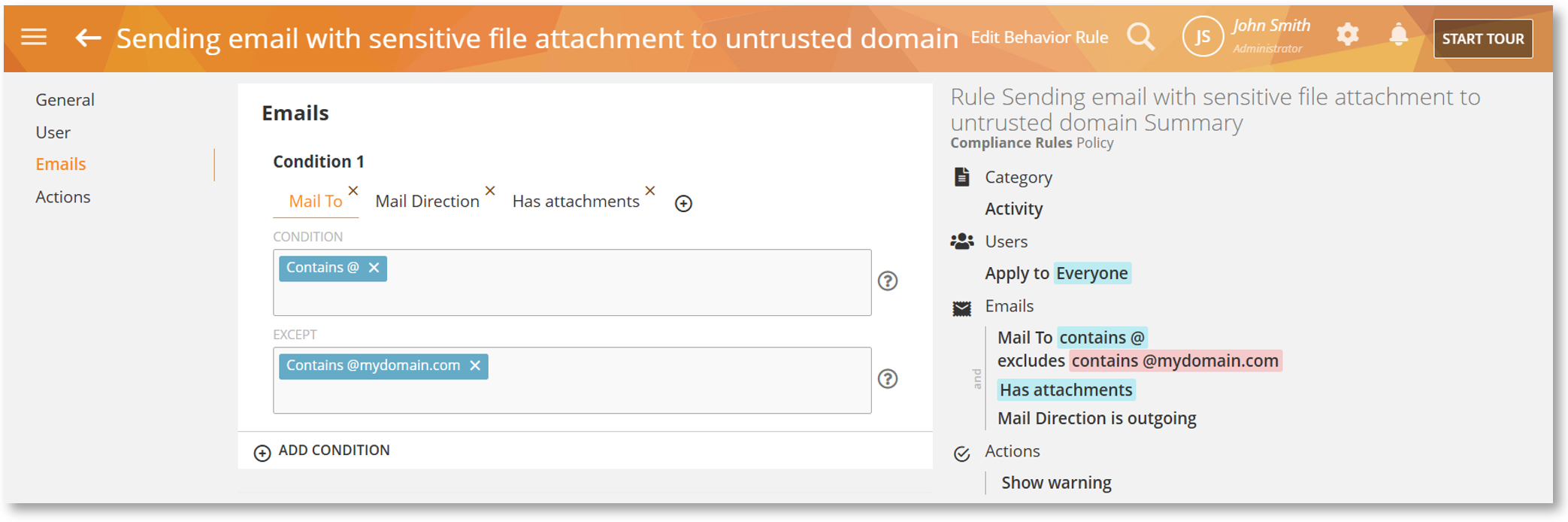
We are excited to announce Platform Release 829, a major update designed to give you surgical control over your monitoring environment while bringing the Mac Agent closer to feature parity with Windows. This release focuses on delivering greater flexibility in tracking, ensuring privacy and security go hand-in-hand.
Here is a summary of the new features and improvements available in this release. For an extensive list, please refer to the detailed Release Notes.
Smarter, Flexible Monitoring
This release introduces increased independence between data capture settings to offer organizations greater flexibility in their monitoring configurations, a new set of network parameters for more precise geolocation tracking, and enhanced MS Teams support.
Support for Separate Tracking Configuration
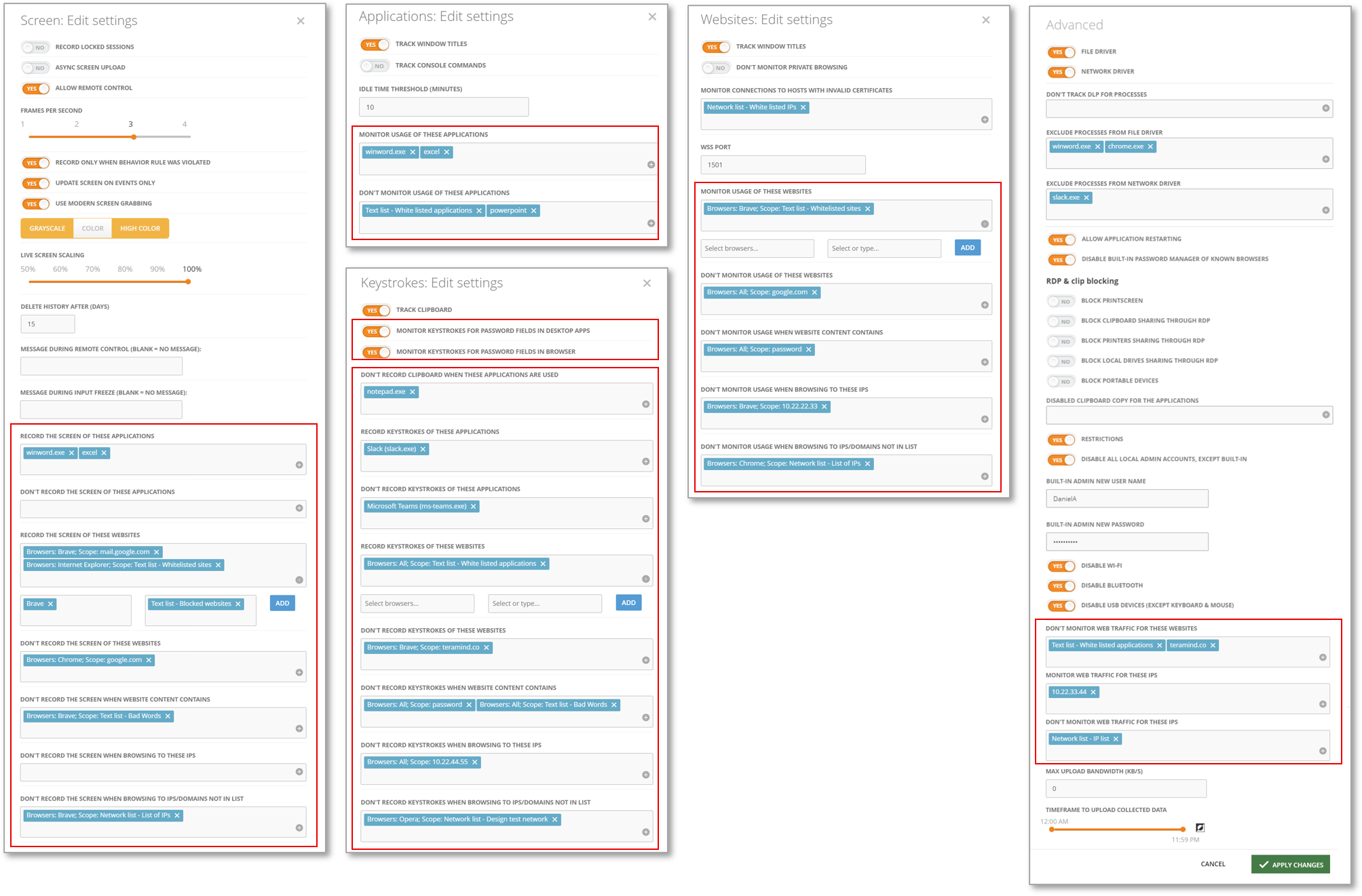
You are no longer restricted to an “all-or-nothing” monitoring approach. We’ve introduced independent configuration options and rearranged settings across Screen, Applications, Websites, Keystrokes, and Advanced monitoring. For example, you can now suspend screen recording for specific sensitive apps or websites without losing the ability to track usage trends or keystroke data.
New Access Point Parameters for Geolocation Tracking
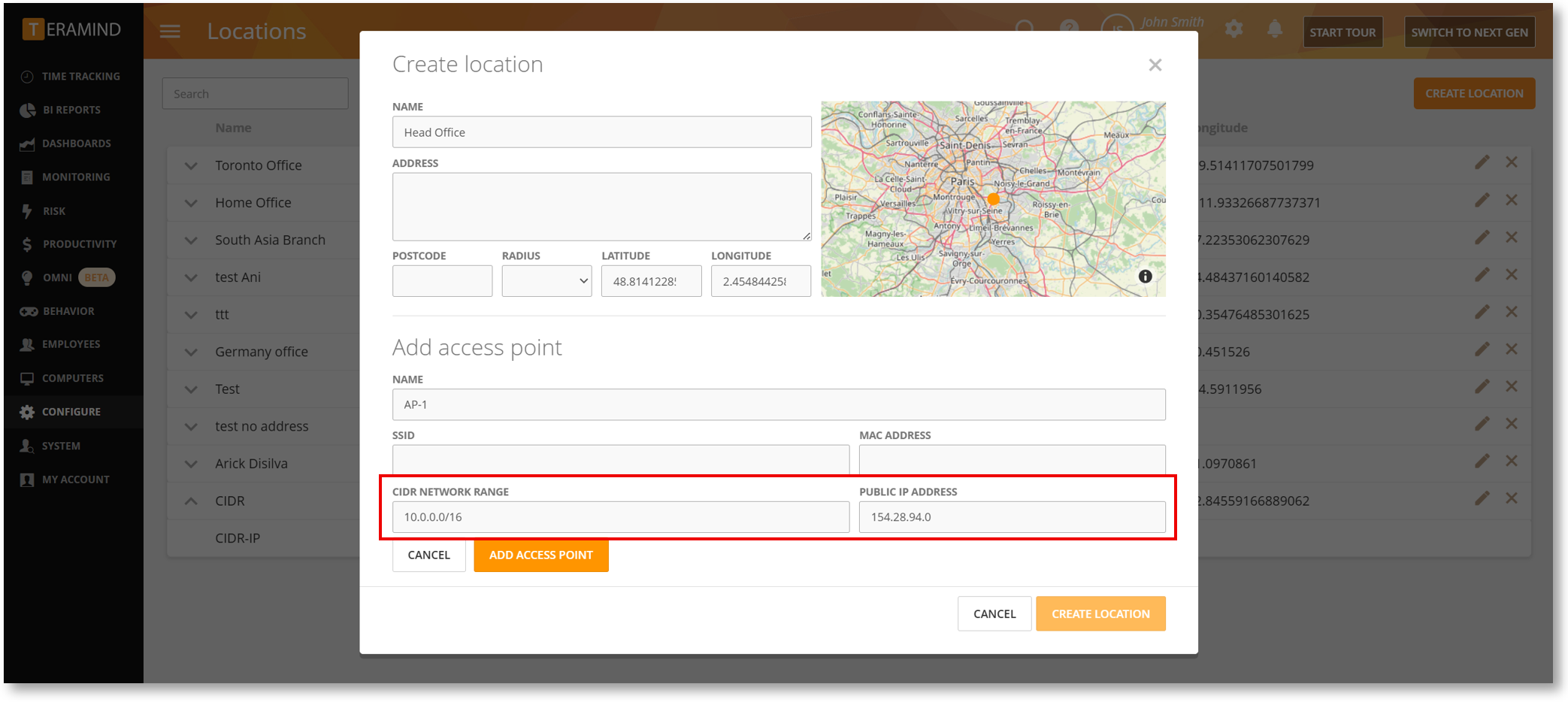
Access Point (AP) detection in location tracking has been expanded to support two new options: CIDR NETWORK RANGE and PUBLIC IP ADDRESS. This update significantly improves support for wired and VPN-based office networks that do not rely on traditional WiFi parameters like SSID or MAC addresses. You can now designate an entire private network range or a specific public IP as a known location.
Support for MS Teams Multi-Account Logins
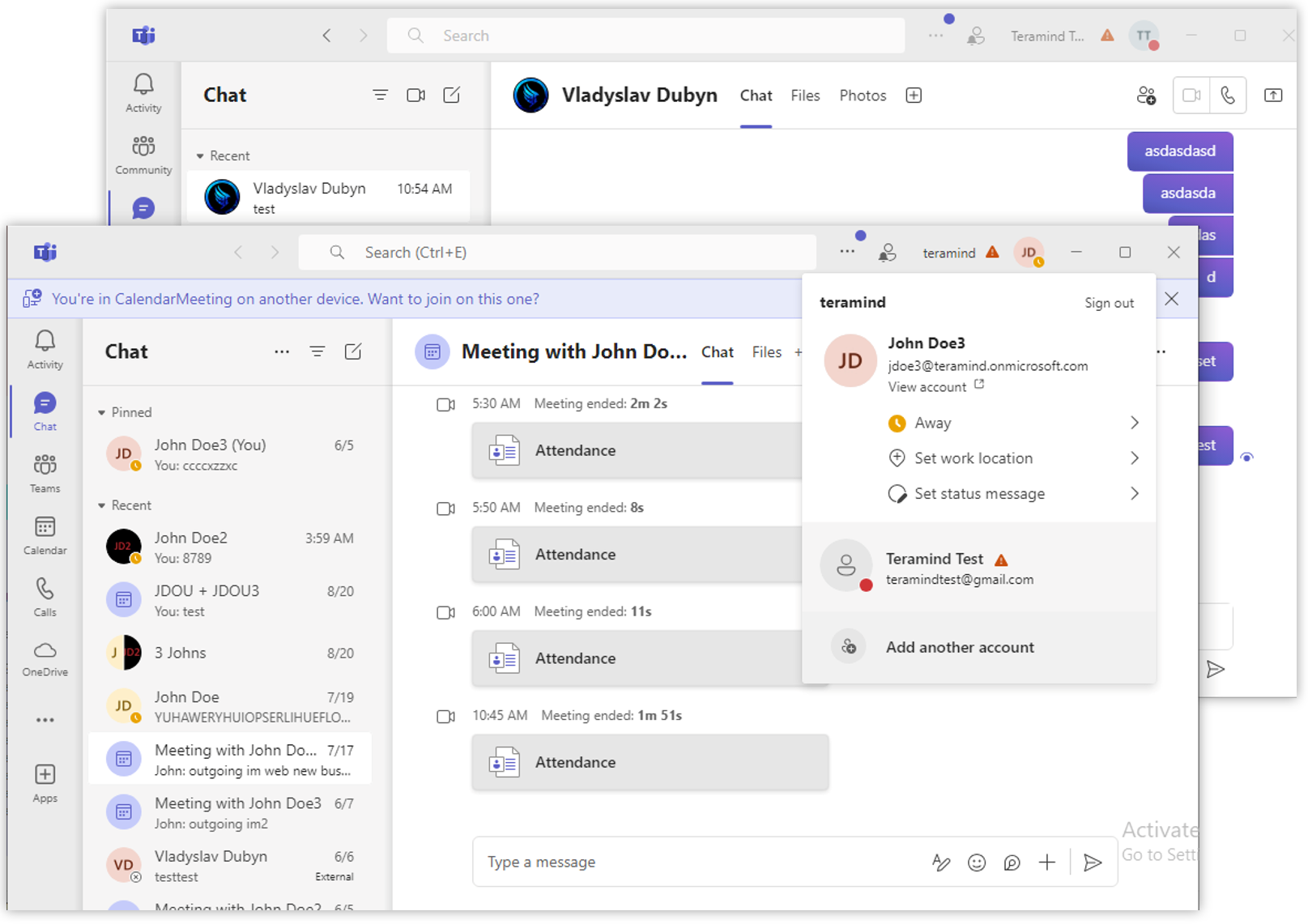
To align with recent MS Teams desktop updates allowing multiple simultaneous account logins, the Agent now provides full compatibility. Activities are captured in Online Meetings and Instant Messages reports regardless of which account is active, eliminating data gaps and providing a complete picture of user communications.
Strengthening Behavior Rules and Data Protection
The rules engine has been upgraded to manage complex security scenarios and eliminate potential data protection gaps.
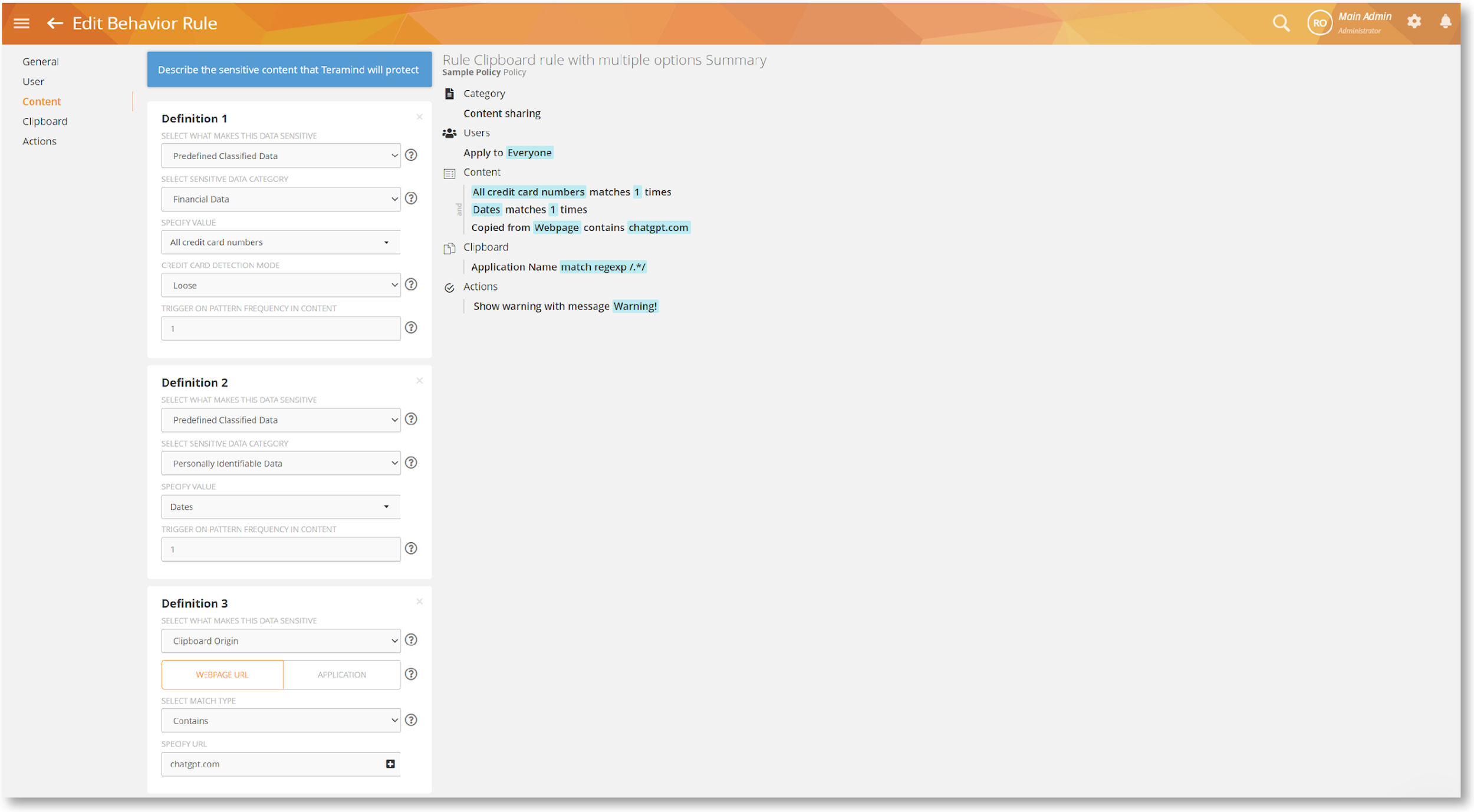
Expanded Support for Multiple Content Definitions
The Content Sharing rules for Clipboard, Keystrokes, and IM now support more than two definitions enabling you to configure complex data loss prevention rules without any limitations.
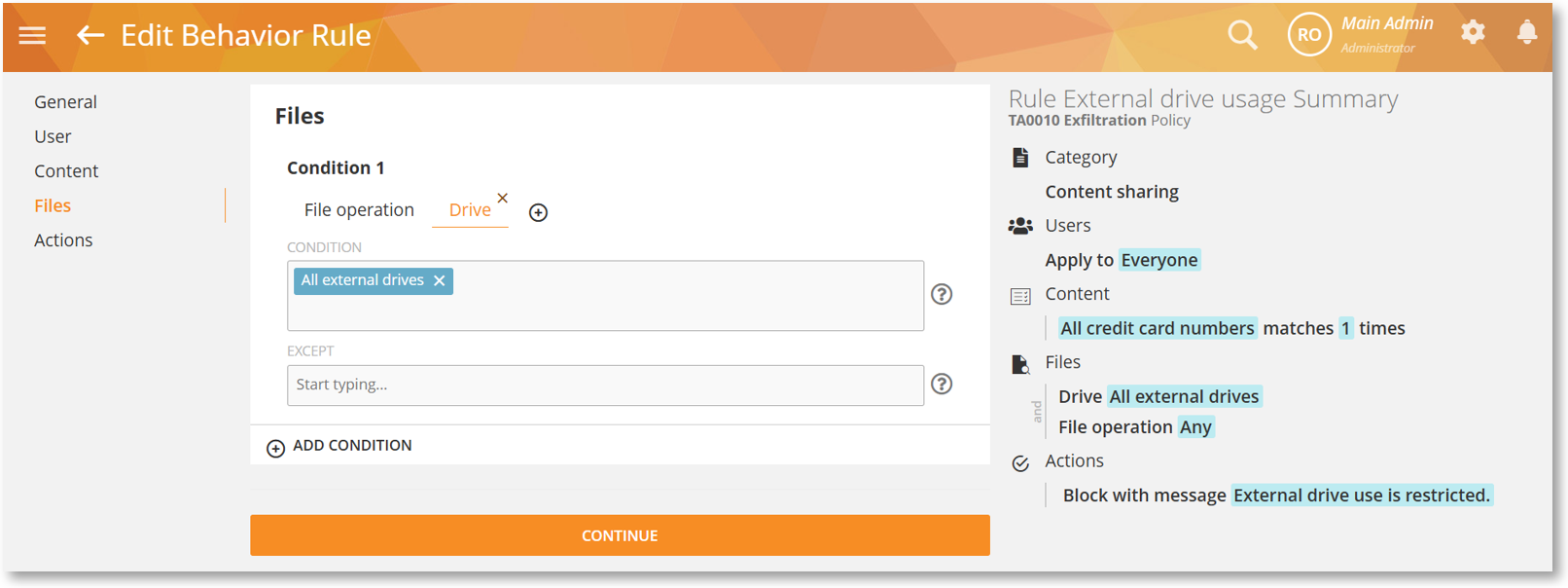
Support for FAT and exFAT External Drives in Rules
The rule engine now supports scanning for FAT and exFAT formatted external drives. Files rules will accurately detect I/O operations on these volumes, ensuring comprehensive protection for removable media and eliminating a common security gap.
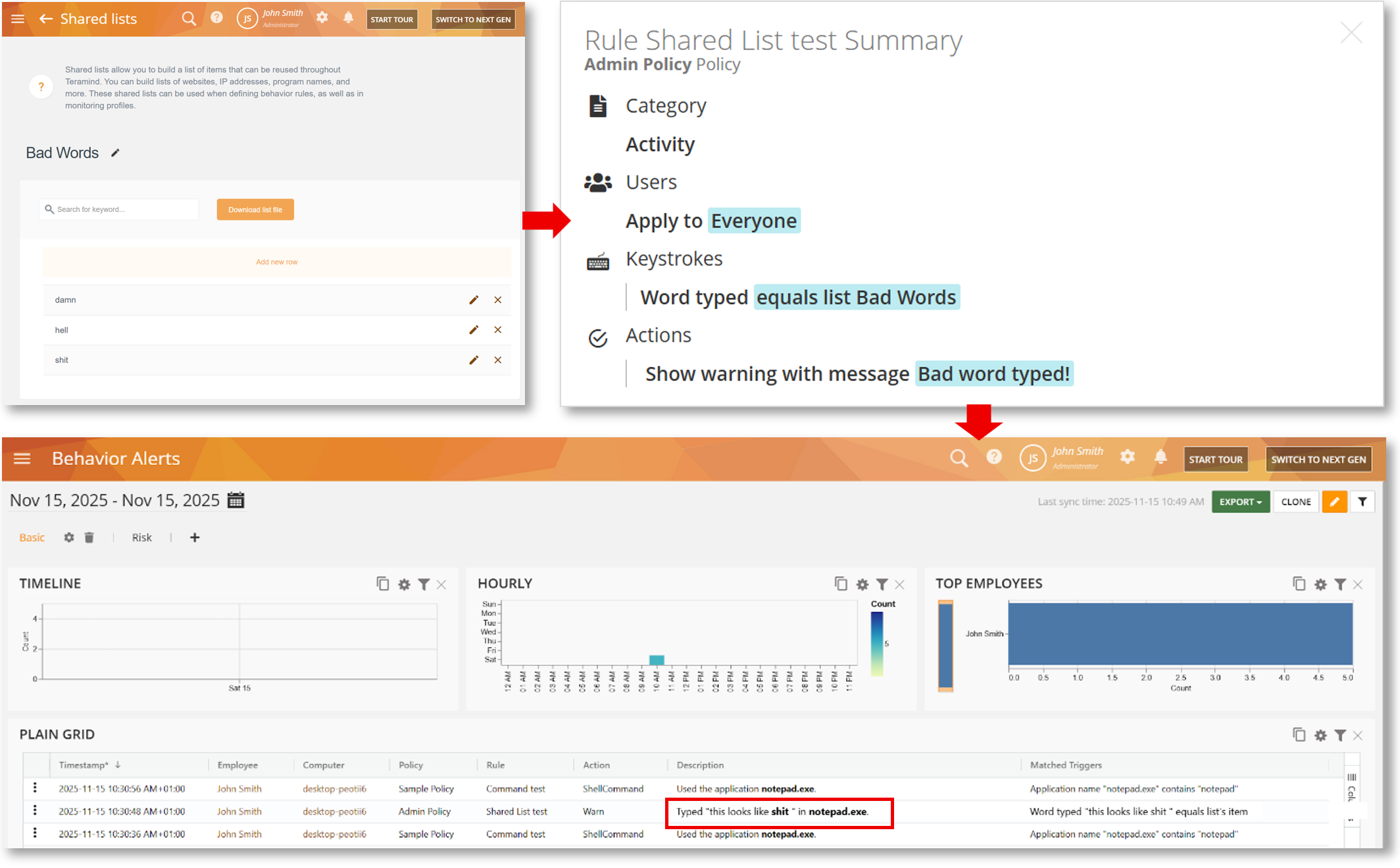
Improved Alert Description for Keystrokes Rules
Alerts from Keystrokes rules triggered by a Shared List now highlight the specific matching keyword within the alert description instead of displaying a list ID. This removes ambiguity and allows for immediate identification of the trigger during a review.
Optimizing the Administrative Experience
The dashboard has been refined to provide better context and privacy while streamline management of large AD domains.
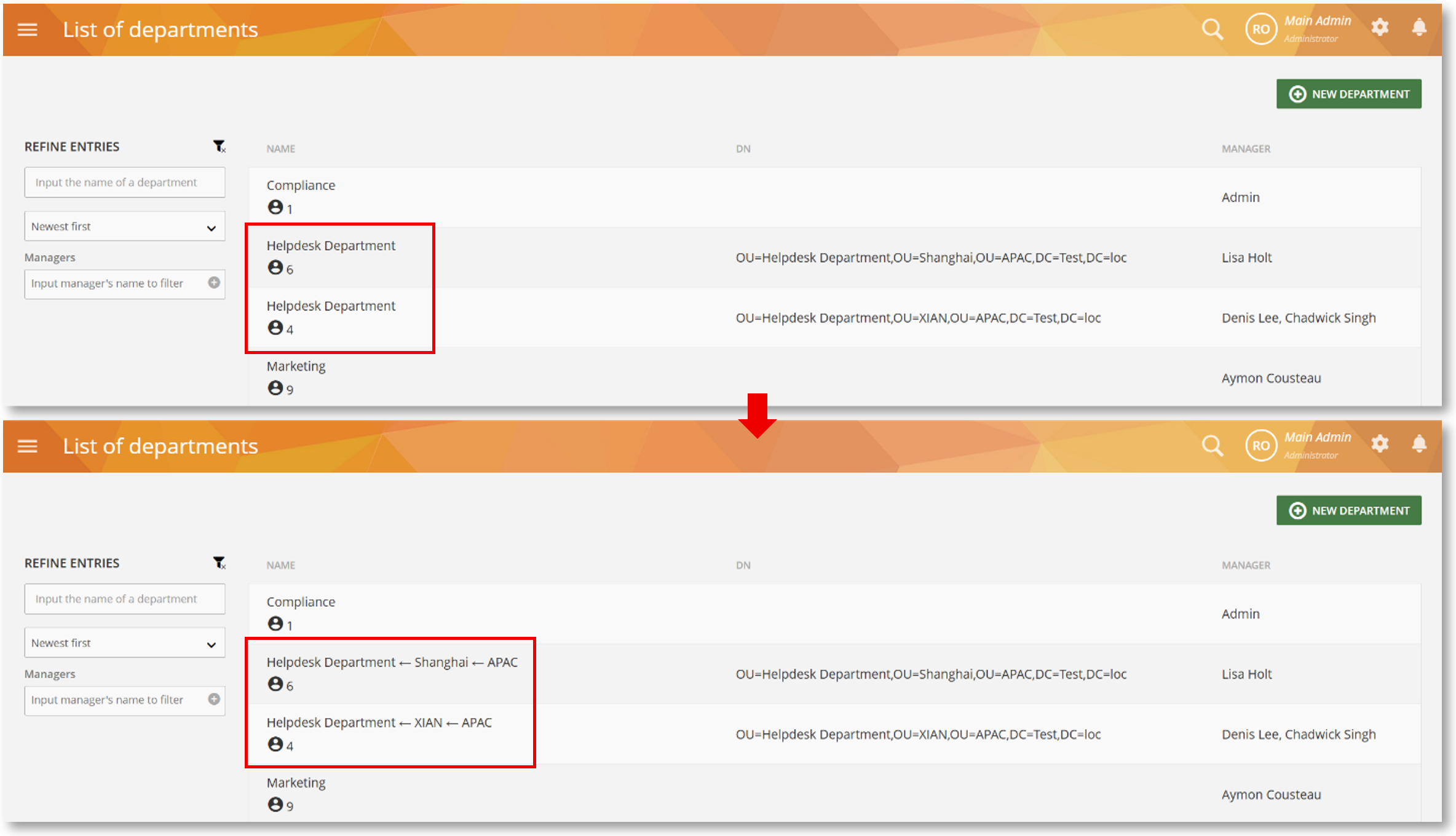
Hierarchical Display for Active Directory Departments
When multiple departments share a name, the system now automatically displays their full organizational hierarchy (e.g., “Helpdesk Department ← Shanghai ← APAC”). This ensures every department is uniquely identifiable, enabling administrators to assign users and configure monitoring without confusion, especially in larger AD deployments.
Improved Privacy for Keystrokes Monitoring in Zoom
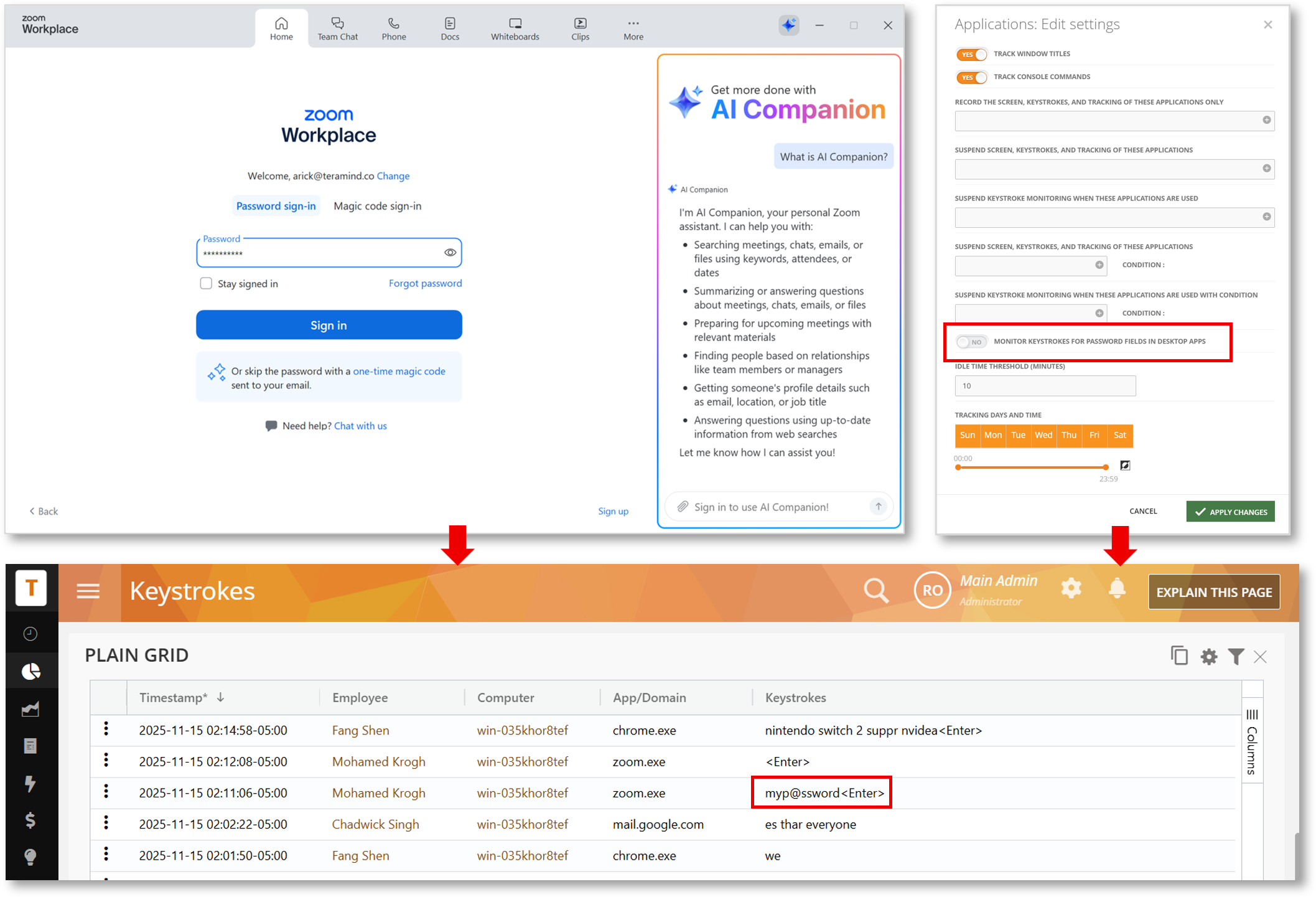
Platform logic has been adapted to ensure passwords typed in Zoom’s password field are no longer tracked if the MONITOR KEYSTROKES FOR PASSWORD FIELDS IN DESKTOP APPS option is disabled in your monitoring settings.
Clear Visibility for Data Retention
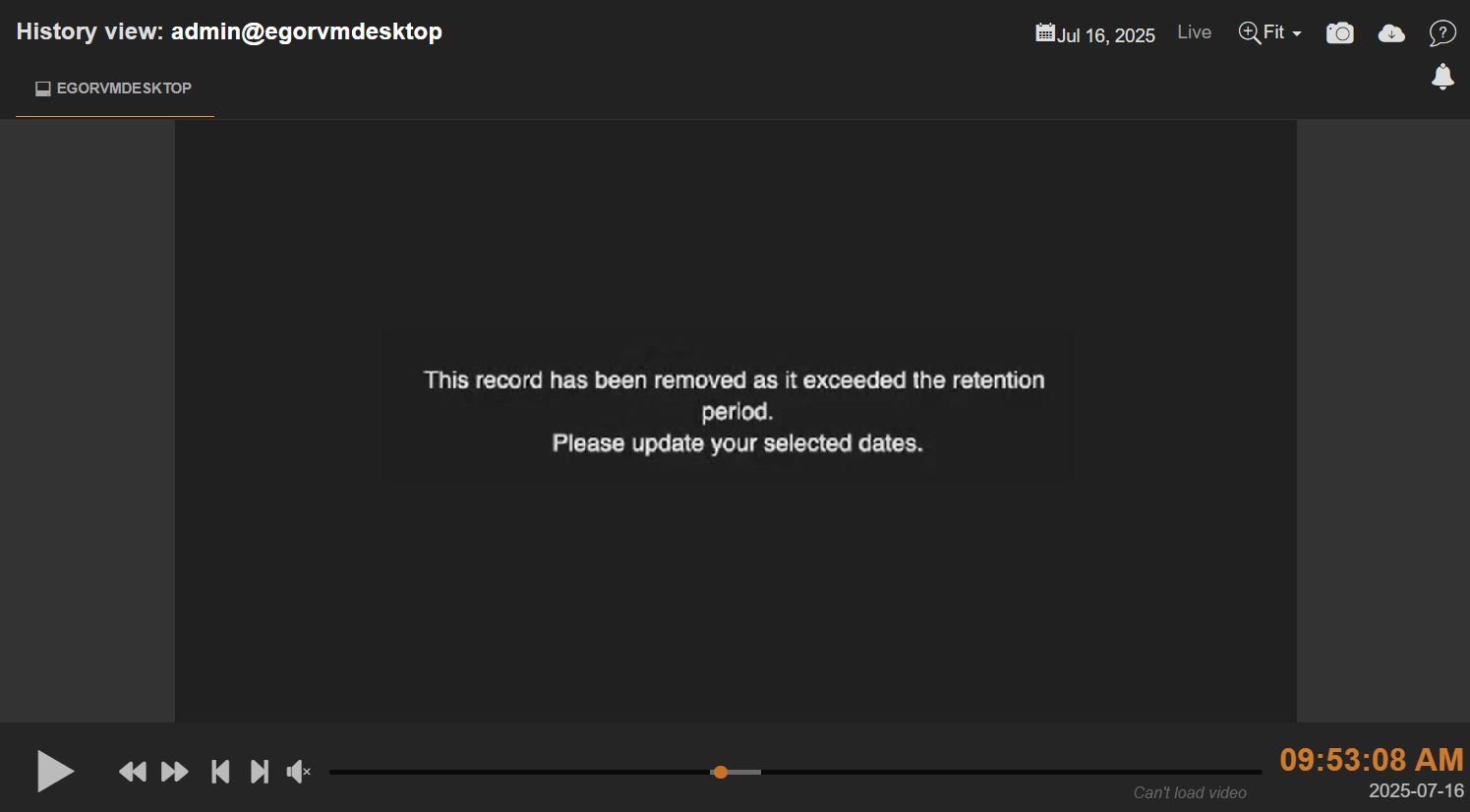
In instances where a video recording is no longer available because it has exceeded the organization’s configured retention period, the Session Player will now display a clear, user-friendly message. This helps administrators distinguish between an expired record and a playback error.
Expanding Control and Parity for Mac
The Mac Agent now includes several high-demand features previously exclusive to Windows to ensure a robust and consistent cross-platform experience.
Enhanced Websites and Screen Monitoring Controls
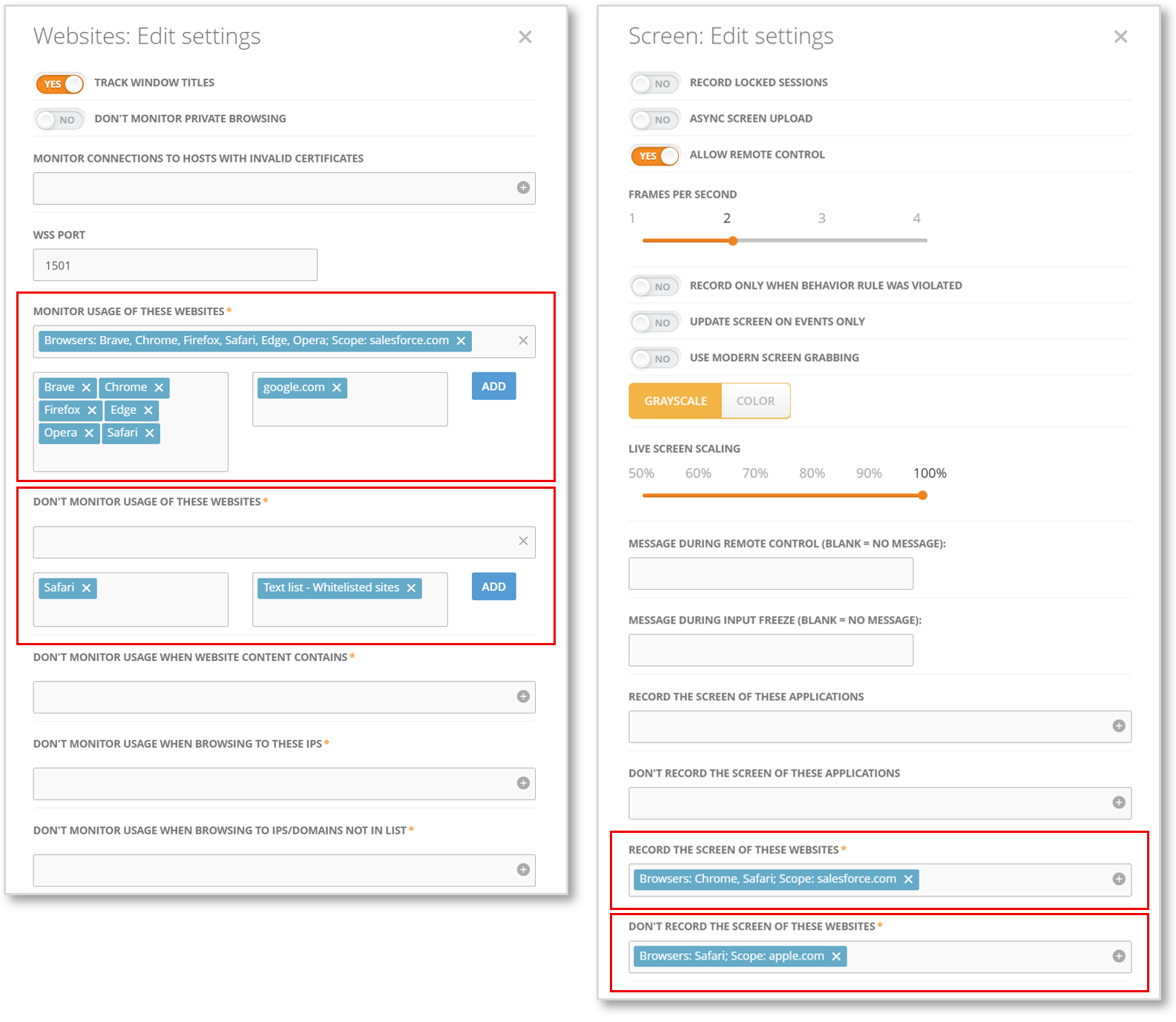
The Mac Agent now offers more granular control over website monitoring. Administrators can specifically include or exclude websites; those chosen for exclusion will be blacked out in screen recordings to ensure user privacy and compliance.
Monitoring Support for Outlook (Web)
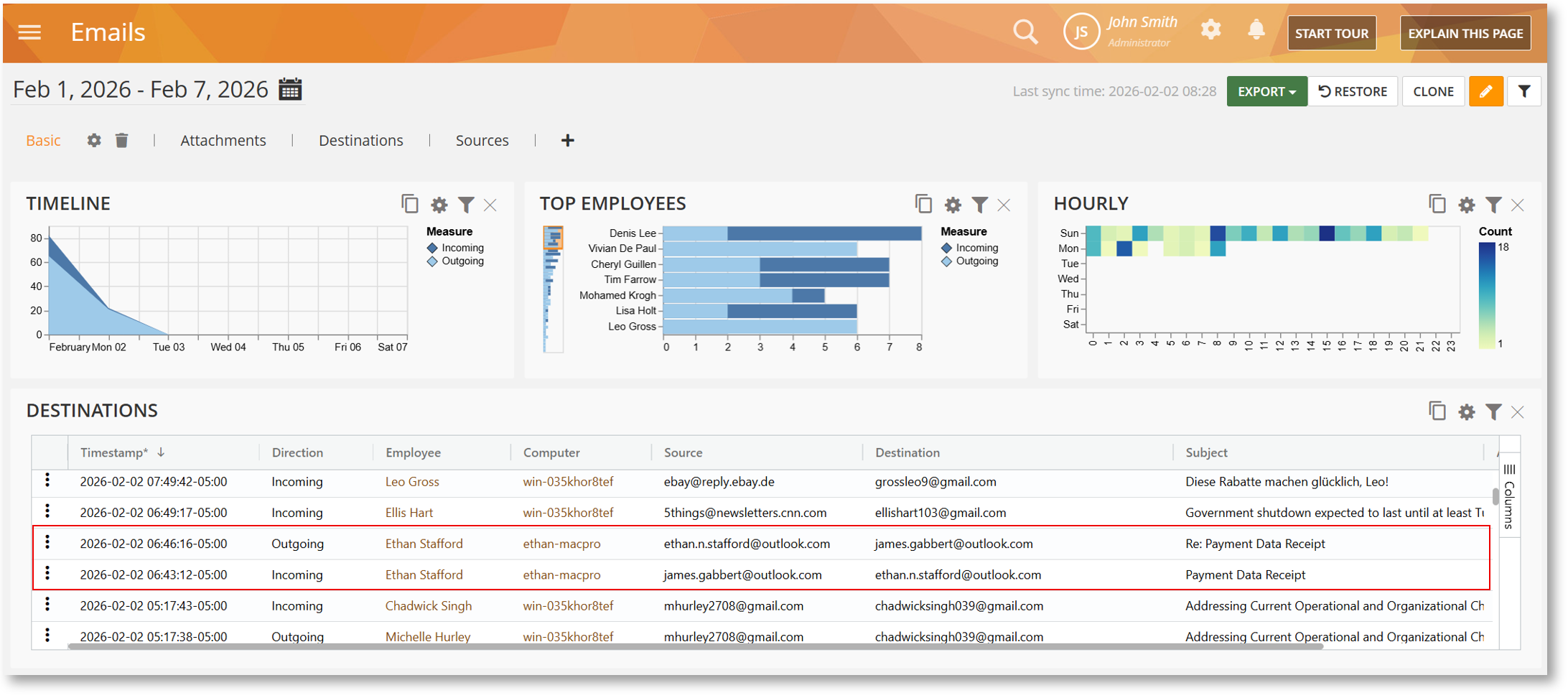
Full Outlook (web) email monitoring is now available for Mac. This update captures both outgoing and incoming emails with full details, including sender, subject, body, and attachments up to 15 MB.
Emails Activity Rules Support for Gmail and Outlook
Organizations can now enforce compliance and security policies for Gmail (web) and Outlook (web) usage on Mac endpoints. This enhancement allows for the triggering of automated actions such as Warn, Block, or Lock Out User based on specific email activity criteria.