
Compliance teams have control over approved corporate systems like enterprise software, managed databases, and internal applications.
But they don’t have the same over what employees paste into ChatGPT, upload to Claude, or share with Gemini and other unauthorized AI tools. As such, when auditors review AI usage controls, most organizations discover they can’t prove that employees aren’t exposing regulated data through external AI services.
This audit trail void leaves organizations vulnerable to regulatory penalties. HIPAA, for a start, requires demonstrating who accessed what patient data and why. GDPR demands showing how personal information is processed. And financial regulations expect documented controls over confidential information.
None of those requirements disappear because data exposure happens through AI prompts instead of traditional channels.
That’s why we put together this list of 12 compliance tools that address unauthorized AI usage. All are different; some monitor prompts and block sensitive data in real-time. Others detect shadow AI tools through behavioral patterns. And some provide comprehensive screen-level visibility into AI interactions.
Scroll down or use the menu to start.
1. Teramind
Teramind provides comprehensive visibility into employee AI usage across all applications and platforms, detecting both approved and shadow AI tools through behavioral fingerprinting.
The platform captures complete AI interactions, including what employees send to AI tools, what AI generates in response, and what employees do with AI-generated content.
This enables organizations to monitor for compliance violations and maintain audit trails documenting AI usage for regulatory requirements.
How Does Teramind Work?
By analyzing usage patterns, data access patterns, and behavioral signals, Teramind can identify hidden AI activity even when employees attempt to bypass controls.
This includes detecting connections to unauthorized AI services, tracking interactions with AI endpoints, and surfacing patterns tied to shadow IT behavior.
Teramind’s AI governance also extends its capabilities toward active enforcement. This allows organizations to move beyond visibility into proactive control, enforcing policies that ensure employees use AI securely while preventing sensitive data from reaching external systems.
Instead of simply blocking tools, teams can provide viable alternatives, such as approved AI solutions that enable productivity while maintaining compliance and control.
What Are Teramind’s Key Features?
See Teramind’s capabilities all in one place → Take a self-guided product tour
- AI Agent Monitoring: Tracks, audits, and applies risk scoring to AI activity, helping teams prioritize incidents based on behavior severity, data exposure, and potential impact on the organization.
- Shadow AI Detection: Detects and tracks shadow AI use across all environments, including browser-based tools, desktop apps, and emerging AI technologies that may not yet be formally approved.
- Governance Out-of-the-box (11 Rules): Comes pre-configured with 11 governance rules that activate on day one.
- AI Breach and Compliance Monitoring: Detects AI-related breaches in real time and maps activity against compliance frameworks (EU AI Act, CCPA, SOC 2, and others).
- Agentic AI Governance: Governs AI agents the same way it governs human employees, monitoring autonomous AI actions across the business.
- Incident Recommendation Engine: Automatically recommends responses to flagged incidents and surfaces relevant policy elements for faster remediation.
- Primary Channels Visibility (UEBA for AI): Provides security-layer visibility across all AI interaction channels (network, cloud, email, and endpoints).
- OCR-based Screen Monitoring: Detects sensitive data when it appears on screen in applications or remote desktops.
- Session Recording: Records user sessions (configurable by policy), allowing compliance teams to review exactly how data was handled inside AI tools.
- ChatGPT Employee Monitoring: Monitors employee activity on ChatGPT to track AI usage, prevent data leaks, and provide usage analytics.
Why Do Businesses Trust Teramind’s AI Governance Solution?
Audit-ready Documentation for Regulatory Compliance
Teramind logs every AI interaction (including prompts and responses) with timestamps and complete context. When auditors or regulators ask for evidence demonstrating control over AI usage and data handling, organizations can provide comprehensive audit trails.
Teramind’s documentation meets the evidentiary standards that HIPAA, GDPR, PCI DSS, and financial services regulations require.
Jonathan P, VP of Information Systems, said:
“In healthcare, safeguarding patient information is a daily priority. Teramind has given us clearer visibility into how sensitive data moves across our systems, which has helped us strengthen our internal controls. The alerts are practical and easy to act on, and the reporting makes audit preparation much smoother. It’s been a valuable addition to our security toolkit.”
Real-time Data Protection
Teramind’s DLP enforcement blocks sensitive data before it reaches external AI services, preventing exposure. When employees attempt to share regulated information with AI tools, Teramind stops the data at the endpoint. This enables organizations to maintain compliance through active prevention.
An IT Security & Risk Manager at a $7B Manufacturing Enterprise said:
“Easy implementation, great UI, and an amazing product. We leverage Teramind to manage high-risk scenarios with in-depth visibility and real-time alerting. It has far surpassed our expectations and has saved us from significant data loss.”
Cross-platform Coverage Without Deployment Gaps
Teramind’s monitoring works across Windows, macOS, and Linux endpoints, consistently enforcing policies regardless of the operating system.
In this way, organizations maintain uniform AI usage visibility and control across their entire workforce.
Larissa H, IT Support Specialist, said:
“Convenient and comprehensive cloud-based PC management software. It’s easy to install, access, and gain visibility across client PCs. This is a mature and feature-rich solution for both on-premise and remote environments.”
How Much Does Teramind Cost?
- Starter: $14 per seat/month.
- UAM: $28 per seat/month.
- DLP: $32 per seat/month.
- Enterprise and government: Custom pricing available on request. Click here to book a demo.
2. LayerX
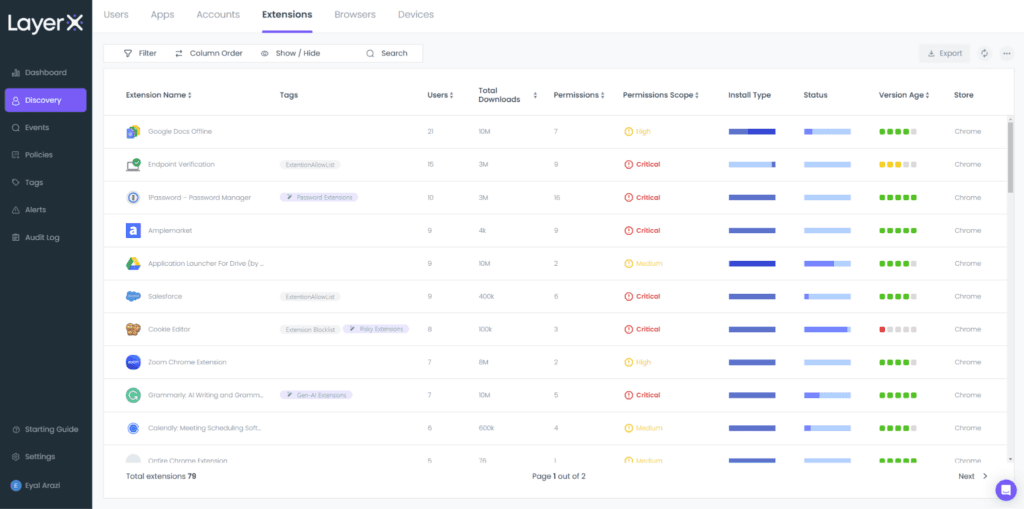
LayerX provides browser-native AI security and compliance monitoring. It operates as a browser extension, capturing AI interactions directly within browsing sessions.
The platform focuses on web-based AI usage via ChatGPT, Claude, Gemini, Perplexity, and similar services accessed through browsers.
It also provides granular visibility into unmanaged devices, personal browsers, and third-party access without forcing organizations to deploy heavy virtual desktop infrastructure or endpoint monitoring. This makes it especially useful for managing bring-your-own-device (BYOD) environments and hybrid workforces.
Key Features
- Shadow AI Discovery: Automatically identifies generative AI platforms being accessed by employees, including unsanctioned tools.
- In-browser Data Loss Prevention (DLP): Enforces DLP rules directly within browser sessions. It can detect and block sensitive data such as PII, financial records, or intellectual property before it’s submitted to AI tools.
- AI Prompt and Upload Inspection: Analyzes content entered into AI prompts or uploaded to web-based AI platforms. This enables organizations to prevent accidental exposure of confidential information during AI interactions.
- Browser Extension Governance: Detects, evaluates, and controls risky extensions that could capture data or transmit sensitive content externally.
- Encrypted Session Monitoring: Operates within encrypted browser sessions without requiring traditional SSL inspection at the network perimeter.
Pros
- Enhanced Usage Visibility: The dashboard provides clear, high-level insights into SaaS adoption, AI tool utilization, and browser extension activity. See G2 Review →
- Seamless Deployment: The setup process is straightforward and integrates into existing workflows without requiring major changes to employees’ daily routines. See G2 Review →
- Data Leakage Prevention: LayerX maintains visibility into user interactions, significantly reducing the risk of sensitive code being shared accidentally. See G2 Review →
Cons
- Non-Intuitive Alert Dashboards: The interface can lack clarity when reviewing specific alerts or investigating security events. This ambiguity can hinder the ability to quickly interpret data and understand critical incidents in real-time. See G2 Review →
- Limited Compliance Templates: LayerX lacks pre-configured, automated dashboard templates tailored to specific industry compliance standards. Expanding these options would streamline the reporting process for organizations with diverse regulatory requirements. See G2 Review →
- Manual Application Monitoring: The platform doesn’t fully automate the oversight of employee software usage, which means that managers have to manually monitor which applications are being accessed. This creates a continued administrative burden. See G2 Review →
Pricing
LayerX doesn’t publicly disclose its pricing; you must request a demo via its website.
3. SailPoint
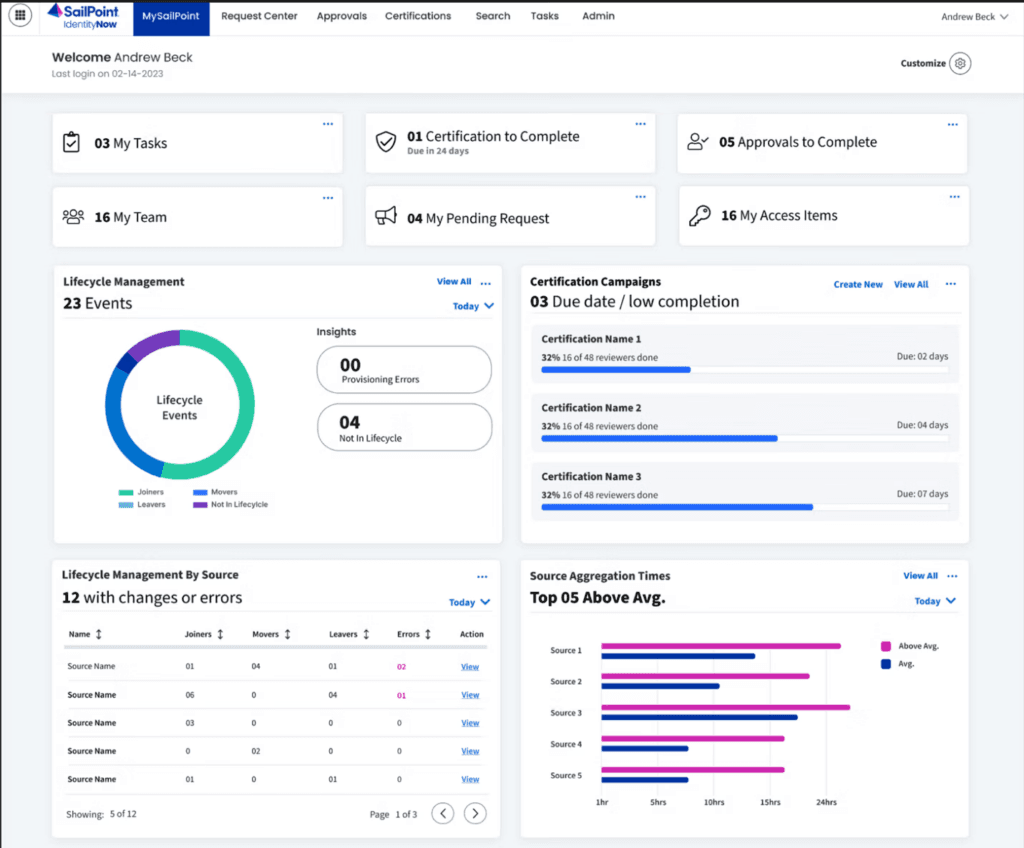
SailPoint addresses AI compliance through identity-centric governance. It treats AI tools as applications requiring access management and focuses on who has permissions to use which AI services.
The tool ensures that only authorized employees can access specific AI tools and maintains audit trails showing who received AI permissions, when they were granted, and whether the access was justified.
SailPoint’s identity governance approach complements prompt-level monitoring by establishing foundational controls over AI tool access.
Key Features
- Sailpoint Agent Identity Security (AIS): Governs AI agents at the entitlement level, enabling formal certification, ownership assignment, and permission enforcement for agents.
- IdentityAI: Leverages machine learning and data analytics to manage access anomalies, optimize access policies, and automate governance tasks like role creation, access certifications, and policy enforcement.
- Atlas Workflows: Provides approval processes that adjust dynamically based on risk and business context.
- Harbor Pilot: A set of AI agents that automates identity security tasks, simplifies workflow creation, and provides AI-driven insights through conversational prompts.
- Generative AI Entitlement Translation: Converts raw system entitlements into plain-language business descriptions using GenAI, making access reviews interpretable for non-technical managers.
Pros
- Streamlined Access Management: The platform significantly reduces manual IT workloads during onboarding and offboarding by ensuring new hires have immediate, appropriate access from day one. See G2 Review →
- Automated Lifecycle Management: SailPoint enables the configuration of access automation, which minimizes the manual time spent provisioning and deprovisioning user accounts. See G2 Review →
- Simplified Approval Workflows: A clean approval process allows application owners to easily review and grant incoming access requests in real-time. See G2 Review →
Cons
- Rudimentary AI Capabilities: The built-in AI agent, Harbor Pilot, feels basic and underdeveloped when compared to more advanced market alternatives like Microsoft Copilot. It lacks the sophistication and depth of functionality expected from a modern, AI-driven identity management assistant. See G2 Review →
- Complexity of Customization: Simple tasks can often become unnecessarily difficult due to the platform’s heavy reliance on custom code. While the ability to customize almost anything offers flexibility, it creates a high risk of technical complications and unintended consequences that can hinder efficiency. See G2 Review →
- Lengthy Implementation Process: The full rollout to production can take between four and six months, suggesting a complex and time-intensive deployment cycle. This indicates that the initial setup and configuration require significant effort and resources to execute successfully. See G2 Review →
Pricing
Fill out a form on SailPoint’s website to get a quote.
4. Nightfall AI
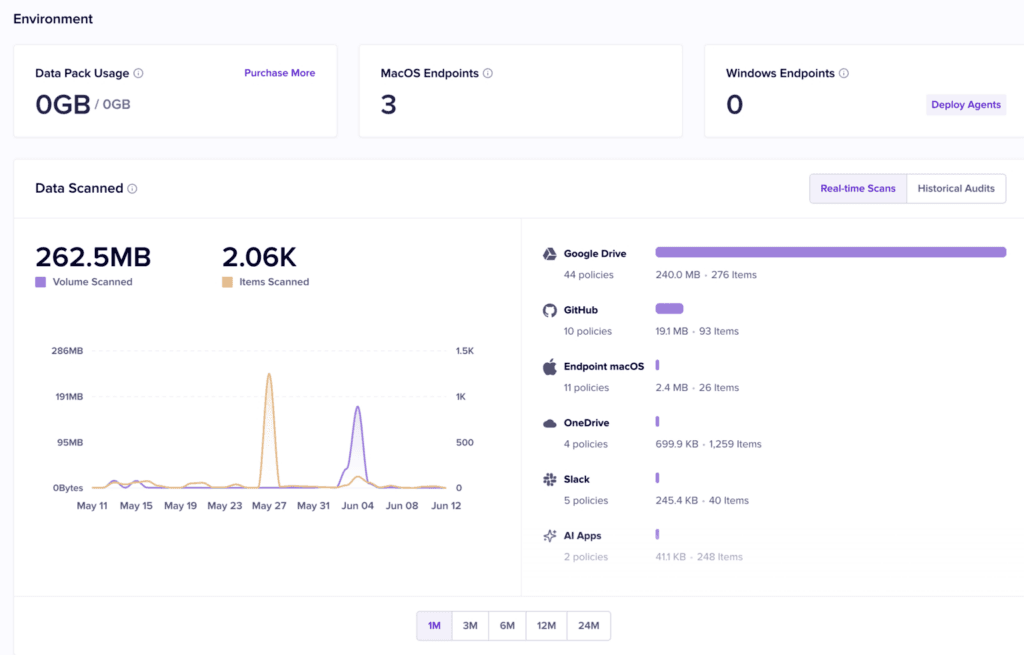
Nightfall AI specializes in data loss prevention for cloud applications and SaaS platforms. It focuses on detecting and preventing sensitive data exposure through AI tools integrated into workplace collaboration environments.
The platform uses machine learning-based data classification to identify sensitive information across dozens of data types like PII, PHI, payment card data, API keys, and proprietary source code.
In addition, Nightfall’s ML-based detection understands the context around data, distinguishing between legitimate business use and potential exposure.
Key Features
- Prompt-based Entity Detectors: Lets security teams build custom detection rules using plain-language prompts backed by LLM intelligence.
- Nyx (AI-powered DLP Copilot): An AI copilot embedded in the data exfiltration console that surfaces patterns, summarizes user activity, and recommends next steps for active investigations.
- User Session Check: Detects when users move data from corporate accounts to personal accounts within the same SaaS or AI application on the same device.
- Git Push Monitoring: Monitors endpoints for proprietary source code being pushed to non-approved Git repositories.
- Automated Remediation Actions: Executes deletion, redaction, and data masking automatically when a policy violation is detected.
Pros
- Improved Detection Accuracy: Nightfall AI significantly reduces false positives, allowing security teams to dedicate their time to investigating positive alerts. See G2 Review →
- Broad Ecosystem Integration: The platform integrates seamlessly across an entire tech stack, including key tools like Slack, Google Drive, GitHub, and Gmail. See G2 Review →
- Intuitive UI and Rule Development: The interface is simple and user-friendly, complemented by detection rules that are straightforward to implement and adjust. See G2 Review →
Cons
- Limited Reporting Customization: Nightfall’s dashboards currently lack the flexibility required to generate granular insights tailored to specific organizational needs. See G2 Review →
- Delayed Customer Support: Response times for support tickets and requests are slower than expected, often leaving inquiries without updates for several days. See G2 Review →
- Performance Issues with Large Datasets: The platform experiences significant lag and stability issues when processing massive amounts of findings, occasionally leading to system crashes. See G2 Review →
Pricing
Nightfall offers three pricing plans: Data Detection & Response (DDR), Data Exfiltration Prevention (DEX), and Nightfall Complete. However, the pricing for each is undisclosed. You must contact its sales team for more information.
5. Cyberhaven
See this list of Cyberhaven alternatives →
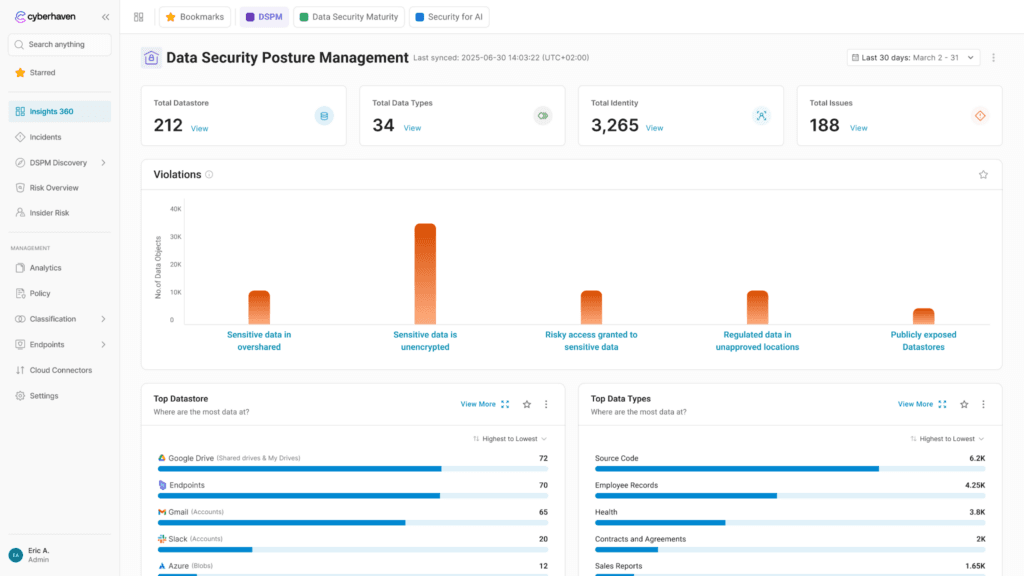
Cyberhaven approaches AI compliance through data lineage tracking. It follows sensitive information from its origin through every transformation, copy, and movement.
It uses endpoint agents to monitor all types of data activity, including file creation, editing, screen captures, and clipboard operations. With that, it builds comprehensive lineage graphs showing data flow across the organization.
So when employees interact with AI tools, Cyberhaven evaluates what data appears in their prompts and whether that specific data should be shareable based on its origin, classification, and the employee’s authorized data handling scope.
Key Features
- Large Lineage Model (LLiM): A proprietary foundational AI model trained on billions of real data flows inside organizations. This gives it the ability to identify risks with the context of how data moves through a company’s environment.
- Linea AI Detection Agent: Uses the LLiM to detect risky activity, including behavior that falls outside any pre-defined policy.
- Linea AI Analyst Agent: Automatically launches investigations when a risk is flagged. It analyzes screen activity, data lineage history, and multimodal content (images, screenshots, code, documents) to produce a report with clear next steps.
- Insights 360: A security posture dashboard mapped to the Data Security Maturity Model (DSMM) that tracks classification coverage, policy gaps, new data destinations, and “super spreader” lineage events.
Pros
- Streamlined Security Investigations: The user-friendly interface simplifies the process of reviewing DLP alerts and investigating potential data exfiltration incidents. See G2 Review →
- Visual Policy Management: The platform is highly intuitive, featuring an excellent graphical display of all policies that makes them easy to view and manage. See G2 Review →
- User-Controlled Access Overrides: The platform features override functions for email, web, USB, and peripheral transfers, ensuring “always-on” data availability without compromising security. See G2 Review →
Cons
- Complex Implementation Process: The initial setup and configuration can be time-consuming, particularly for non-technical users. See G2 Review →
- Limited Content Policy Customization: The ability to create custom policies, such as scanning content for specific keywords to detect exfiltration, is currently either inefficient or not yet fully available. See G2 Review →
- High System Resource Usage: Some users say Cyberhaven impacts local performance, causing even high-spec, modern computers to feel sluggish during operation. See G2 Review →
Pricing
You must request a demo to see Cyberhaven’s pricing.
6. Microsoft Purview
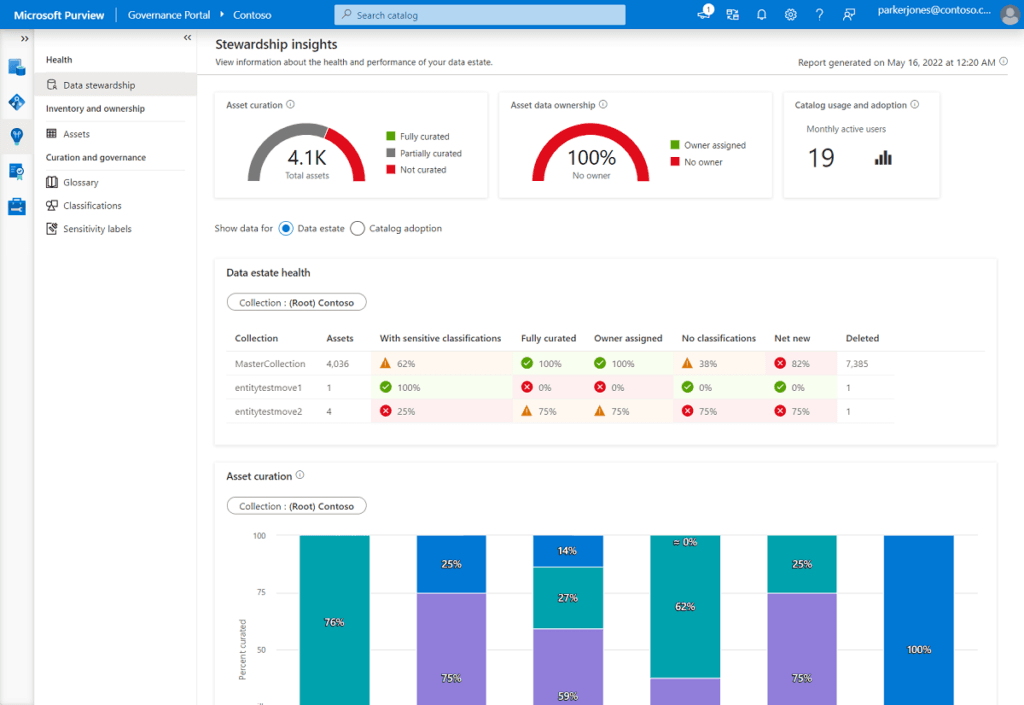
Microsoft Purview delivers AI compliance and data governance natively within the Microsoft 365 ecosystem.
It provides integrated protection for organizations heavily invested in Microsoft’s productivity and collaboration platforms such as Word, Excel, PowerPoint, Teams, Outlook, and other Microsoft 365 applications.
This native integration means AI governance follows the same frameworks, policies, and classification schemes that businesses already use for traditional data protection within Microsoft 365.
Key Features
- Data Security Posture Management (DSPM): It discovers every AI app in use across an enterprise, maps the sensitive data that those apps can access, and generates one-click policies to close exposure gaps.
- Sensitivity Labels: Labels apply directly to documents and can be configured to prevent files from being processed, summarized, or reasoned over by Copilot or other AI tools.
- DLP for AI: Protects against sensitive data exposure in Microsoft 365 Copilot by blocking external web searches if prompts contain restricted data, and by preventing Copilot from generating responses containing sensitive info. Endpoint DLP extends this protection, managing data on devices and including Copilot+ PC features like Windows Recall.
- Adaptive Protection: Identifies risky behavior and automatically tightens DLP restrictions for those users in real-time.
- AI Insider Threat Monitoring: Includes agent-specific risk indicators through Agentic Risk, detecting anomalous behaviors in agents hosted on Copilot Studio and Microsoft Foundry.
Pros
- Microsoft Ecosystem Synergy: The platform integrates with the full suite of Microsoft services and products, including M365 and Azure, for a unified workflow experience. See G2 Review →
- Advanced Incident Discovery: Purview enables the assessment of security incidents that previously went undetected, providing visibility into hidden vulnerabilities. See G2 Review →
- Hybrid Data Management: The tool effectively manages and governs data across both on-premises environments and cloud databases for comprehensive oversight. See G2 Review →
Cons
- Restricted API Interoperability: Purview’s API currently faces performance limitations when connecting to non-Microsoft sources, which acts as a significant constraint for multi-platform integrations. See G2 Review →
- Frequent Interface Glitches: Users complain of UI bugs and minor lag spikes, which disrupt experiences and workflows. See G2 Review →
- Rigid Feature Set: Purview’s current features can feel inflexible at times, indicating a strong need for expanded customization options. See G2 Review →
Pricing
Visit the Microsoft website to see custom pricing options.
7. ZScaler
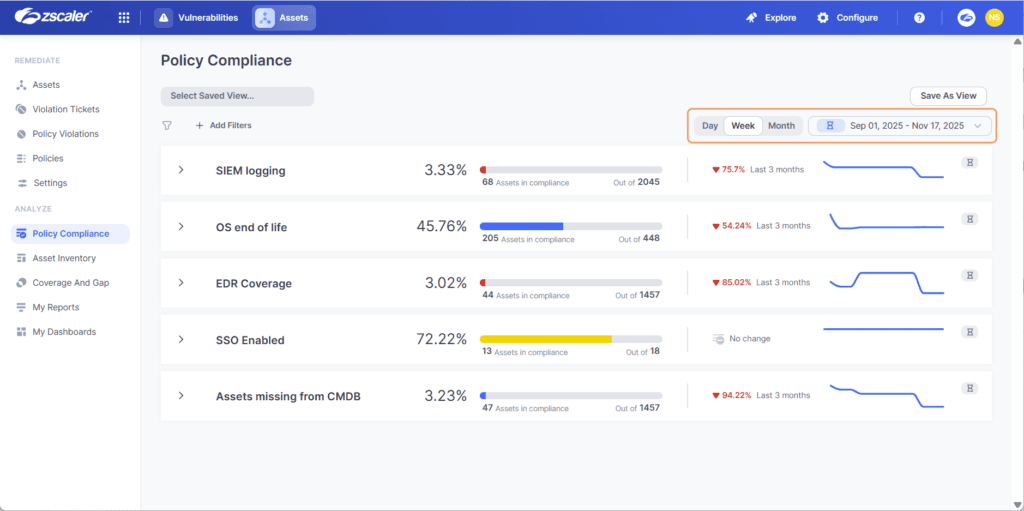
Zscaler inspects AI traffic at the network layer as it flows between employee devices and external AI services. It offers a centralized enforcement point where organizations can inspect, control, and monitor employee AI usage regardless of where they work.
ZScaler’s cloud-native architecture also enables inline inspection of encrypted traffic to AI services without requiring certificate pinning. With this, users can decrypt, inspect, and re-encrypt traffic in real-time, analyzing AI interactions for policy violations and compliance risks as data flows through the cloud gateway.
Key Features
- Zscaler AI-SPM: Uses advanced LLM classification to discover, classify, and assess sensitive data risks mapped to AI services, agents, and models.
- Zscaler AI Protect: A dedicated policy and visibility layer positioned between employees and AI applications. It enforces acceptable use, blocking unsanctioned tools, and preventing data leakage into public LLMs.
- Inline AI DLP (via Zero Trust Exchange): Applies data loss prevention directly to AI prompts and responses in transit. It supports 100+ DLP dictionaries covering source code, PII, PCI, and PHI.
- Automated AI Red Teaming: Continuously stress-tests AI systems using 25+ prebuilt probes across key risk categories, with support for custom probes and attack datasets.
- MCP Gateway: Provides a governed integration layer for agentic AI workflows that operate via Model Context Protocol.
Pros
- Multi-Cloud Posture Management: The platform is simple yet powerful, offering robust backend features like security posture management across multiple cloud environments, including Google, AWS, and Azure. See G2 Review →
- Seamless Active Directory Integration: The platform integrates easily with Active Directory, streamlining the management of user access across cloud environments. See G2 Review →
- Comprehensive Traffic and Workload Security: The platform secures web-to-application and application-to-application traffic across cloud and data environments, while also protecting workload configurations and permissions. See G2 Review →
Cons
- Non-Intuitive Setup and Troubleshooting: The initial configuration process lacks a natural flow, and resolving technical issues can be difficult due to a lack of straightforward troubleshooting paths. See G2 Review →
- Critical Client Configuration Vulnerabilities: If the Zscaler client isn’t configured precisely, it contains a loophole that allows the user-end protection to be disabled, potentially exposing the entire system to external threats. See G2 Review →
- Complex Policy Configuration: The interface for configuring cloud protection rules and policies is not as user-friendly as it could be, making the setup process more difficult than necessary. See G2 Review →
Pricing
Zscaler offers numerous platform bundles and add-ons, but the exact costs are unclear. You must request a demo to learn more about its pricing.
8. Netskope
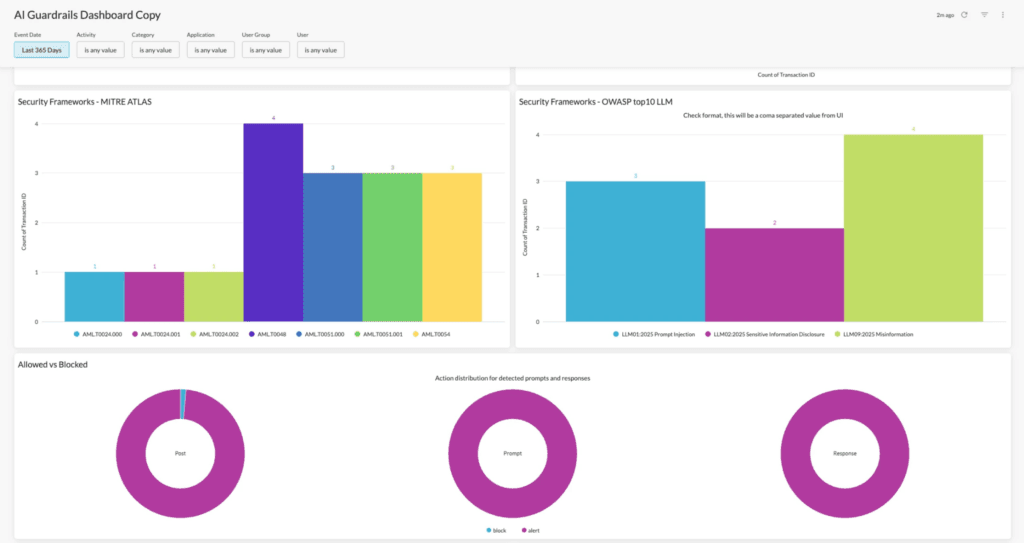
Netskope provides cloud-delivered security for AI applications via its Netskope One platform, which combines CASB, SWG, and ZTNA to offer unified AI governance, visibility, and data protection, including specialized “AI Guardrails” for inspecting prompts and outputs.
Another benefit is the granularity that comes with its AI discovery. Netskope provides instance-level control, distinguishing between different deployment modes of the same AI tool.
For example, it recognizes differences between personal, Plus, and Enterprise ChatGPT accounts, enabling policies that block consumer versions while permitting enterprise instances with the appropriate data protection agreements.
Key Features
- Netskope Cloud Confidence Index (CCI): A risk intelligence engine covering 370+ GenAI apps and 82,000+ SaaS applications. Netskope scores each on data usage practices, third-party sharing, model training behaviors, and compliance posture.
- Netskope One AI Gateway: For organizations that can’t route traffic through third-party cloud infrastructure, the AI Gateway extends security controls to AI traffic that never touches the Netskope cloud.
- Netskope Agentic Broker: Provides visibility into communications between AI agents and enterprise data sources.
- Netskope One DLP for AI: Real-time scanning of prompts and responses using a catalog of 3,000+ data classifiers and 1,800+ file types.
- Netskope One AI Red Teaming: Extends Netskope protection into the development cycle to proactively surface and remove vulnerabilities in private AI deployments before release.
Pros
- Scalable Zero Trust Architecture: A simple setup process combined with native API integrations with leading IT vendors provides a robust, scalable approach to data protection and Zero Trust implementation. See G2 Review →
- Granular Policy Controls: Robust policy settings enable the securing of sensitive data across multiple platforms without negatively impacting user productivity. See G2 Review →
- Detailed Traffic Visibility and Control: The Netskope One Platform provides comprehensive visibility and granular control over both cloud and web traffic to ensure organizational security. See G2 Review →
Cons
- High Barrier to Entry for Deployment: The Netskope One Platform involves a complex initial setup and configuration process that often demands a significant time investment and specialized expertise. See G2 Review →
- Unpredictable Agent Failures: The agent may automatically disable or enter fail-closed conditions without any administrative intervention, leading to unexpected connectivity disruptions. See G2 Review →
- High Licensing Costs for SMBs: The cost of licensing can be prohibitive for small to mid-sized businesses, particularly when deploying the comprehensive SASE suite. See G2 Review →
Pricing
Contact Netskope’s sales team to schedule a demo or receive pricing information.
9. CloudEagle
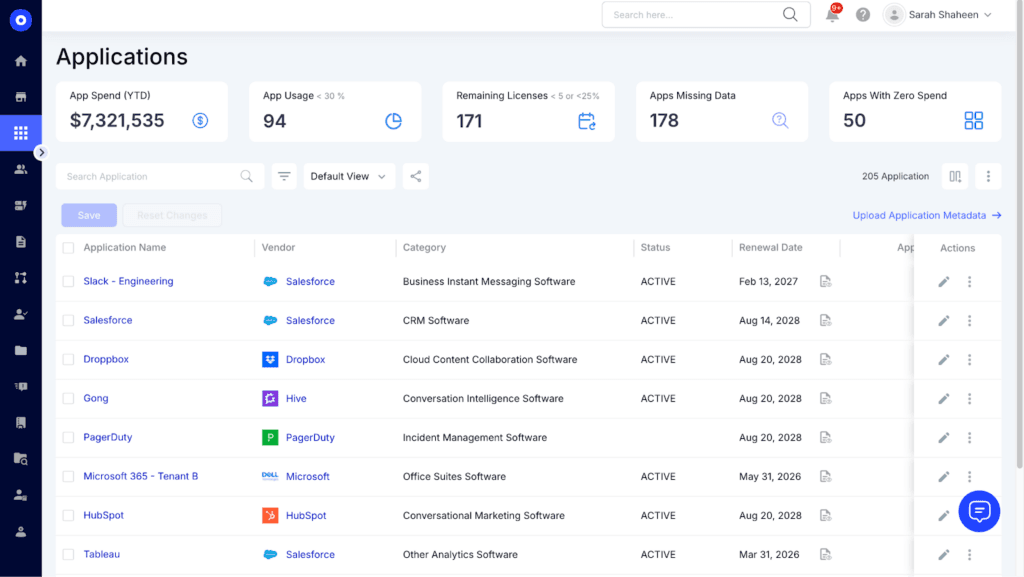
CloudEagle is a SaaS management and spend optimization solution. It focuses on discovering which AI tools employees have purchased or subscribed to independently. This helps organizations understand the financial and security implications of decentralized AI adoption and consolidate fragmented AI spending under managed procurement.
CloudEagle works by connecting to financial systems, SSO providers, and cloud infrastructure to discover AI spending and usage. This includes AI services that employees expense, subscribe to with corporate cards, or access through free trials.
Key Features
- SaaSMap: Correlates browser plugin data, Zscaler logs, and CrowdStrike signals to surface every AI tool in use, including the ones IT never approved, in a single dashboard.
- Shadow AI Visibility: Continuous automated discovery that flags new AI tools as they’re adopted across an organization.
- Real-time AI Usage Policy: When an employee accesses an unapproved AI tool, a real-time flash page intervenes at the point of behavior. It educates the user on safe AI usage policy and redirects them to the approved tool rather than simply blocking access.
- Identity Governance and Administration (IGA) for AI: Enforces least-privilege access across all AI and SaaS apps with role-based policies, time-bound entitlements, and automated joiner-mover-leaver workflows.
- Just-in-Time (JIT) Access: Time-bound access is automatically granted based on policy and revoked immediately after an incident.
Pros
- Robust Governance and Compliance: CloudEagle offers strong governance features designed for license optimization and precise compliance tracking. See G2 Review →
- User-Friendly Implementation: The platform is easy to deploy and integrates seamlessly with existing systems, offering a highly intuitive experience for all users. See G2 Review →
- Unified Cost and Usage Analytics: A single dashboard provides comprehensive visibility into all SaaS applications, tracking usage and costs by department to simplify complex data management. See G2 Review →
Cons
- Lack of Historical Data Visualization: The dashboard currently lacks the option to display historical data trends, which limits long-term performance analysis. See G2 Review →
- Insufficient Advanced Documentation: CloudEagle’s existing documentation lacks the depth and detail required for advanced configuration scenarios, making complex setups more difficult to navigate. See G2 Review →
- Inconsistent HRIS Synchronization: The platform occasionally lags during data synchronization with the HRIS, which can result in temporary discrepancies between the two systems. See G2 Review →
Pricing
Visit the CloudEagle website to choose a module or book a personalized demo.
10. FireTail
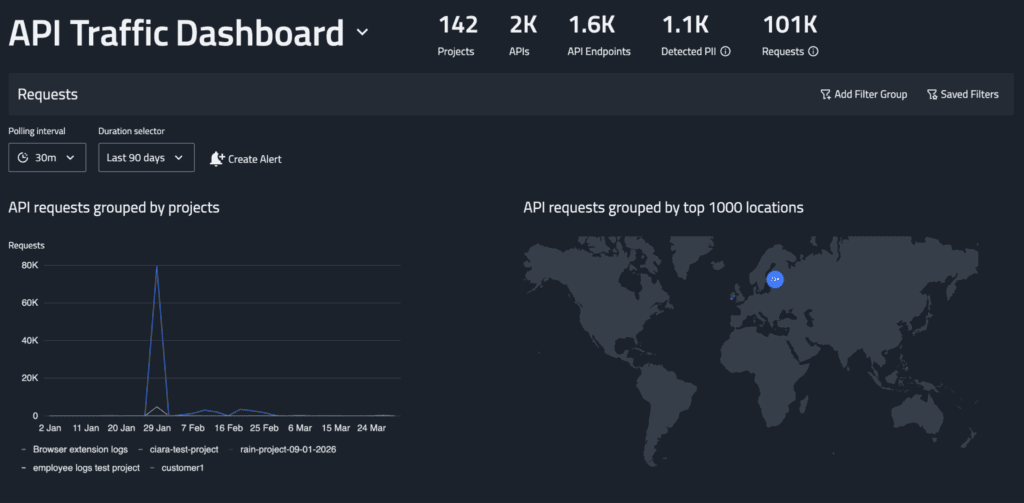
FireTail is an API security platform built for AI applications. It monitors the API layer, covering employees using AI through integrated tools, apps calling AI services in the background, and automated workflows connecting to AI models.
A core part of FireTail’s function is surfacing shadow APIs; these include AI connections that developers added without approval, or endpoints accessed outside sanctioned channels. FireTail finds these, evaluates how they handle data, and gives teams control over AI consumption at the infrastructure level.
Key Features
- AI Security Posture Management (ASPM): Delivers continuous visibility, risk assessment, and governance across your AI systems.
- Three-dimensional AI Discovery (Code, Cloud, Workforce): FireTail finds AI in the three places that matter most: agentic workflows in code, AI usage from cloud services, and surfacing every tool employees use.
- Software AI Agents View: Surfaces every AI agent discovered in the codebase, including LangChain agentic workflows, with a direct link back to the relevant source code.
- Centralized AI Logging: Logs every AI interaction with full chat history, device information, and raw payload data.
- Audit Logs with Automatic Redaction: A searchable record of every action taken within the FireTail platform, with sensitive data automatically redacted.
Pros
- Rapid AI Ecosystem Discovery: The platform deploys in minutes, providing immediate and comprehensive visibility into the entire AI landscape, including internal models and third-party integrations. See G2 Review →
- Customizable Alerting and Inventory: The alert function is highly customizable, and native integrations with all major cloud providers make maintaining an accurate inventory very straightforward. See G2 Review →
- Real-Time Threat Prevention: FireTail issues accurate, immediate alerts when unauthorized access is attempted, preventing system exposure while providing robust security support. See G2 Review →
Cons
- Processing Latency with High API Volume: Passing large quantities of API logs causes noticeable system lag, which slows down operations and results in delayed data analysis. See G2 Review →
- Heavy System Footprint: The software is resource-intensive, leading to noticeable performance degradation and making the computer feel significantly slower during use. See G2 Review →
Pricing
FireTail doesn’t disclose its pricing online. Complete a form on its website to receive a quote.
11. Reco
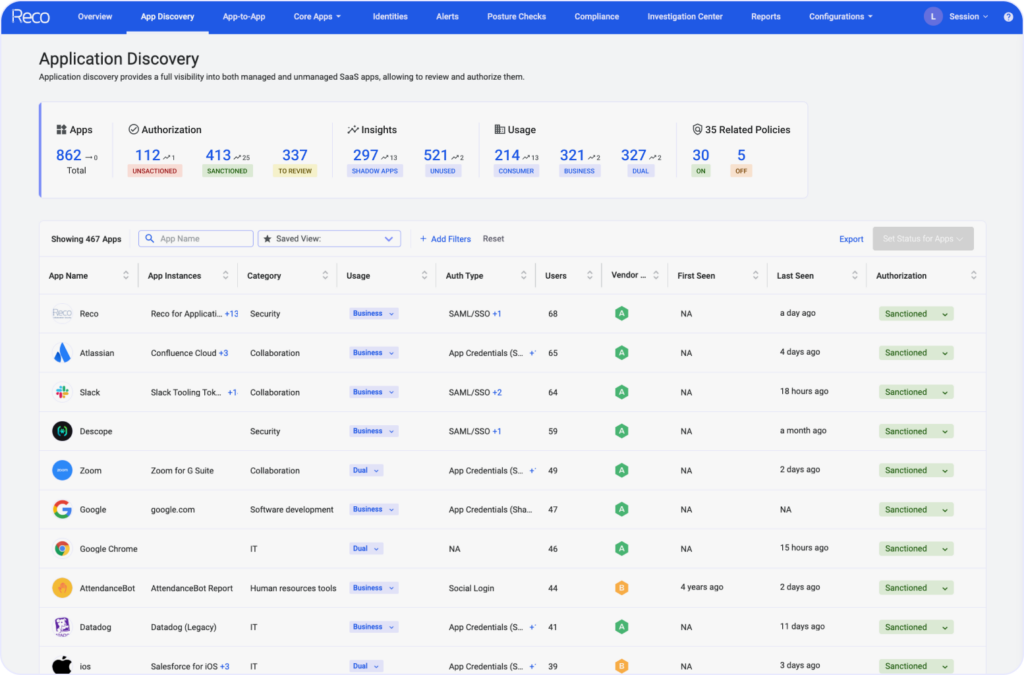
Reco focuses on AI compliance by managing who and what has access to a company’s data through AI tools. Instead of monitoring what employees type into AI tools, it looks at the permissions behind the scenes — i.e., which AI apps are connected to their systems and what data they can access.
Reco also uncovers the AI tools employees have connected without formal approval, such as browser extensions, Slack bots, mobile apps, or OAuth-based integrations. It then analyzes what these tools can do — e.g., reading emails, accessing Google Drive files, or pulling data from internal systems.
Key Features
- Identity Context Agent: Maps relationships between users, applications, and sensitive data to provide context-rich insights that enable autonomous incident response.
- Unsanctioned Apps Control: Gives security teams the tools to deprovision SaaS and AI app access and change passwords for users who share corporate credentials in SaaS applications.
- Custom Policy Studio: A configurable policy layer that lets security teams define and enforce rules across the SaaS and AI tool estate.
- SaaS App Factory: Enables new SaaS app connectors to be built in 3-5 days with over 200 integrations available.
- AI Agent Governance: Discovers and inventories autonomous AI systems operating across business applications, maps their access permissions, and scores their risk.
Pros
- Automated Risk Remediation: Reco SSPM provides deep visibility into SaaS usage and configurations while automating the detection and remediation of security risks, such as misconfigurations and data exposure. See G2 Review →
- Dynamic Anomaly Detection: Reco provides advanced anomaly detection for multi-SaaS environments, offering vital security oversight for complex application usage. See G2 Review →
- Enterprise-Wide SaaS Observability: The platform offers comprehensive visibility into SaaS usage across a business and is easy for security teams to deploy and operate. See G2 Review →
Cons
- Intensive Alert Tuning Required: Reco demands precise calibration to prevent a high volume of inaccurate or excessive alerts from disrupting operations. See G2 Review →
- Immature Feature Development: Certain features have yet to reach full maturity, occasionally resulting in incomplete functionality or a less-than-seamless user experience. See G2 Review →
- Lack of Automated Remediation: While the system effectively alerts users to issues, it lacks built-in remediation tools, requiring manual intervention rather than offering integrated solutions to resolve detected threats. See G2 Review →
Pricing
No online pricing; visit Reco’s website to contact its team or see the tool in action.
12. Auvik
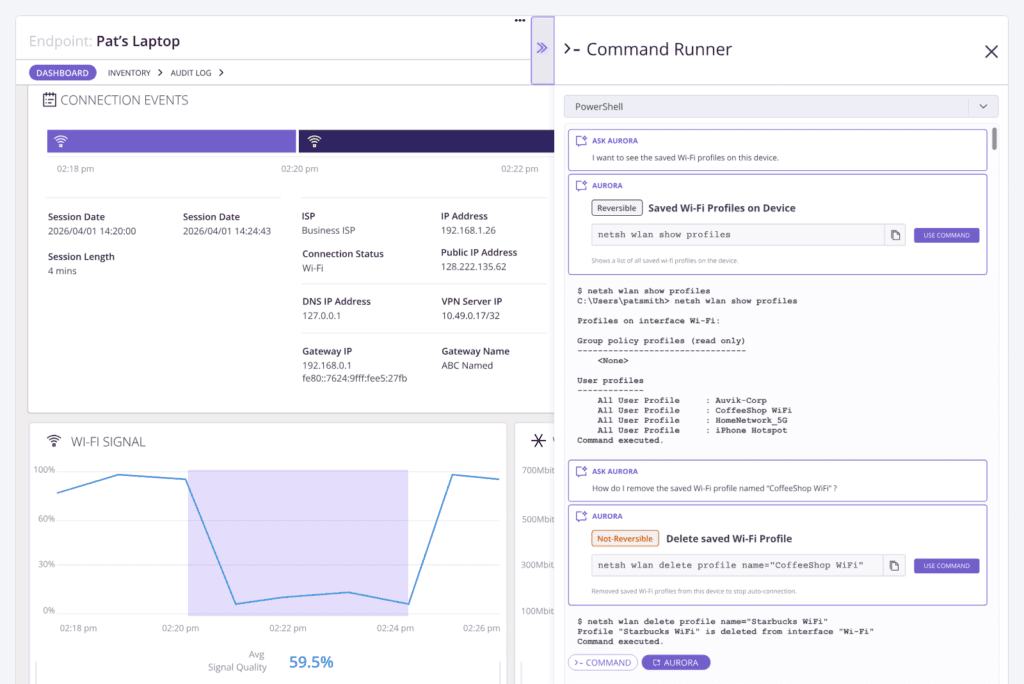
Auvik is a network monitoring platform that gives IT teams visibility into AI usage across their infrastructure. It detects AI service connections, unusual bandwidth, and traffic patterns through signatures, connection analysis, and bandwidth monitoring.
This includes employees routing around controls via VPNs or proxies, bulk data transfers to external AI platforms, and connections to AI service IP ranges from unexpected devices or network segments.
Key Features
- Auvik SaaS Management (ASM): Discovers and governs corporate SaaS usage, with 20+ pre-built integrations covering Google Workspace, Microsoft O365, Salesforce, and Zoom, including the embedded AI features inside those platforms.
- Auvik Network Management (ANM): Automatically maps and monitors networks in real-time, and features 50+ pre-configured alerts that trigger within seconds of a threshold violation.
- ServiceNow CMDB Integration: Syncs Auvik’s network device inventory with ServiceNow CMDB, keeping compliance records aligned with what’s actually running on the network.
- Auvik Aurora: Handles troubleshooting, alert prioritization, and lifecycle management without complex setup.
- Auvik Endpoint Network Monitoring: Extends network visibility to endpoints regardless of location. It also tracks AI tool connections from personal or unmanaged devices outside the corporate network.
Pros
- Efficient Network Mapping: The platform significantly reduces the time needed to map connections and identify VLANs, streamlining network discovery and organization. See G2 Review →
- Automated Topology Mapping: Auvik enables automatic device identification and the generation of clear, visual network maps with minimal manual effort, eliminating hours of work. See G2 Review →
- Holistic Network Mapping: Auvik automatically maps all devices on a client’s network — including elusive “ghost devices” — to provide a comprehensive foundation for effective lifecycle management and troubleshooting. See G2 Review →
Cons
- Extensive Threshold Calibration: Significant time is required to fine-tune thresholds and notification settings to prevent alert fatigue and ensure only critical incidents are prioritized. See G2 Review →
- Frustrating Device Correlation: Inaccurate device tracking causes alerts to continue triggering for retired hardware, often incorrectly associating legacy data with newly reassigned IP addresses. See G2 Review →
- Rapid Price Escalation: While Auvik’s initial pricing is accessible, costs increase sharply as users add more sites or hardware components. See G2 Review →
Pricing
Auvik gates its pricing; fill out a form on its website to get a personalized quote.
Why is Teramind an Ideal Compliance Tool for AI Agents?
See Teramind’s AI governance platform in action → Explore a live online demo
Teramind gives you behavioral visibility, real-time enforcement, and defensible documentation in a single system.
You can monitor how AI tools are being used, block high-risk activity before it leaves your environment, and maintain detailed audit trails that stand up in compliance reviews.
With Teramind, you get:
- Full Visibility into Shadow AI Activity: You can see which AI tools are being accessed, who is using them, and what workflows are triggering exposure across endpoints and corporate systems.
- Real-time Risk Detection: Teramind’s behavior analytics identifies risky actions like copying proprietary source code into generative AI platforms.
- Centralized Governance: Monitoring, policy control, insider threat detection, and AI usage oversight live in one platform instead of being spread across fragmented tools.
- Audit-ready Documentation: Teramind’s detailed activity logs, recordings, and reports support compliance requirements and internal investigations.
- Faster Incident Response: When something goes wrong, Teramind gives you the evidence and behavioral history needed to respond quickly and decisively.
We believe AI adoption doesn’t need to create chaos. With the right controls in place, you can allow teams to use AI productively without sacrificing data security or compliance.
Teramind makes that balance possible by giving you the visibility to monitor, the control to block, and the documentation to prove it.
FAQs
What is Shadow AI and Why is It a Compliance Risk?
Shadow AI refers to employees using AI tools without IT approval or oversight. This often happens when teams adopt new tools to move faster, without waiting for formal evaluation or procurement.
The risk comes from how these tools operate. When employees input sensitive data into external AI systems, organizations lose visibility into data sharing, storage, and processing.
This creates a hidden risk, particularly when data sensitivity is high or when proprietary information is involved.
From a compliance perspective, shadow AI usage introduces gaps in governance frameworks and makes it difficult to enforce acceptable AI usage policies. Without control, businesses expose themselves to regulatory violations, data leakage, and inconsistent use of artificial intelligence across the organization.
How Do Compliance Tools Detect Unauthorized AI Usage?
Compliance tools rely on multiple layers of visibility to detect unauthorized AI use. This includes monitoring network traffic, browser activity, endpoint behavior, and application usage patterns to uncover shadow AI activity.
They identify connections to known AI services, track how AI tools operate within corporate systems, and flag unusual data sharing patterns — e.g., large uploads to external generative AI tools like ChatGPT. Some solutions also analyze user behavior to detect when employees are using AI tools outside approved workflows.
More advanced platforms apply risk scoring and data-driven decision-making to prioritize high-risk scenarios. This allows security teams to uncover shadow AI usage early and take action before it becomes a larger compliance issue.
Is It Better to Block All AI or Use a Governance Tool?
Blocking all AI tools might seem like the safest approach, but it rarely works in practice. Employees will often find ways around restrictions, leading to more shadow AI usage and less visibility into what’s actually happening.
A governance-based approach is more effective. Instead of restricting access entirely, organizations define acceptable AI usage, approve specific tools, and provide viable alternatives for teams to leverage AI safely.
This ensures employees can still benefit from AI technologies without introducing unnecessary risk. The aim is to align AI adoption with business strategy while enforcing responsible AI practices.
Can These Tools Detect AI Use on Personal Devices?
Detection on personal devices depends on how the organization manages access to corporate systems. Most compliance tools can monitor AI usage when employees interact with company resources, such as logging into SaaS platforms, accessing internal data, or connecting through corporate networks.
For example, if an employee uses their own AI coding assistant on a personal device but uploads company data, that activity can still be detected through data access patterns, network traffic, or browser-level monitoring.
However, visibility is limited outside controlled environments. This is why organizations focus on securing data at the source, ensuring that sensitive information cannot be easily exposed, regardless of where or how employees are using AI tools.
What Should I Look for When Choosing an AI Compliance Vendor?
- Start with Visibility: The platform should help you uncover shadow AI usage across your environment, including unsanctioned AI tools, browser activity, and network-level signals.
- Look for Strong Policy Controls: The vendor should support approved AI usage, enforce acceptable AI usage policies, and allow you to define rules based on data sensitivity and risk levels.
- Consider Compatibility: Evaluate how well the platform supports governance frameworks and integrates into your existing stack. Features like risk scoring, real-time alerts, and reporting are key for data-driven decision making.
- Prioritize Responsible AI Adoption: The right tool should help you secure AI usage while still allowing teams to leverage the technology effectively.
