This release delivers heavy-hitting updates to the Mac Agent, extends Windows monitoring into native desktop applications like WhatsApp, and provides administrators with more granular tools to manage data and triage security alerts.
Here is a summary of the new features and improvements available in this release. For an extensive list, please refer to the detailed Release Notes.
Elevating the Mac Experience: Parity and Performance
To address the complexities of today’s heterogeneous IT landscapes, we have substantially enhanced our macOS feature set. This release provides Mac users with a robust array of security and monitoring capabilities that achieve closer functional parity with our Windows monitoring capabilities.
Monitoring ChatGPT Web Interactions
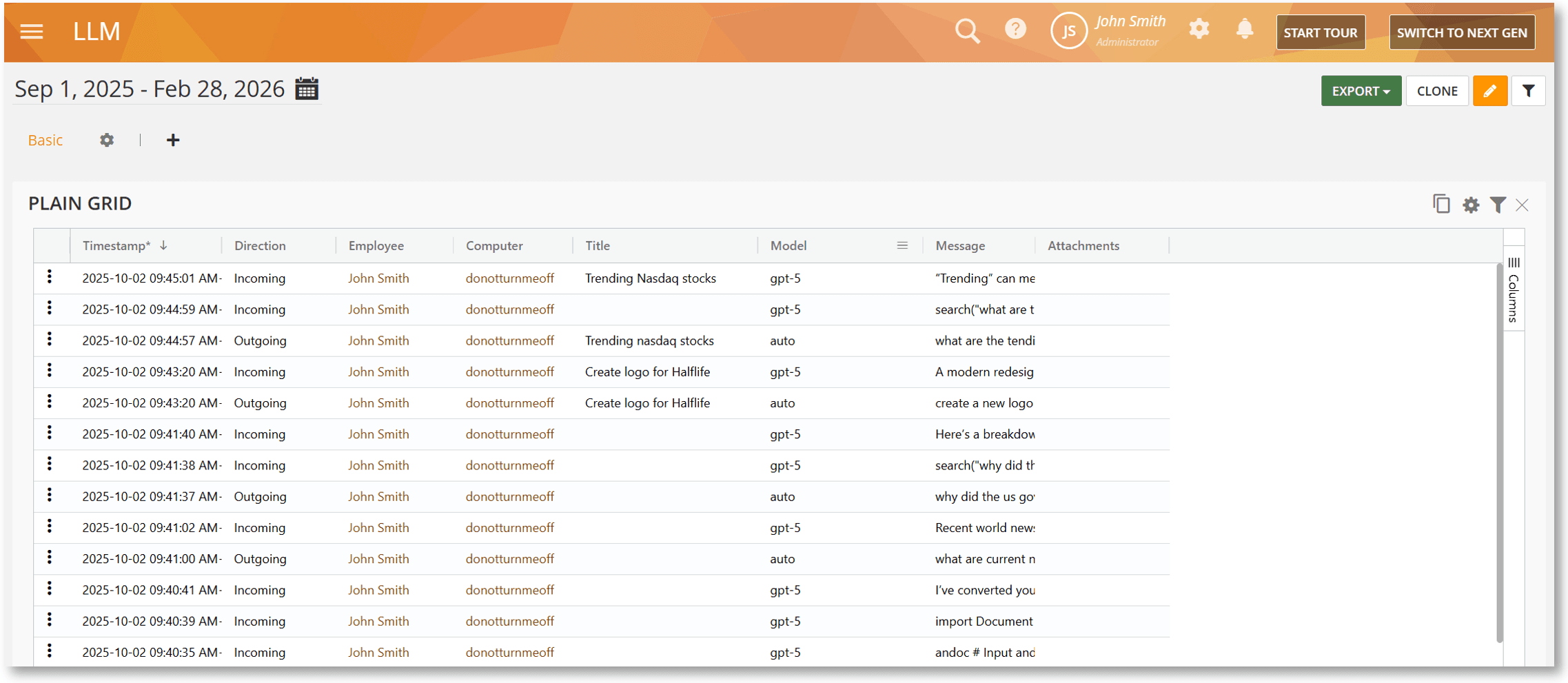
The Mac Agent now supports full monitoring of ChatGPT Web sessions. This feature tracks all user prompts, the corresponding AI-generated outputs, and attachment uploads. This is a critical addition for organizations looking to audit how generative AI is being used while ensuring sensitive company data isn’t being shared with public models. All data is surfaced in the LLM BI Report.
Tracking AI Mode in Google Search
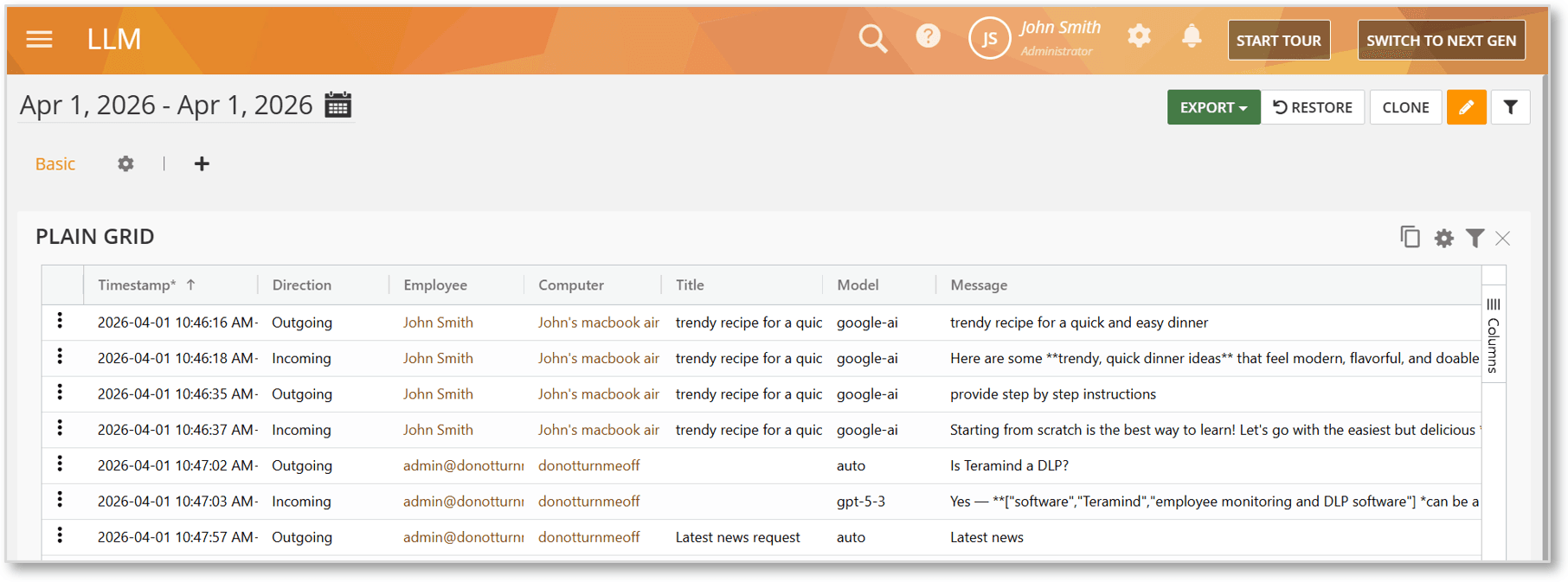
We have added support for tracking the AI Mode feature within Google Search on Mac. This ensures that chat interactions and file uploads within Google’s AI ecosystem are captured. Like our ChatGPT monitoring, these interactions are logged in the LLM BI Report, providing a centralized view of AI tool usage for compliance and productivity tracking.
Monitoring and Rules Support for Google Drive Web Uploads
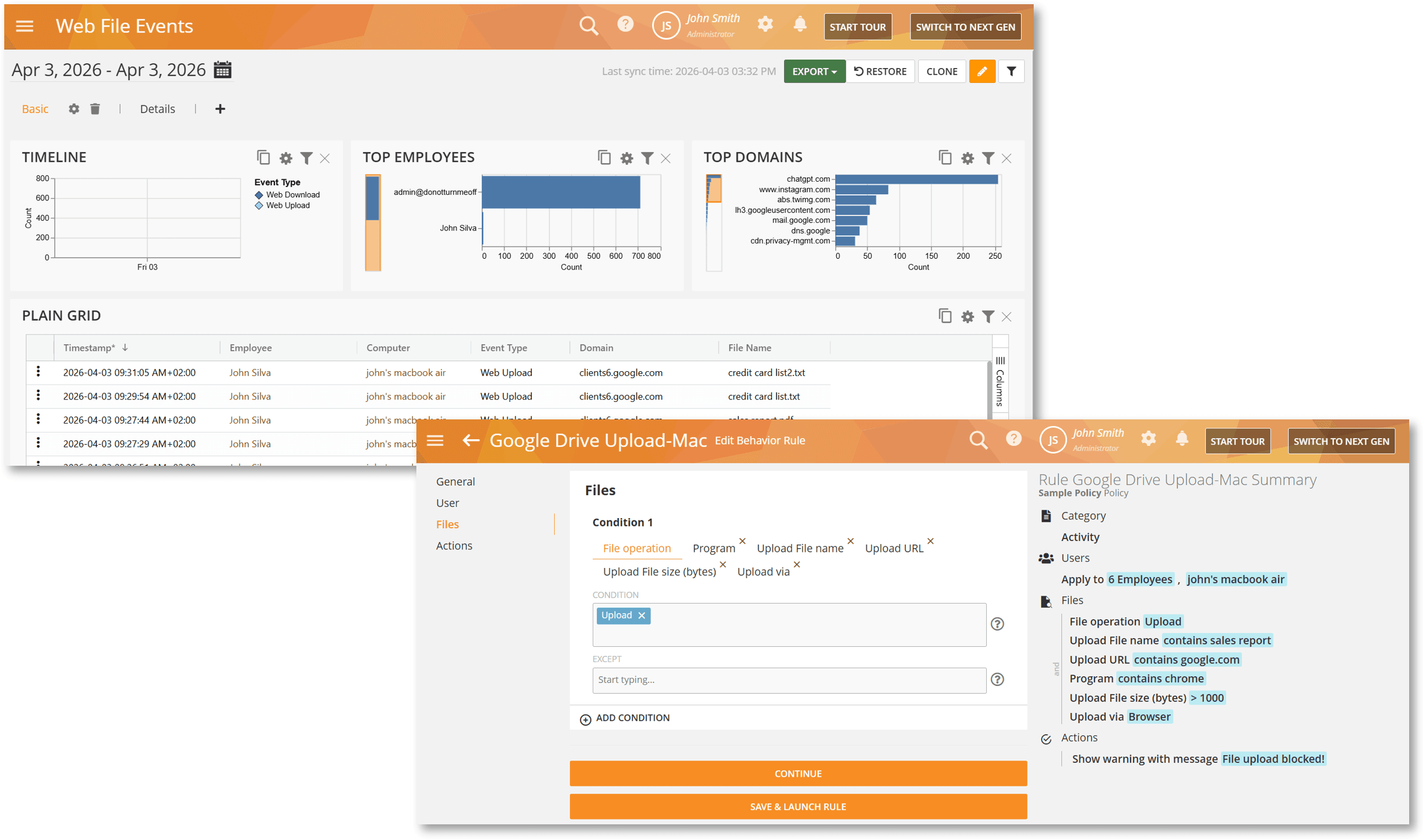
The Mac Agent now tracks file uploads to Google Drive across all major browsers which can be viewed under the Web File Events BI Report. Furthermore, you can now create Files Activity rules specifically for these uploads. By using criteria such as File Operation, Upload URL, or File Name, you can enforce policies or trigger alerts the moment a file is moved to this popular cloud repository.
Optimized Evidence Collection with Record on Rule Violation Only
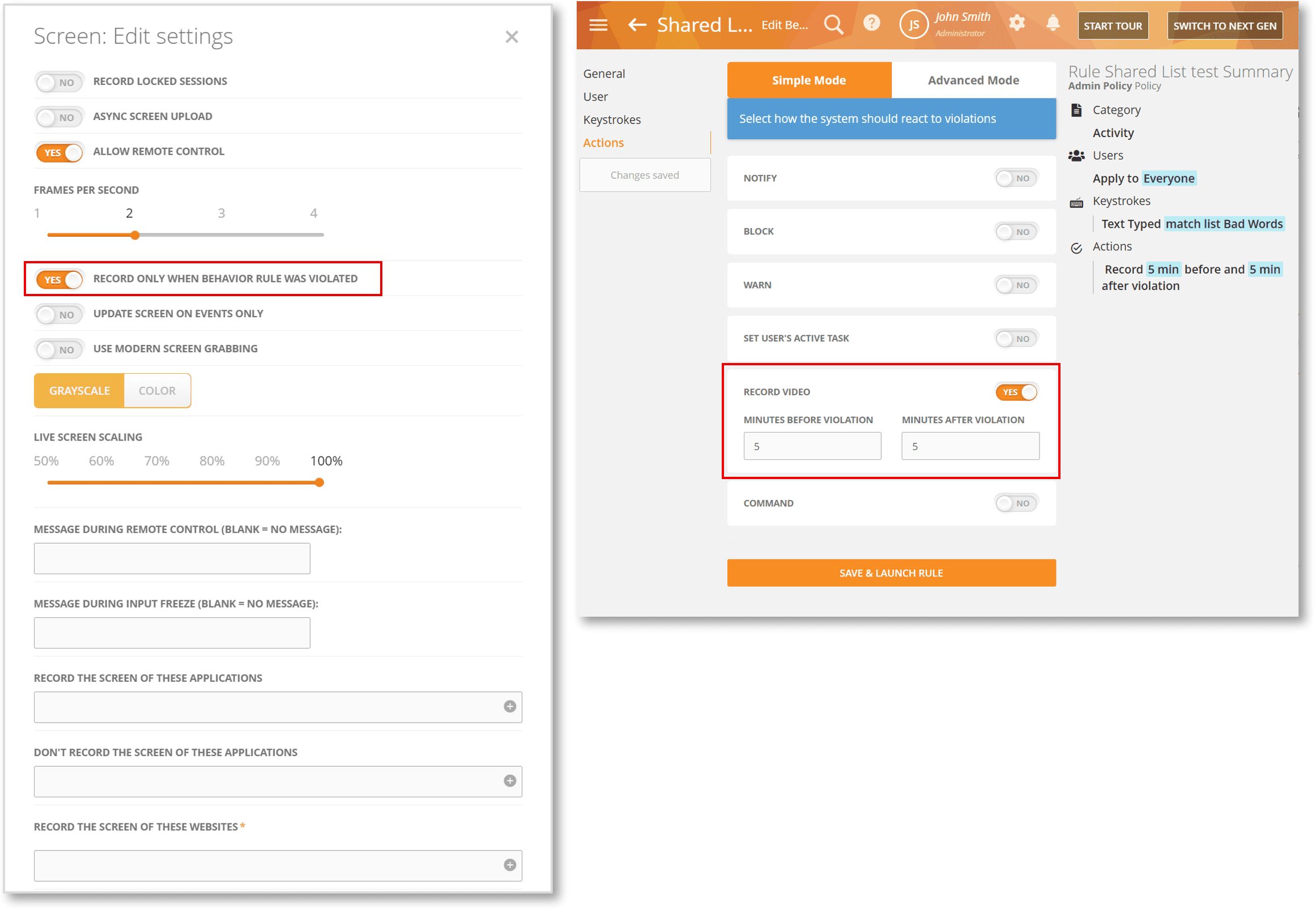
To help organizations balance comprehensive evidence collection with storage efficiency, we’ve enabled support for the RECORD ONLY WHEN BEHAVIOR RULE WAS VIOLATED option on Mac. When enabled, it will force the Agent to capture video only when a specific rule is triggered with the RECORD VIDEO action. This reduces storage needs, enhances user privacy, and ensures that security analysts only see the relevant “smoking gun” footage without the filler of routine daily activity.
Support for Shared Lists in Email Rules
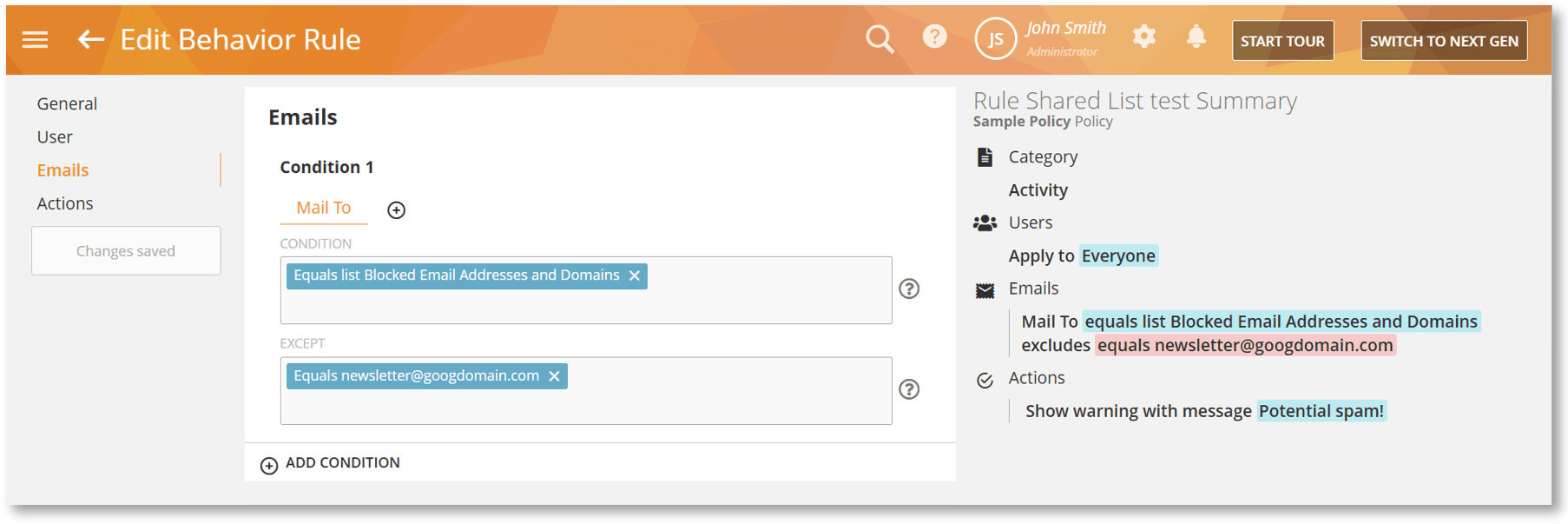
Emails Activity rules on Mac now fully support Shared Lists in the To, CC, and From fields. This update allows you to quickly apply rules to multiple email recipients or senders and reuse the same list across different rules without manual duplication. Currently, this supports Gmail (web) and Outlook (web).
Palo Alto GlobalProtect VPN Compatibility
We’ve improved the Mac Agent to better support environments that use Palo Alto Networks GlobalProtect VPN for all network access to perform SSL inspection / certificate injection on web traffic. The Agent now includes several configuration parameters that can be used to keep network monitoring working correctly when traffic is forced through the VPN.

Expanding Windows Monitoring and Compliance
This release expands Windows monitoring to WhatsApp desktop app, allows process name obfuscation and supports deployment in specialized security environments.
IM Monitoring for WhatsApp Desktop
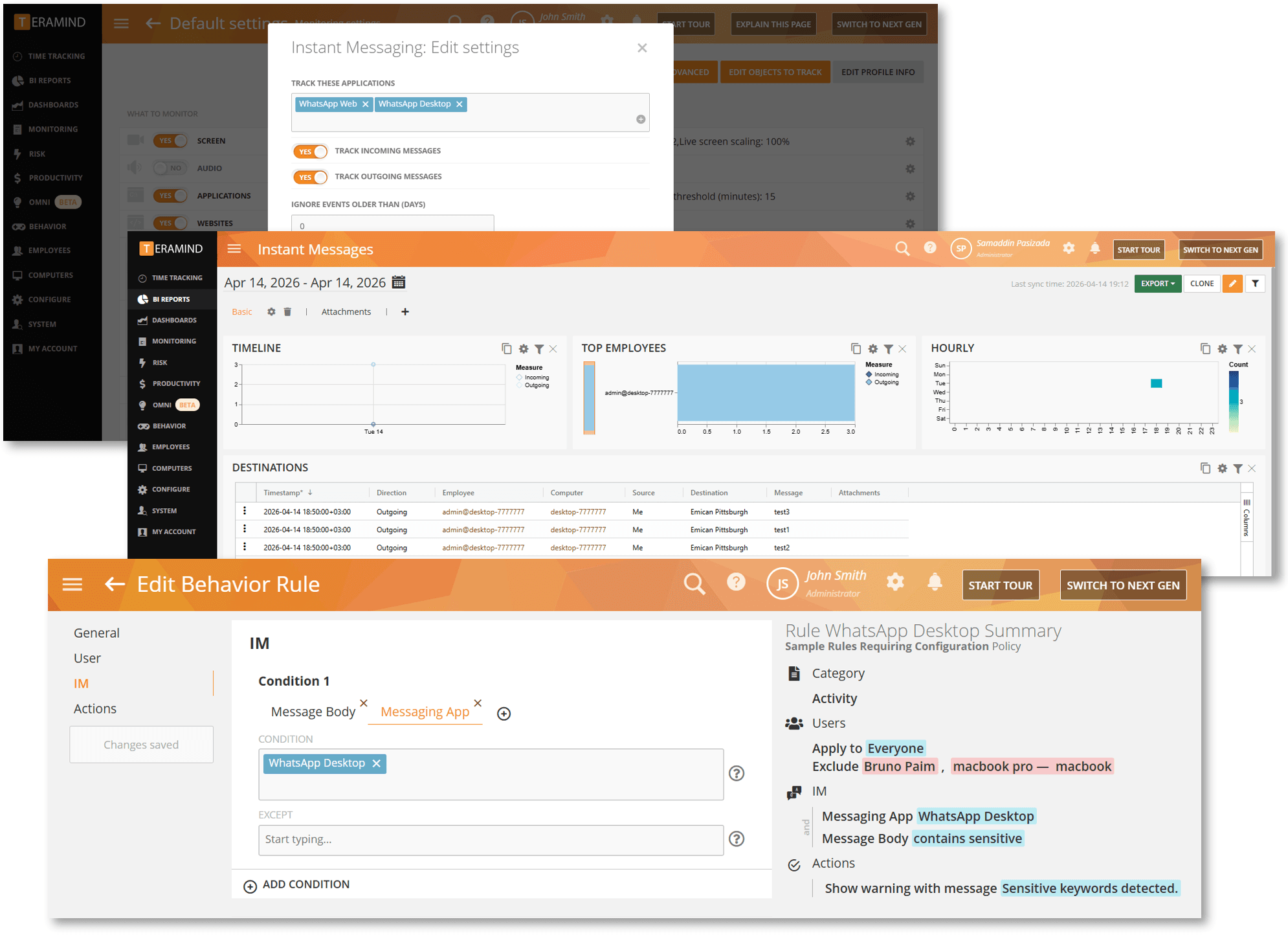
We have expanded our Instant Message/IM monitoring and behavior rules to include the WhatsApp Desktop app. This update extends visibility beyond the browser, complementing our existing WhatsApp Web coverage to provide deeper oversight into employee communications and enforce automated rules, such as detecting insider risks or preventing data exfiltration.
Custom Stealth Parameters for Clipboard Monitoring
The new TMCLIPMONEXE installation parameter allows you to rename the clipboard monitor service of the Stealth Agent. By replacing the default process name with a custom name, you can obfuscate the process according to your internal security preferences and naming conventions.

Support for STIG Compliance
We’ve introduced support for STIG environments on Edge and Chrome browsers. This is achieved by enhancing how the Agent handles certificate revocation requests. The generated certificates now include all necessary revocation info, ensuring secure web accessibility while maintaining continuous monitoring in STIG-compliant environments.
Enhanced Alerting and Triage
Security analysts shouldn’t have to hunt for evidence. We’ve introduced several features designed to reduce the “time to truth” during investigations and provide immediate context for every alert.
Link to Evidence Records with Session Player URLs
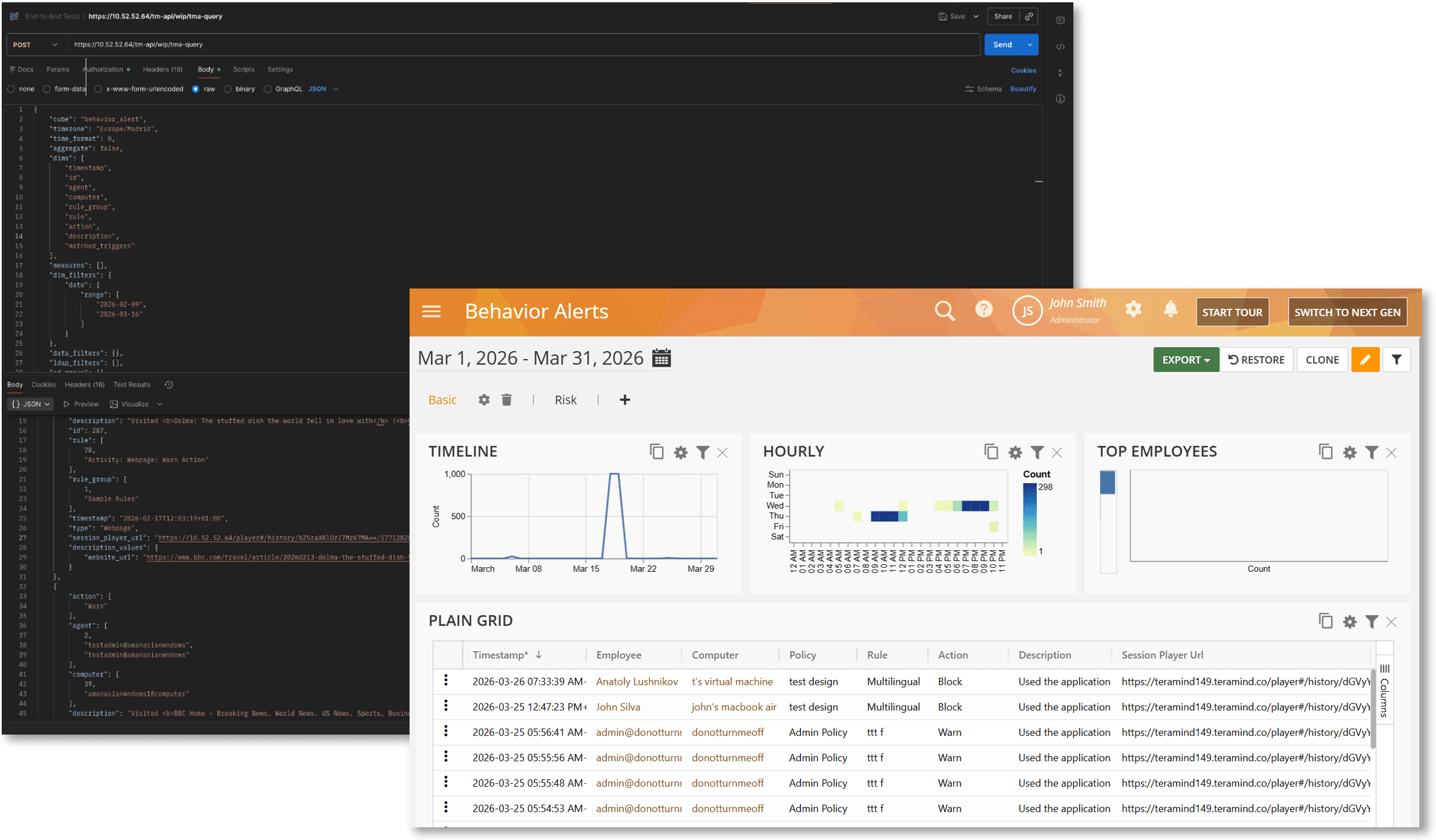
We have added a Session Player Url column to the Behavior Alerts report and API. This allows you to jump directly from an alert, whether you are viewing it in Teramind or an external SIEM/SOAR tool – to the exact moment of the violation in the session recording. This eliminates the need to manually search for sessions or scrub through long videos.
Improved Context with Locked Sessions Labels in Behavior Alerts
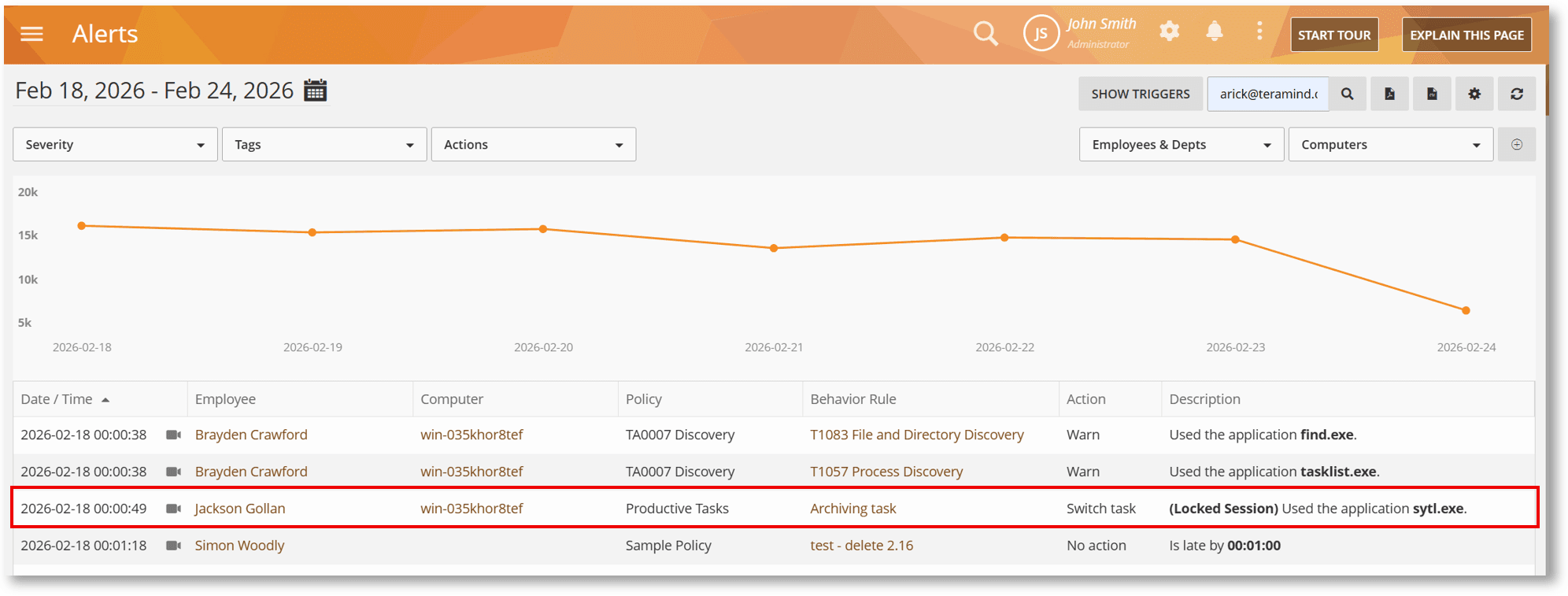
Behavior Alerts descriptions now provide clearer context for violations that occur while a device is locked. Alerts triggered during these times will now be marked with a “(Locked Session)” label. This helps analysts quickly distinguish between background system processes and active user risk, improving the signal-to-noise ratio in investigations.
Seamless Directory Integration
Maintaining a “single source of truth” for employee data shouldn’t be a manual chore. We’ve overhauled how Teramind interacts with your Active Directory integration to ensure data integrity across your organization.
Flexible Mapping for Imported LDAP Attributes
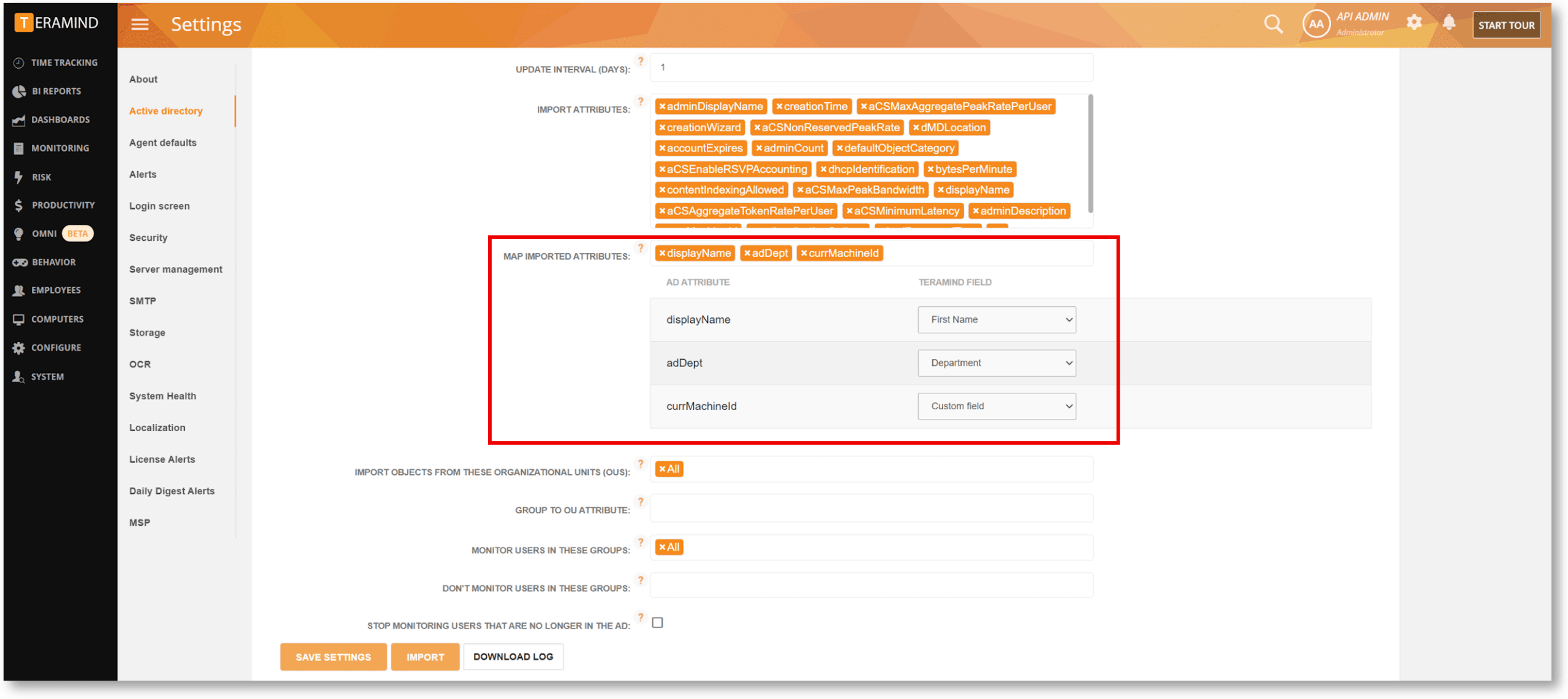
Our AD/LDAP integration is now significantly more granular. The new MAP IMPORTED ATTRIBUTES option lets you map AD attributes to core Teramind fields (like Department, Position, Email, or Phone) or retain them as persistent custom fields for use in BI report filters. These mappings are saved and reused automatically on every sync, ensuring employee profiles stay perfectly aligned with your directory and preventing unwanted data overwrites.