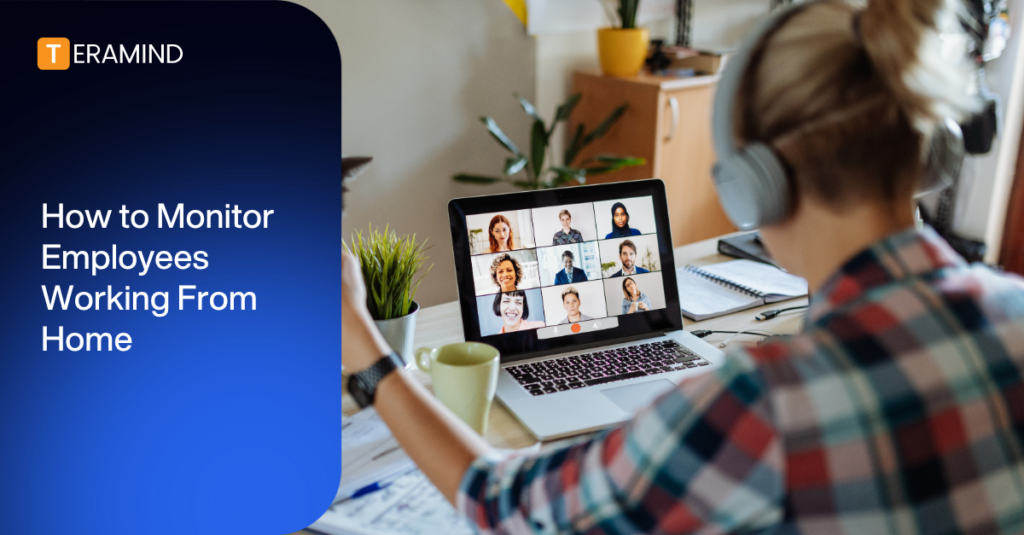
The rise of remote work has triggered the need for businesses to manage employee productivity and mitigate data security risks effectively. Understanding how to monitor your remote workforce while respecting employee privacy and fostering a positive work environment is critical.
This guide explores the key considerations for implementing remote employee monitoring, including best practices, top features, and the benefits of monitoring software.
What is Remote Employee Monitoring?
Remote employee monitoring utilizes digital tools to observe and analyze employee work activities, engagement, and security compliance. This practice allows organizations to oversee and assess performance and productivity within established policy parameters.
Remote monitoring has become more widely adopted, from small businesses to Fortune 500 corporations. It ensures that work-from-home employees remain productive and adhere to company policies and security protocols.
By leveraging remote employee monitoring software, companies can:
- Track Work Hours and Task Completion: Gain a clear picture of employee activity levels and progress, such as websites visited, applications used, and files accessed.
- Analyze Team Productivity Levels: Identify trends, potential roadblocks, and areas for improvement.
- Protect Sensitive Information: Safeguard data from potential security threats.
- Support Employee Development: Pinpoint areas where employees might need additional support or resources.
Ultimately, remote employee monitoring provides valuable insights into work habits and performance. It helps to keep projects on track and fosters a productive and secure work environment. It’s a critical component of a modern business strategy, ensuring that the transition to remote work boosts employee productivity and company security.
Why Do You Need to Monitor Home-based Workers?
Transitioning to a remote or hybrid model removes the guardrails of an office environment. Managing a distributed team requires more than just trusting that work is getting done; it requires data-driven insights to protect your business and support your staff.
Here’s why organizations need to monitor employees working from home:
- Bridging the Visibility Gap: Without a shared physical workspace, managers can easily lose sight of daily operations. Monitoring provides clear data on active hours and task progression, ensuring accountability without relying on micromanagement or constant, disruptive status updates.
- Hardening Cyber Defenses and Preventing Data Breaches: Home networks are more vulnerable than secured corporate environments. When you monitor employees working from home, you can block unauthorized data transfers, track unusual file access, and stop accidental data leaks before they become costly security breaches.
- Preventing Employee Burnout: Monitoring isn't just about catching low productivity; it’s also about identifying overwork. By tracking activity and log-in hours, managers can spot employees at risk of burnout and redistribute workloads to preserve work-life balance.
- Maintaining Regulatory Compliance: In highly regulated sectors such as finance, healthcare, and legal, data compliance standards (including HIPAA, GDPR, or PCI DSS) apply regardless of where an employee is located. Monitoring ensures remote staff handle sensitive information securely and legally.
- Eliminating Wasteful Software Spend: Companies often pay for expensive software licenses that go unused. Activity data highlights which applications are central to daily workflows and which can be downgraded or canceled to optimize your IT budget.
What Workforce Analytics Do You Need to Monitor?
To successfully monitor employees working from home, managers must look beyond simple "clock-in, clock-out" data. You must focus on true workforce analytics, which provides a granular look at how work gets done.
When analyzing remote team performance, business leaders should track these essential metrics:
- Active vs. Idle Time: This metric separates the time an employee is actively typing, clicking, or engaging with their device from the time the computer is sitting untouched. It provides an accurate picture of true working hours versus extended breaks.
- Productive vs. Unproductive Tool Utilization: By categorizing applications and websites into "productive," "unproductive," or "neutral" categories, managers can see exactly how much time is spent on core work applications (like CRMs or task management tools) versus distractions.
- Task and Project Duration: Tracking how long specific milestones and sub-tasks take to complete allows leaders to benchmark performance, identify bottlenecks, and accurately forecast future timelines.
- Context-Switching and Focus Scores: High productivity relies on deep work. Monitoring how frequently an employee jumps between unrelated applications or browser tabs highlights whether constant notifications or fragmented workflows are damaging their focus.
- Peak Productivity Windows: Analytics can reveal the specific times of day when individual employees or entire teams achieve their highest output. Managers can use these insights to schedule collaborative meetings during low-energy dips and leave peak hours open for uninterrupted work.
- Behavioral Risk and Security Compliance: Monitoring for anomalous behavior (such as unexpected off-hours logins, unusual file downloads, or the use of unauthorized AI tools) helps security teams isolate potential data breaches before they escalate.
What Are the Legal Requirements for Monitoring Remote Employees?
The legal landscape for employee monitoring is a patchwork of federal, state, and international regulations. Failing to comply can result in financial penalties and the loss of employee trust.
Because regulations vary depending on where your workers are physically located, you must consult your legal counsel to verify the laws in your jurisdiction.
Here is a breakdown of the legal frameworks you must navigate to ensure your monitoring program remains compliant:
The United States
In the US, employers have broad rights to monitor activity on company-owned devices and networks, but state laws are becoming increasingly strict regarding transparency and prior notice.
- Federal Baseline (The ECPA): The Electronic Communications Privacy Act allows employers to monitor workplace communications if there is a legitimate business purpose or if the employee has given consent.
- State-Mandated Disclosure Laws: States like New York, Connecticut, and Delaware explicitly require employers to provide written notice to employees before implementing electronic monitoring.
- California Privacy Rights Act (CPRA): California treats employees similarly to consumers regarding data privacy. Employers must issue a "Notice at Collection" detailing exactly what behavioral and productivity metrics are being tracked, how they’re stored, and why.
International Regulations
If you employ remote workers outside the US, the rules change drastically; the balance of power shifts heavily toward individual data privacy.
- The European Union (GDPR): Monitoring is restricted under the General Data Protection Regulation. Employers cannot easily rely on employee consent because of the inherent power imbalance. Instead, you must prove a legitimate interest that outweighs the employee's right to privacy, adhere to strict data minimization (only tracking what is absolutely necessary), and maintain total transparency.
- Other Global Regions: Countries like Canada, the UK, and Australia have their own privacy frameworks that emphasize proportionality — meaning the monitoring method you choose must be a reasonable response to the specific business risk you are trying to mitigate.
Legal Best Practices
Regardless of where your team sits, the safest legal and cultural strategy is to provide clear, written documentation about your monitoring program.
Organizations should implement a comprehensive remote work policy that outlines what is monitored, how the data is secured, and how it impacts performance reviews.
You should then obtain signed acknowledgments from every employee.
How Do You Implement Remote Work Monitoring Without Losing Trust?
Introducing activity tracking can cause anxiety among remote workers if it’s handled poorly.
However, monitoring doesn’t have to erode company culture. When implemented with transparency and respect, it can build a more equitable, balanced workspace.
Follow these essential steps to implement ethical employee monitoring:
1. Install Employee Monitoring Software Correctly
The implementation process begins with choosing and configuring the right platform.
To choose the right monitoring software, look for a flexible solution that aligns with your organizational goals — whether your primary focus is safeguarding sensitive data, optimizing operational workflows, or both.
The ideal platform should offer granular configuration, allowing you to turn monitoring features on or off depending on user roles, department needs, and regional privacy laws.
When you install employee monitoring software, you must customize the settings to respect personal boundaries. Ensure the software is configured to only track activity during designated work hours and on company-owned assets.
Tools like Teramind allow you to disable features like continuous screen monitoring or personal password logging. This ensures you’ll gather the necessary productivity and security data without invading employee privacy.
2. Draft a Comprehensive, Transparent Policy
Before the software goes live, get your guidelines set down in writing. Create a clear, jargon-free document that outlines exactly what the software does and doesn’t track.
Answer the following:
- Does it conduct keystroke logging?
- Does it track website URLs?
- Does it monitor active versus idle time?
- Does it take periodic screenshots?
- Does it have GPS tracking capabilities?
When employees know what data is being collected and how it will be stored, they’ll be more open to being monitored.
3. Openly Communicate the "Why"
Host a team or all-hands meeting to introduce the software before tracking begins.
Avoid framing the tool as a way to catch people slacking off. Instead, explain how it benefits the entire organization:
- It protects company data from external breaches.
- It identifies broken processes that frustrate your workers.
- It validates your staff’s hard work.
- It ensures workloads are distributed evenly, preventing burnout.
4. Share the Analytics with Your Staff
One of the fastest ways to get employee buy-in is to give them access to their own dashboards.
Allow your remote team members to see their own work metrics, productivity scores, and active hours.
Doing this turns monitoring into a self-coaching tool; it empowers employees to manage their time better, spot their own distractions, and prove their value without needing to defend their output.
5. Focus on Outputs and Trends over Minor Anomalies
Never use monitoring data to micromanage individual minutes. If an employee's status goes "idle" for a quarter of an hour, don’t instantly check in to question them.
Instead, use workforce analytics to look at macro trends over weeks and months. Evaluate workers on their project progress and completion rates, the quality of their work, and their overall performance milestones, rather than penalizing them for taking a short break.
6. Establish Strict Data Access Restrictions
Trust is shattered if employee activity data is treated carelessly or used as a public leaderboard of shame.
Limit access to monitoring dashboards to direct managers, HR personnel, and security teams. Ensure the data is used constructively for performance evaluations and operational improvements; individual metrics must be kept confidential between the employee and leadership.
What Features Should You Look for in Remote Employee Monitoring Software?
To successfully monitor employees working from home, you need a platform that goes beyond basic activity logging to deliver actionable business intelligence. The software must strike a balance between robust data security, deep productivity insights, and strict employee privacy controls.
When evaluating potential platforms, ensure they include these essential features:
Comprehensive User Activity Monitoring (UAM)
Look for a tool that tracks employee application usage, internet usage, and productive time versus unproductive time.
It should compile this data into clean dashboards and detailed reports, allowing managers to spot operational trends and address performance drops immediately.
AI Governance and Usage Control
With employees increasingly relying on generative AI, your software must monitor interactions with platforms like ChatGPT, Google Gemini, and Claude — including unapproved Shadow AI.
Look for features that capture full prompt-and-response logs, including Optical Character Recognition (OCR) that can read AI interfaces.
The tool should also be able to block users from pasting proprietary code or uploading sensitive files into public AI models.
Insider Threat Detection
The right tool shouldn't just record data; it should analyze behavior.
Choose a platform that uses behavioral analytics to establish a baseline of normal activity and then flags any action that’s outside of that baseline. Examples would be off-hours access or massive data downloads.
These are clear insider threat detection signals.
Data Loss Prevention (DLP)
Protect your intellectual property with a solution that restricts the transfer of sensitive data outside your corporate network.
Your DLP platform should automatically identify and secure personally identifiable information (PII), financial records, or corporate trade secrets across all endpoints.
Real-Time Policy Enforcement
Monitoring shouldn’t just be passive recording; it should actively prevent issues.
The software should allow you to build custom behavioral rules that trigger instant automated actions — such as blocking a prohibited website, locking a session, or displaying a pop-up alert to redirect an employee using unmanaged Shadow AI.
Screen Recording and Visual Verification
Visual evidence is invaluable for training, compliance reviews, and forensic audits.
Opt for software that captures live video of employee screens with secure, encrypted storage and role-based access controls that protect worker privacy.
Optical Character Recognition (OCR)
Screen recordings are vastly more useful when they’re searchable.
Look for a user activity monitoring tool with built-in OCR for reading and extracting text from videos, images, and applications. This allows managers and security teams to search for specific keywords, phrases, or sensitive data strings across historical visual logs.
File Transfer Tracking
Managing remote teams requires complete visibility into data movement.
Your software should log and audit all file activity, whether it occurs via email, USB, or cloud upload. It should also send instant alerts for any unauthorized or suspicious movements.
Keystroke Logging and Keyword Alerting
To catch insider risks or data mishandling early, look for intelligent keystroke tracking.
This feature logs keyboard input and flags specific, high-risk terms or commands. It ensures you know exactly where and when sensitive information is being typed without compromising privacy.
Multi-Channel Communication Monitoring
Ensure the tool’s visibility extends across all company communication tools, including email, Slack, Microsoft Teams, and instant messaging apps.
This provides a holistic view of digital interactions, safeguarding your company’s reputation and catching data leaks.
Advanced Productivity Analytics
Go deeper than simple time-tracking; leverage tools that categorize time into productive, unproductive, or neutral blocks.
The system should generate actionable recommendations to help redistribute heavy workloads, optimize workflows, and prevent remote worker burnout.
Secure Remote Desktop Control
IT and support teams need seamless, encrypted access to remote endpoints.
Your chosen tool must provide this. Otherwise, your security personnel will find it harder to troubleshoot issues, manage software updates, and maintain operational continuity.
Cross-Platform Compatibility
Your monitoring strategy must encompass your entire tech stack.
Confirm that the software runs seamlessly on Windows, macOS, and Linux. Check if it offers dedicated mobile tracking capabilities if your employees use tablets or smartphones for work.
Flexible Deployment and SIEM Integration
Enterprise environments require versatility. Ensure the tool offers multiple deployment options (such as cloud, private cloud, or secure on-premise installation).
Furthermore, look for compatibility with Security Information and Event Management (SIEM) systems; this easily blends employee data with your existing IT security ecosystem.
Why is Teramind an Ideal Solution for Remote Workforce Management?
See Teramind’s monitoring solution in action → Take a self-guided product tour
Teramind provides a full, endpoint-centric architecture that addresses the challenges of managing a distributed workforce.
Rather than relying on passive network logs, Teramind captures activity directly where it occurs — on the employee's workstation. It delivers the real-time visibility and operational analytics required to successfully monitor employees working from home.
With Teramind, you can:
Protect Your Business
- Detect Insider Risks: Teramind builds unique behavioral fingerprints that isolate true threats from normal log noise. When an alert fires, it instantly surfaces full session recordings showing exactly what occurred before, during, and after the event.
- Prevent Data Loss: The platform automatically blocks data exfiltration attempts across 15+ vectors like email, USBs, and the cloud. It uses advanced OCR to find sensitive data inside screenshots and enforces real-time interventions like session termination.
- Control AI Usage: Teramind tracks shadow AI interactions across tools like Claude, Gemini, and ChatGPT. It logs prompts and responses and blocks file uploads and clipboard pastes, preventing AI data leakage.
Understand Your Employees
- Improve Employee Productivity: The tool converts activity data into clear productivity intelligence. It helps managers balance workloads to reduce burnout, driving an average 32% productivity lift within 90 days.
- Manage Remote and Hybrid Workforces: Base remote work guidelines on objective metrics rather than assumptions by tracking output instead of presence. Teramind easily detects activity falsification (like mouse jigglers) and monitors outcomes using historical baselines.
Optimize Your Processes
- Financial Operations: Map workflows and identify vulnerabilities to improve risk controls and auditing. Granular in-app field parsing tracks invoices and files as they pass between remote users.
- Customer Service: Analyze customer interaction patterns to pinpoint operational friction points, poor user interfaces, and specific team training needs. This data allows leaders to redesign workflows, optimize team efficiency, and elevate customer satisfaction.
- Trading Desk: Optimize distributed trading desk efficiency while maintaining strict regulatory compliance and performance standards. Teramind continuously monitors trader activities and communication patterns across remote endpoints to reduce operational risk.
Try Teramind for yourself → Start your free trial today.
FAQs
Is It Legal for Companies to Monitor Employees Working From Home?
Yes, companies generally have broad legal rights to monitor activity on company-owned devices and networks.
However, compliance requirements vary significantly depending on location; states like New York and California require explicit transparency or prior written notice, while international frameworks like Europe's GDPR mandate strict data minimization and a proven legitimate interest.
Organizations should always implement a clear, written remote work policy and consult legal counsel to verify regional compliance.
How Do Companies Track Remote Employee Productivity Without Micromanaging?
Instead of counting individual keystrokes or policing every idle minute, modern organizations leverage high-level workforce analytics.
By tracking macro metrics like active versus idle time, focus scores, and tool utilization patterns over weeks and months, managers can evaluate true project output and overall performance without disruptive daily intervention.
Can Remote Employee Monitoring Software Detect Bypass Tools Like Mouse Jigglers?
Yes, advanced monitoring tools can easily identify activity falsification methods.
Rather than just verifying whether a cursor is moving, the software uses behavioral analytics to build a baseline of normal work patterns. When a device relies on synthetic or automated inputs from a mouse jiggler, the system flags the anomalous behavior as a baseline deviation.
How Does Monitoring Software Protect Sensitive Data on Vulnerable Home Networks?
Endpoint Data Loss Prevention platforms secure sensitive information directly on the worker’s machine, rendering weak home Wi-Fi networks irrelevant.
This type of software monitors data in motion across many vectors, including emails, web uploads, and USB transfers. It can block unauthorized file transfers and data leaks.
How Do Businesses Prevent Data Leaks Through Generative AI Tools?
To combat the risks of unmanaged Shadow AI, enterprises deploy AI governance platforms that track interactions with LLMs such as ChatGPT, Claude, and Google Gemini.
The software flags unapproved AI interfaces, logs full prompt-and-response text, and implements real-time GenAI DLP to block employees from uploading sensitive company files or pasting proprietary code into public models.
What is the Difference Between Simple Time-tracking and Workforce Analytics?
Simple time-tracking tools require manual logging and only show basic "clock-in, clock-out" hours.
Comprehensive workforce analytics platforms (like Teramind) automate time tracking and go much deeper. They categorize hours into productive or unproductive blocks, track context-switching habits, and surface operational friction points.
With this data, companies can optimize workflows and improve employee performance.
