We are excited to announce Platform Release 783, a massive update with over 470 features and improvements, focusing on adapting to the modern digital workspace by delivering deep visibility, better protection, and higher privacy.
Here is a summary of the new features and improvements available in this release. For an extensive list, please refer to the detailed Release Notes.
Extending Coverage to Modern Hardware
As organizations rapidly adopt new tools and hardware, we are ensuring your monitoring capabilities stay in sync with the evolving changes.
Support for Windows on ARM
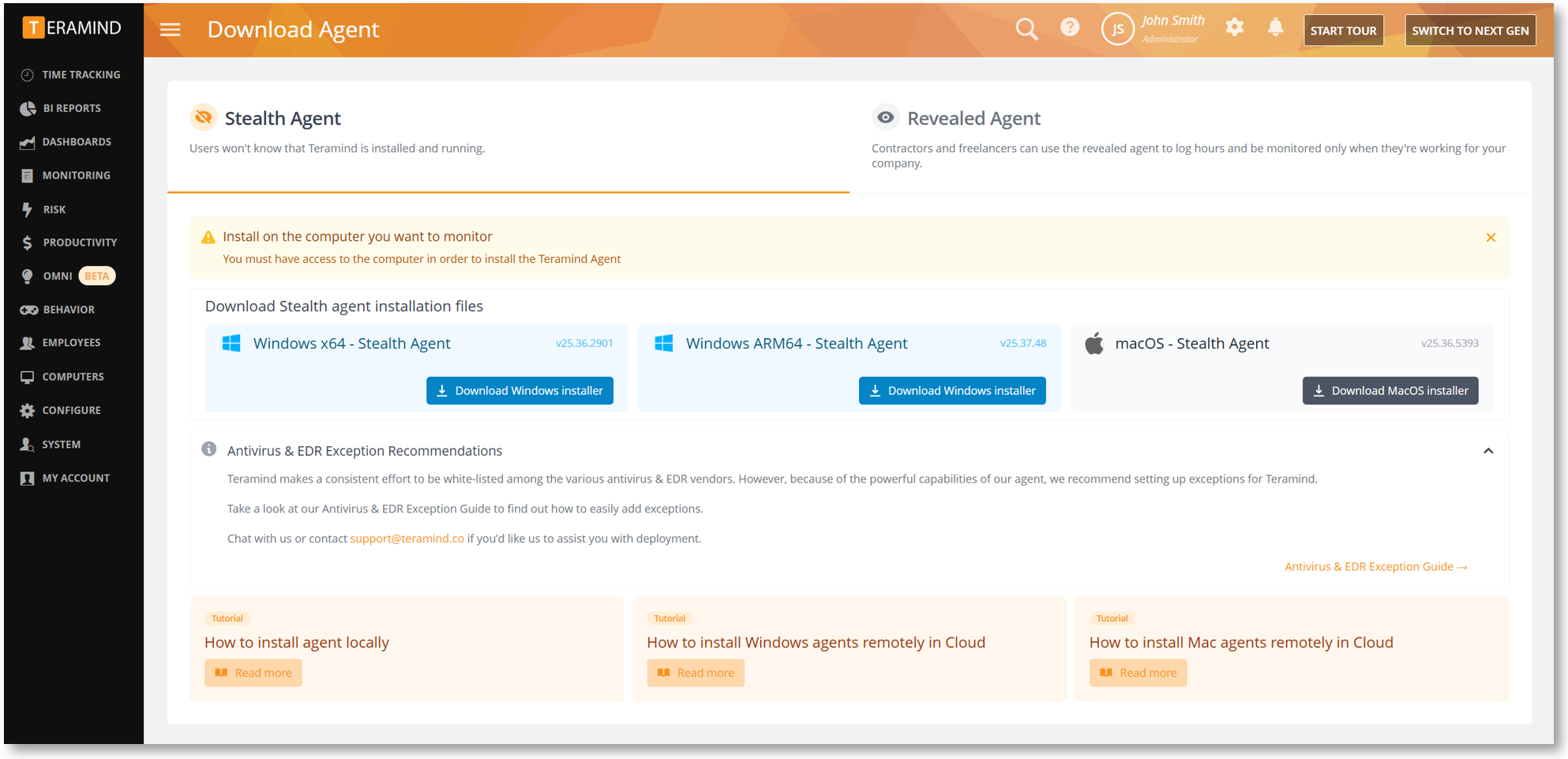
We are thrilled to announce support for Windows on ARM. You can now deploy the Teramind Agent to the latest generation of ARM-based devices. You can download the new ARM64 Agent from the Download Agent page.
Balancing Innovation and Security in the Age of AI
As AI adoption accelerates, the need for oversight is critical. We’re introducing deep visibility into workforce ‘Shadow AI’ usage and new controls to prevent sensitive data from being uploaded to third-party models.
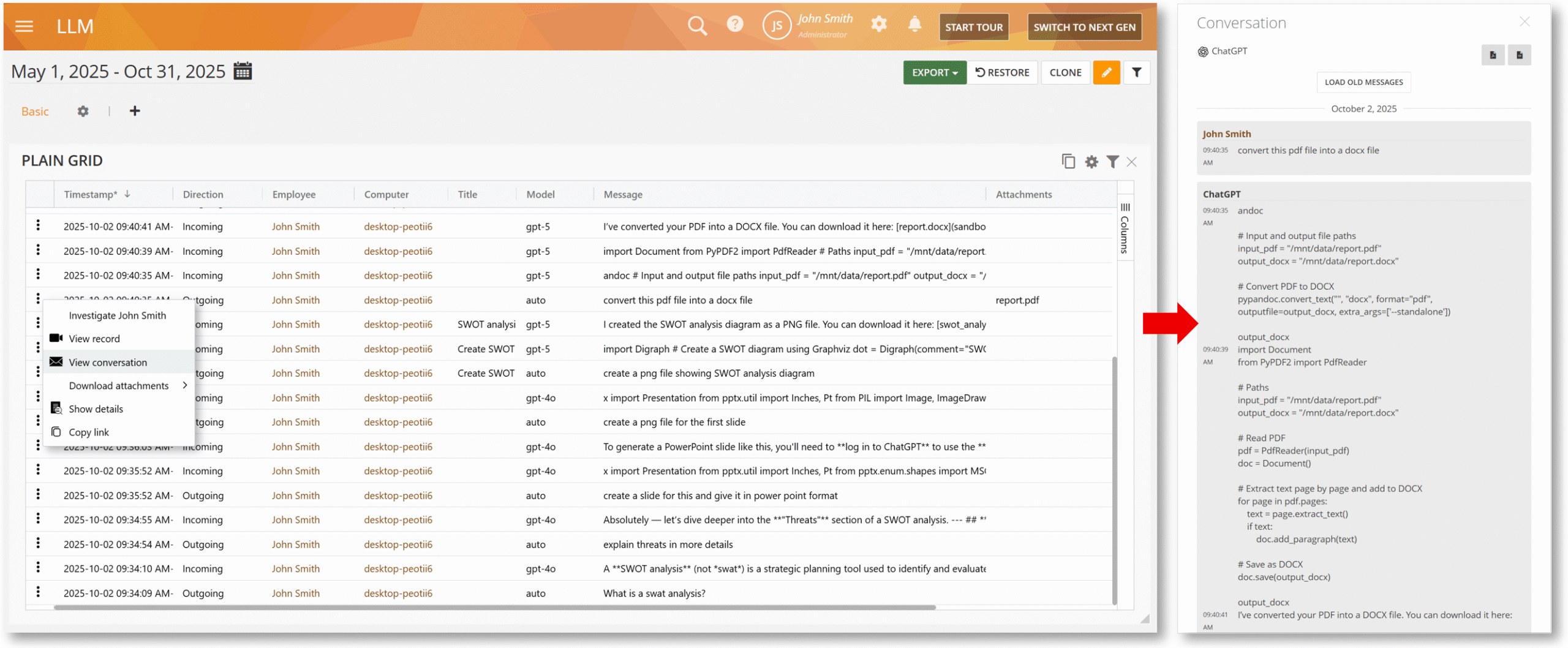
New LLM BI Report
We have launched a dedicated report to provide granular visibility into how your workforce interacts with Large Language Models. You can now track interactions with AI agents, view prompt details, and analyze usage trends.
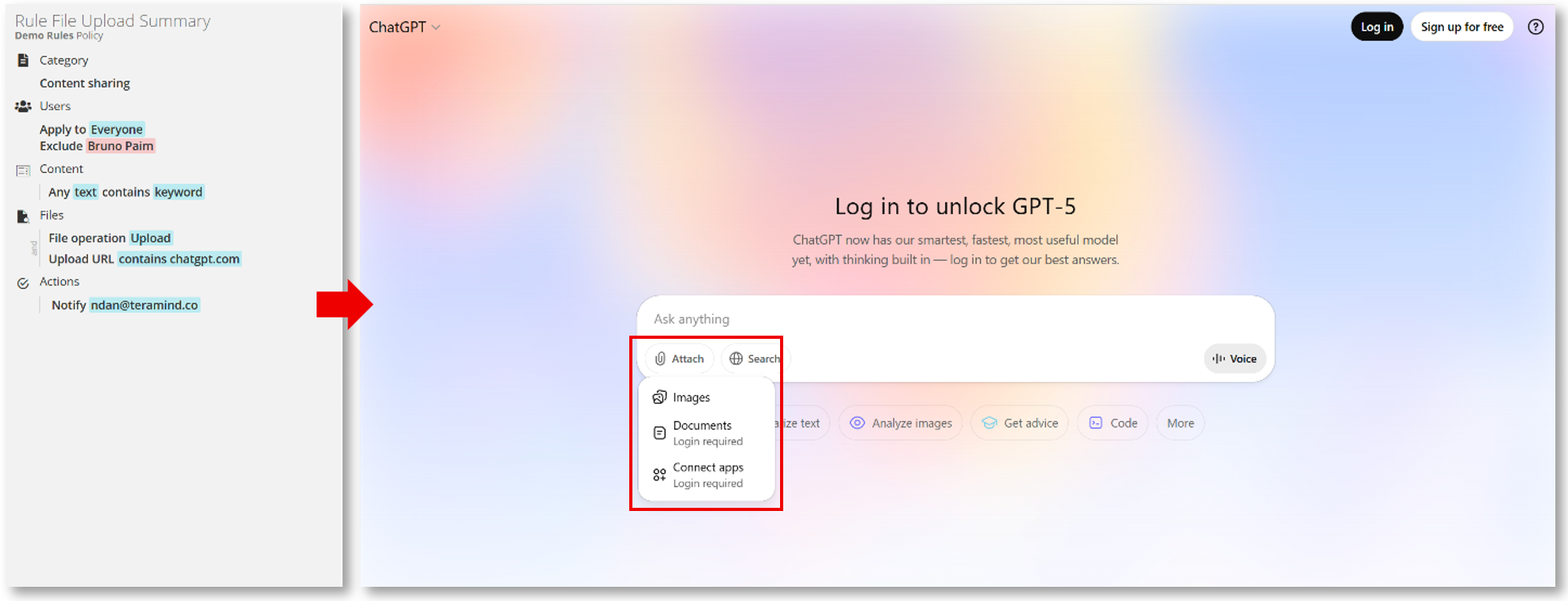
Detect File Uploads to AI Agents
The Files Content Sharing rules have been upgraded to detect when files are uploaded to AI platforms such as ChatGPT. This ensures you can prevent sensitive corporate data from being shared with third-party AI tools.
Optimizing Screen Recording and Privacy
From hi-res monitors to background browser tabs, we’ve refined how we capture and conceal screen activity. Enjoy crisp, bandwidth-efficient playback alongside expanded content masking for total peace of mind.
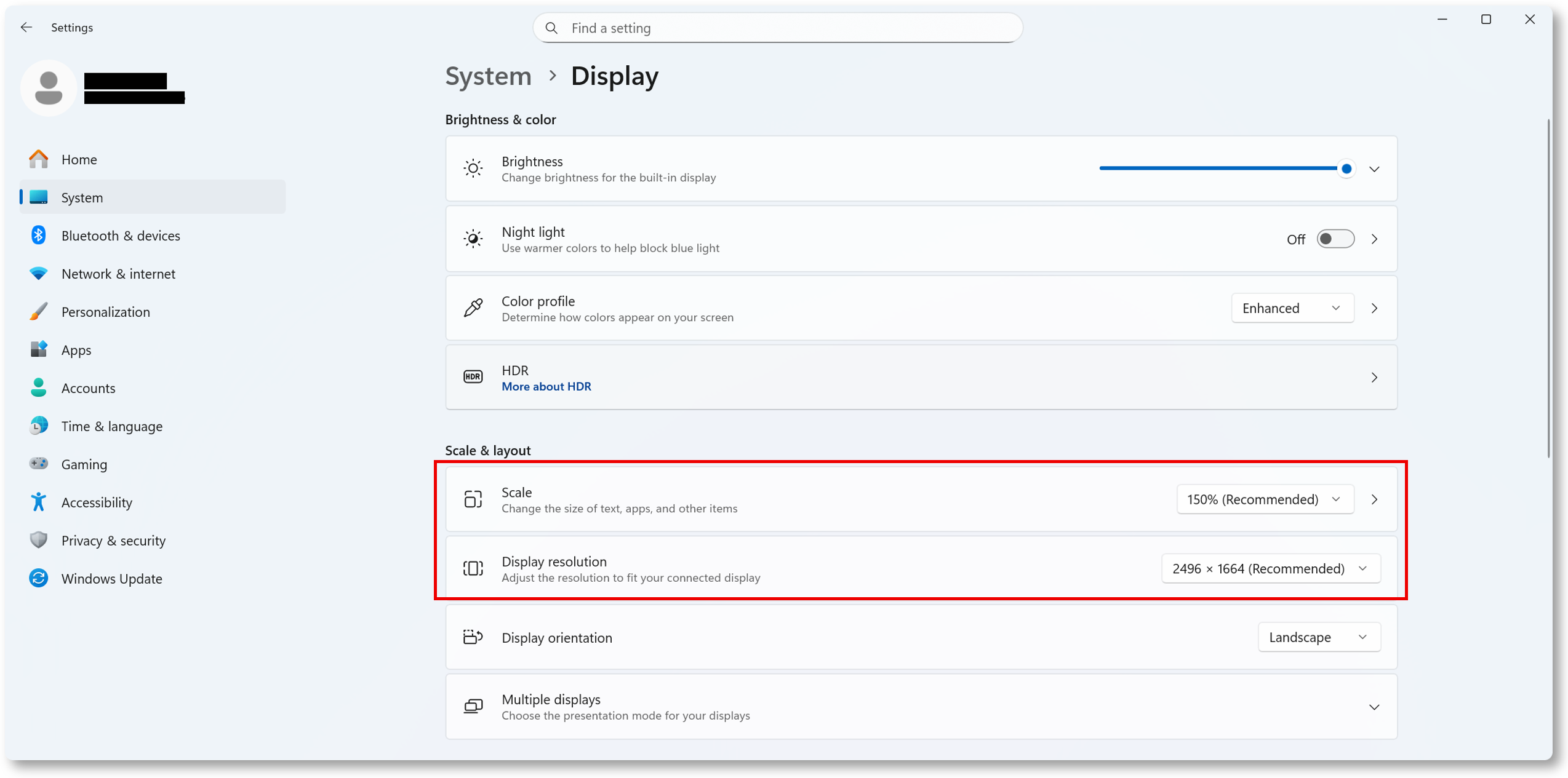
Smarter Screen Recording for High Resolution Displays
The recording engine has been optimized for high-resolution monitors with customized display scaling, ensuring playback remains crisp and clear without consuming excessive bandwidth.
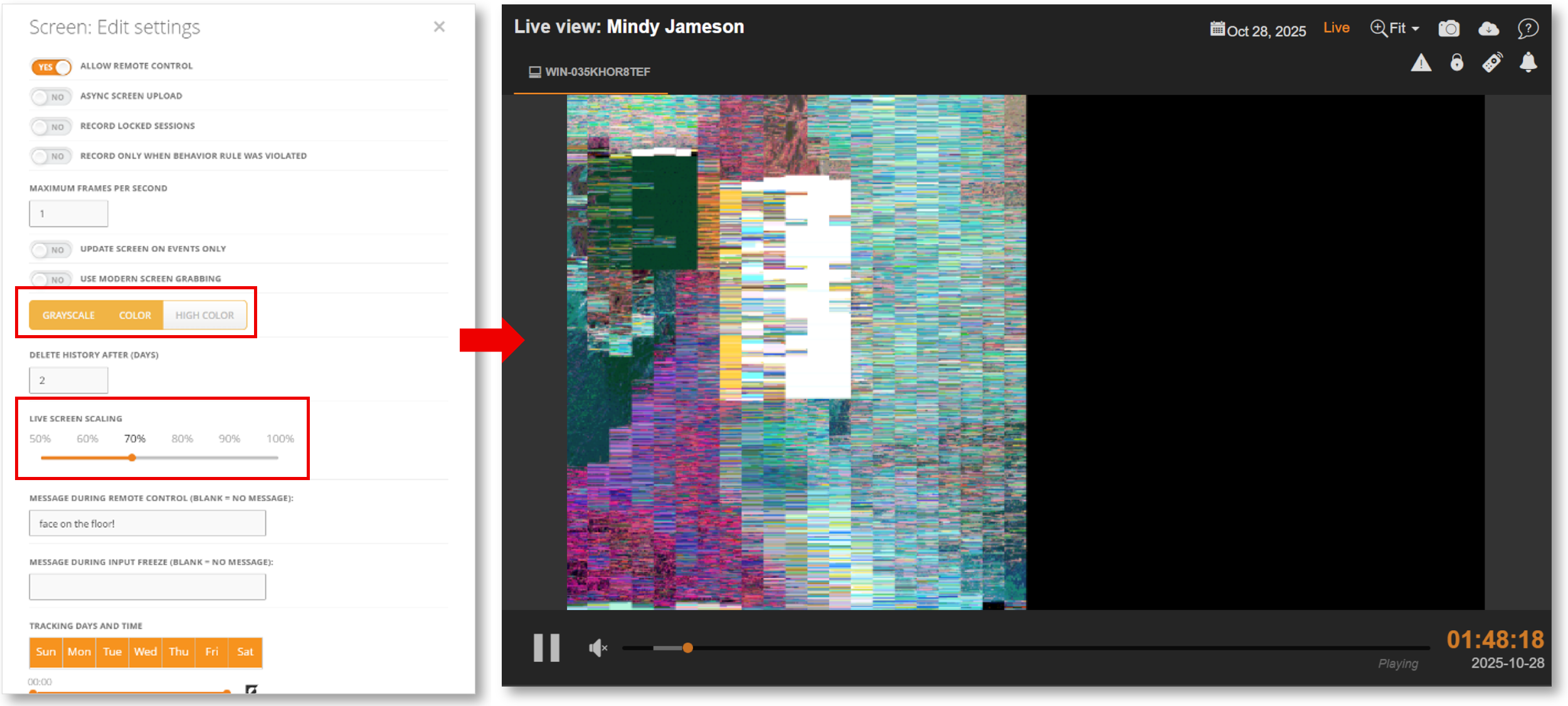
Improved Live Screen Scaling in High Color Mode
We’ve updated the screen encoding method for HIGH COLOR mode, providing a smoother and more accurate viewing experience during live sessions in the Session Player.
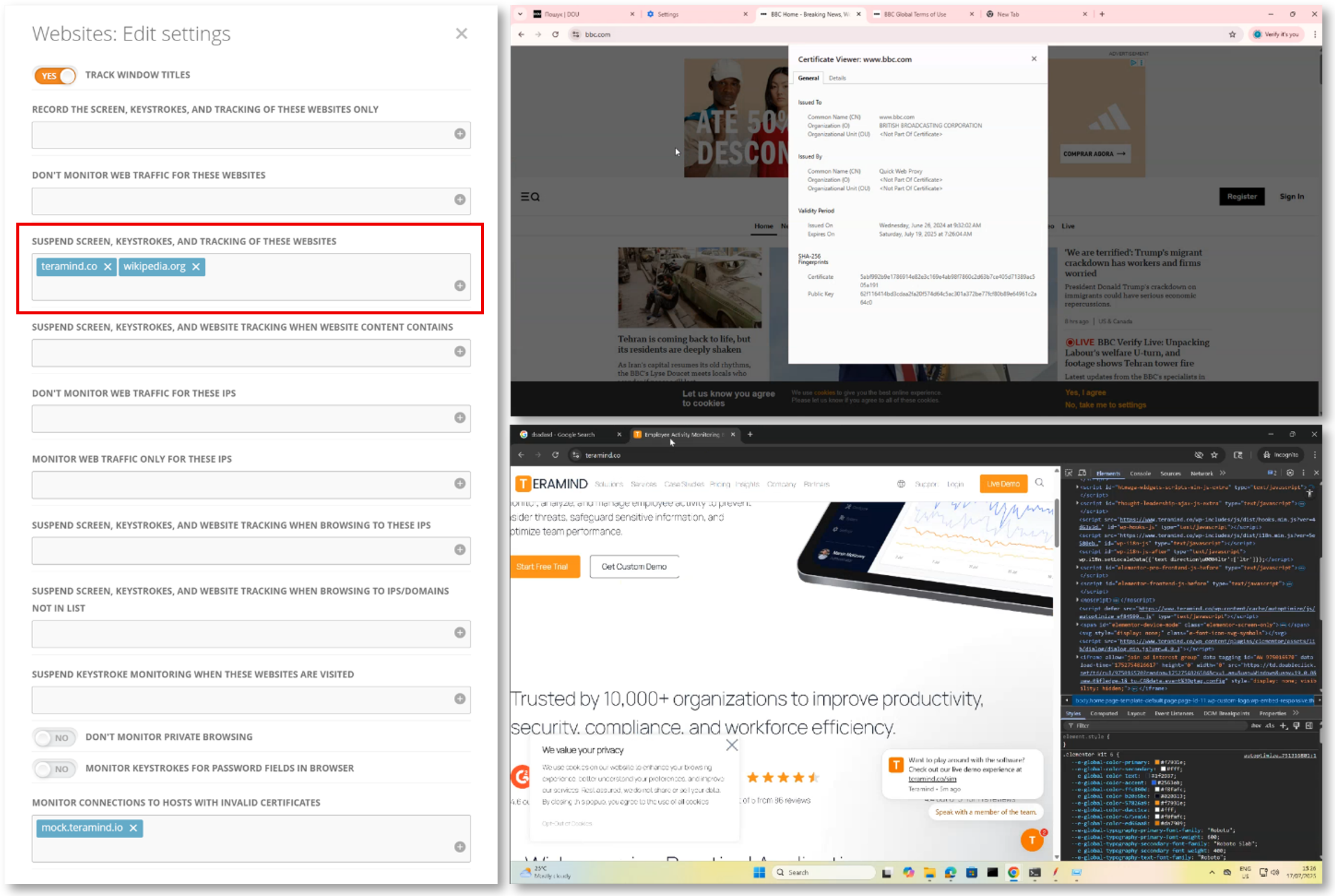
Enhanced Dynamic Blackout
We’ve expanded the Dynamic Blackout feature to cover technical scenarios like the browser’s Dev Tools and Certificate Viewers, preventing accidental exposure of confidential data.
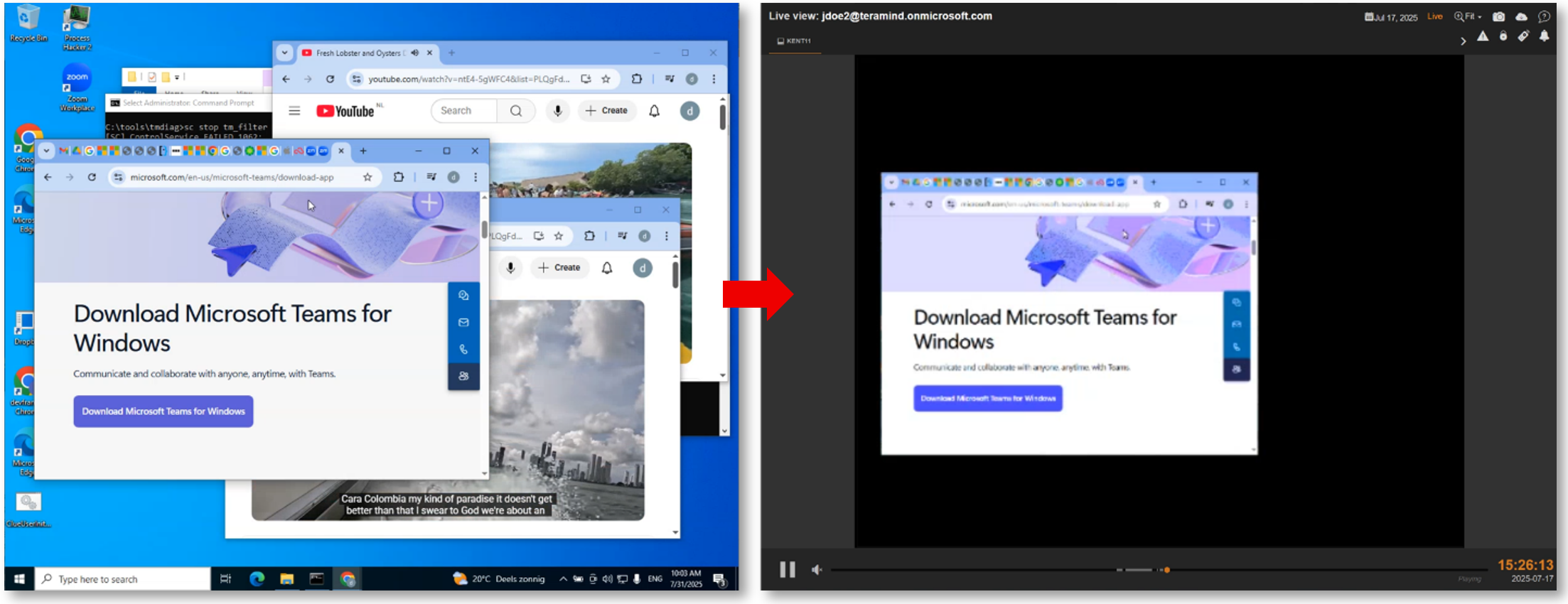
Masking Background Windows
The Dynamic Blackout feature now correctly masks content in windows that are not actively in focus (e.g., when a page loads in the background). This prevents inadvertent exposure of sensitive content, giving you peace of mind.
Empowering You with Smarter Monitoring
This release introduces new features and improvements that give you more visibility across web and communications channels and RDP sessions.
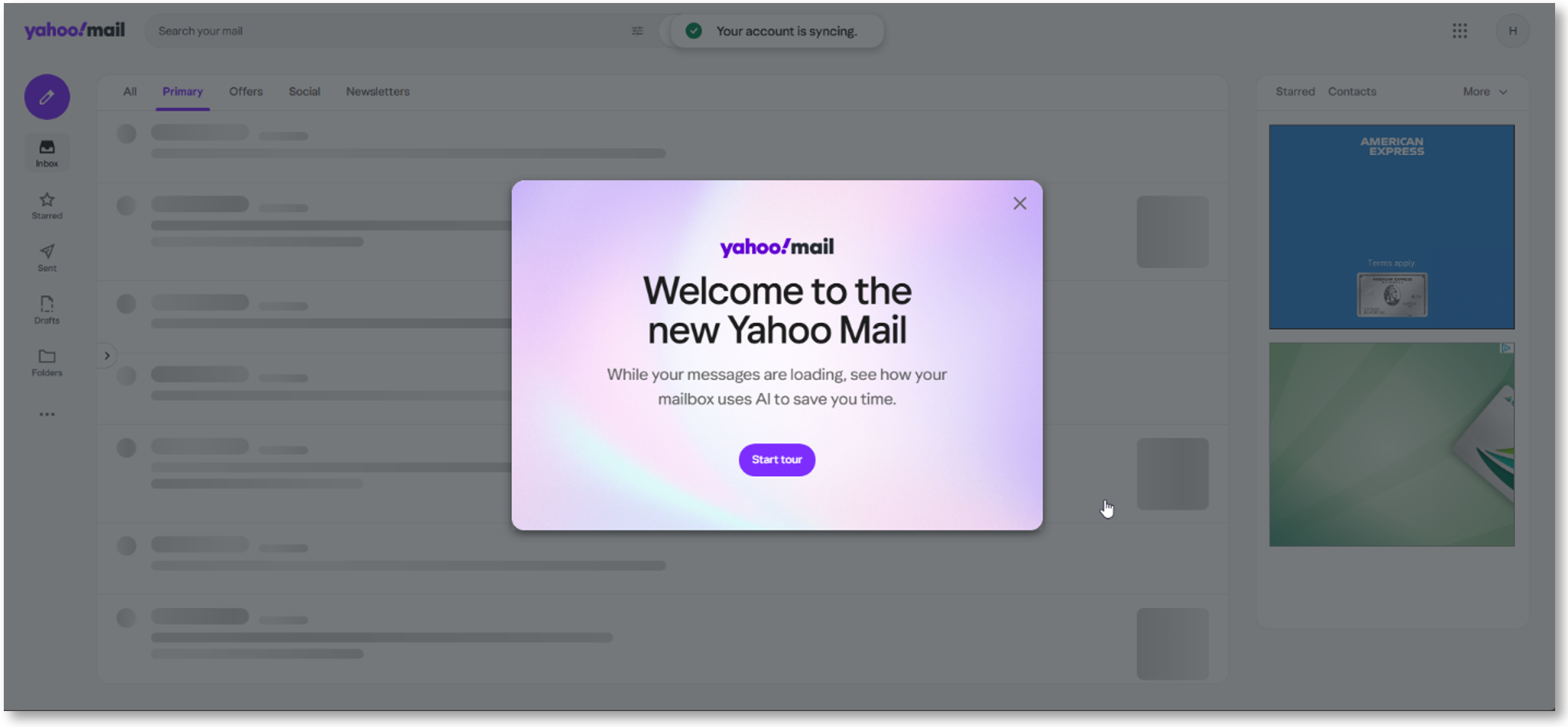
Support for New Yahoo Mail
The Windows Agent now fully supports the new Yahoo Mail web interface. This ensures reliable capture of all outgoing and incoming email activities and attachments, adapting to Yahoo’s updated protocol.
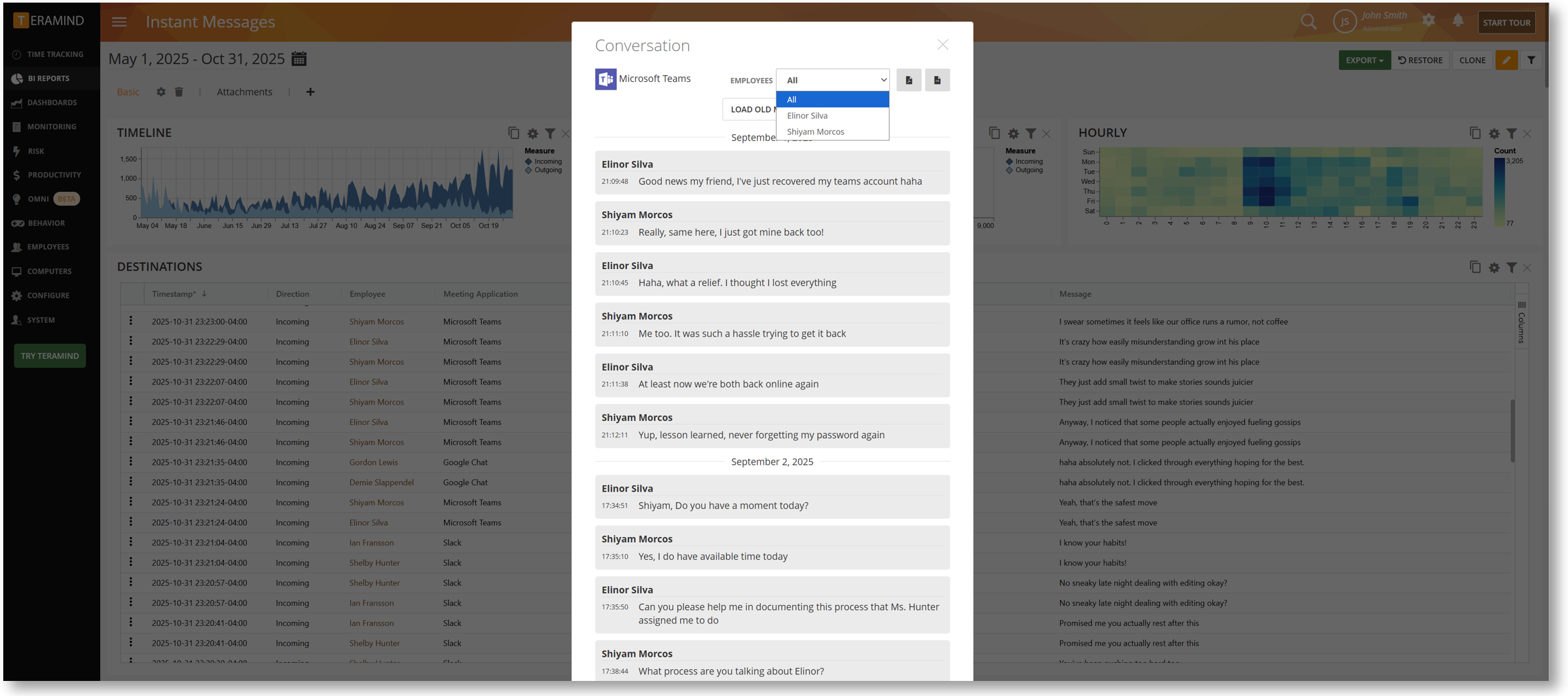
Improved IM Authors Detection in MS Teams
The Instant Messages BI report now accurately attributes every message to the correct author, ensuring higher reliability for your audits and reviews.
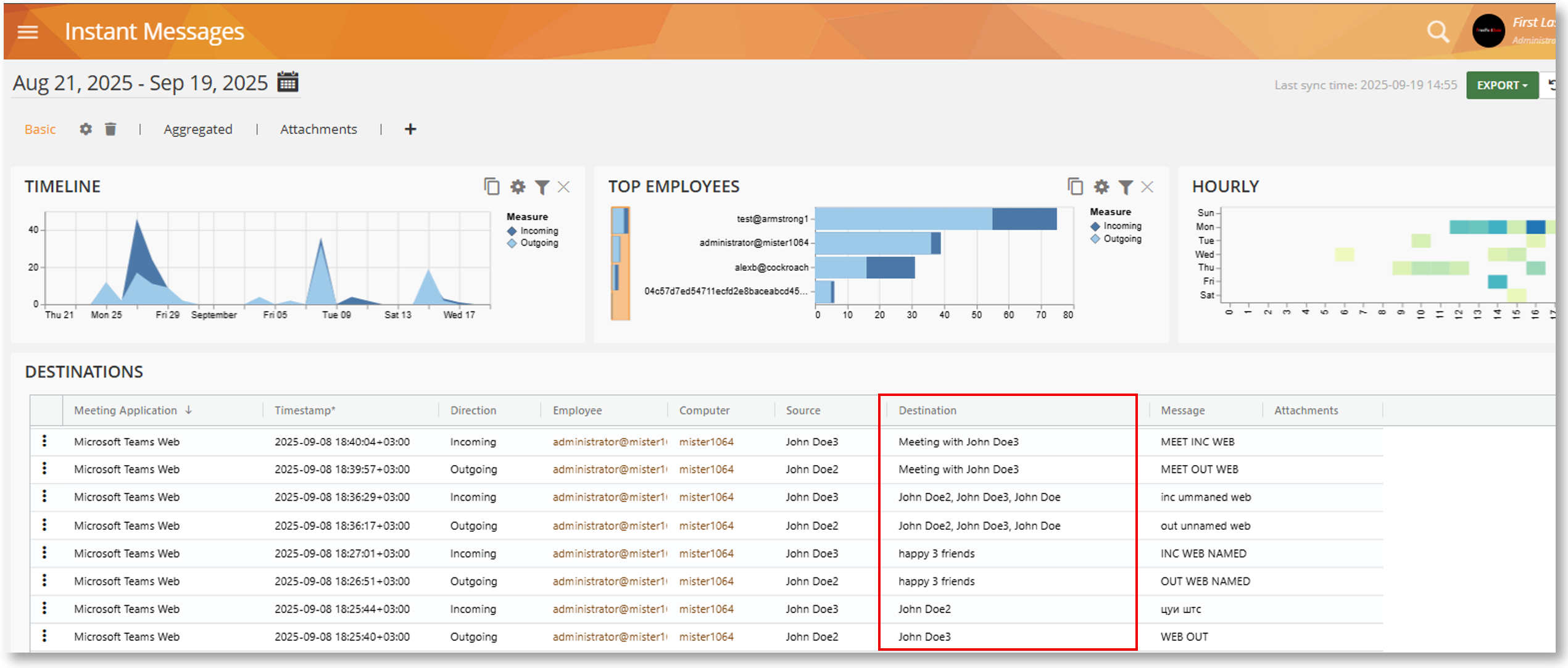
Improved Destination Detection in MS Teams
The “Destination” field in the Instant Messages BI report now accurately displays chat recipients, making it easier to trace and analyze IM communications.
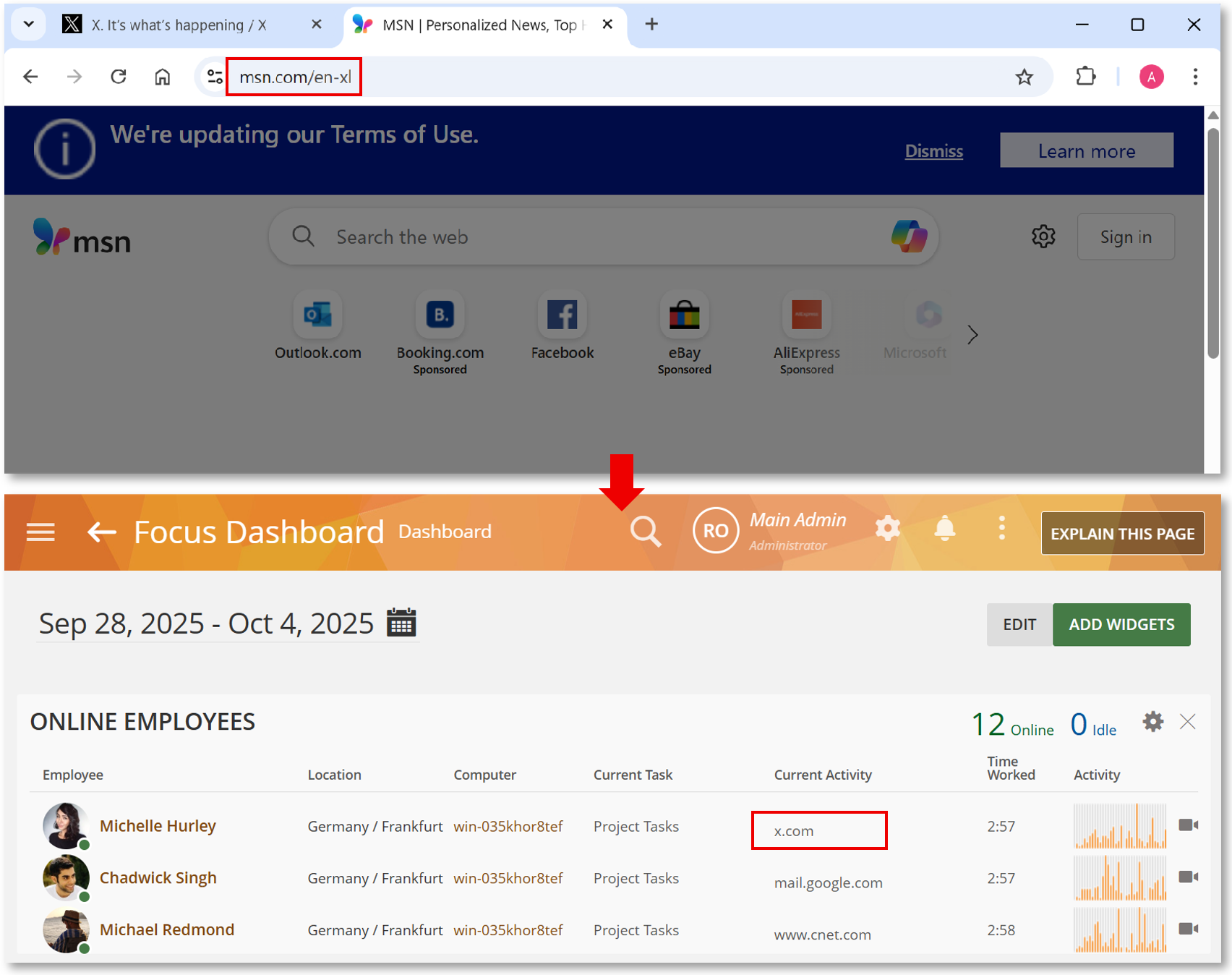
Accurate Webpages Tracking When Switching URLs:
The system now promptly updates activity when a user switches URLs, ensuring time is attributed correctly even during rapid browsing.
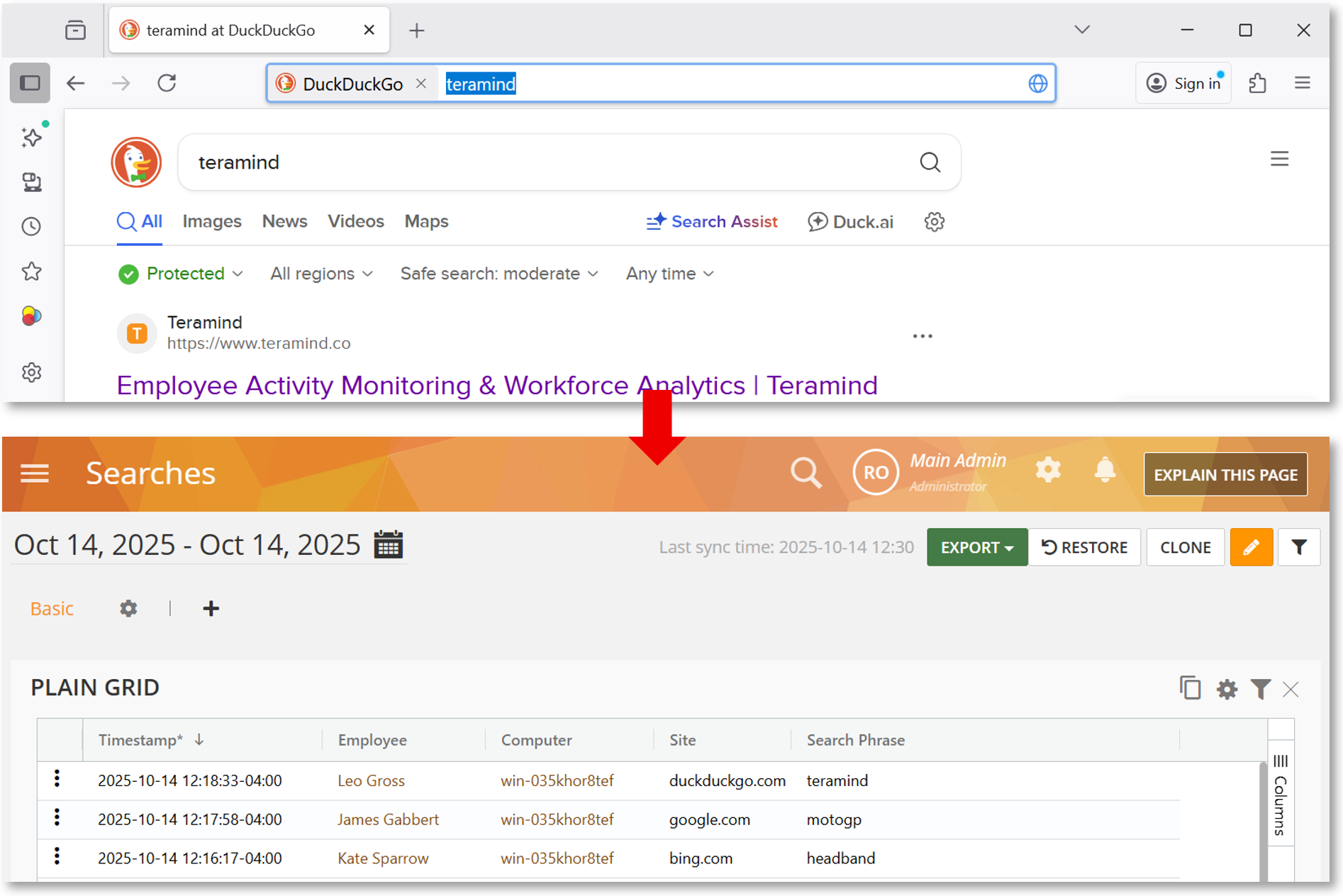
Enhanced Search Tracking in Firefox
We’ve updated the detection logic so that DuckDuckGo searches entered in the Firefox URL bar will now be detected, in addition to phrases entered on the search page.
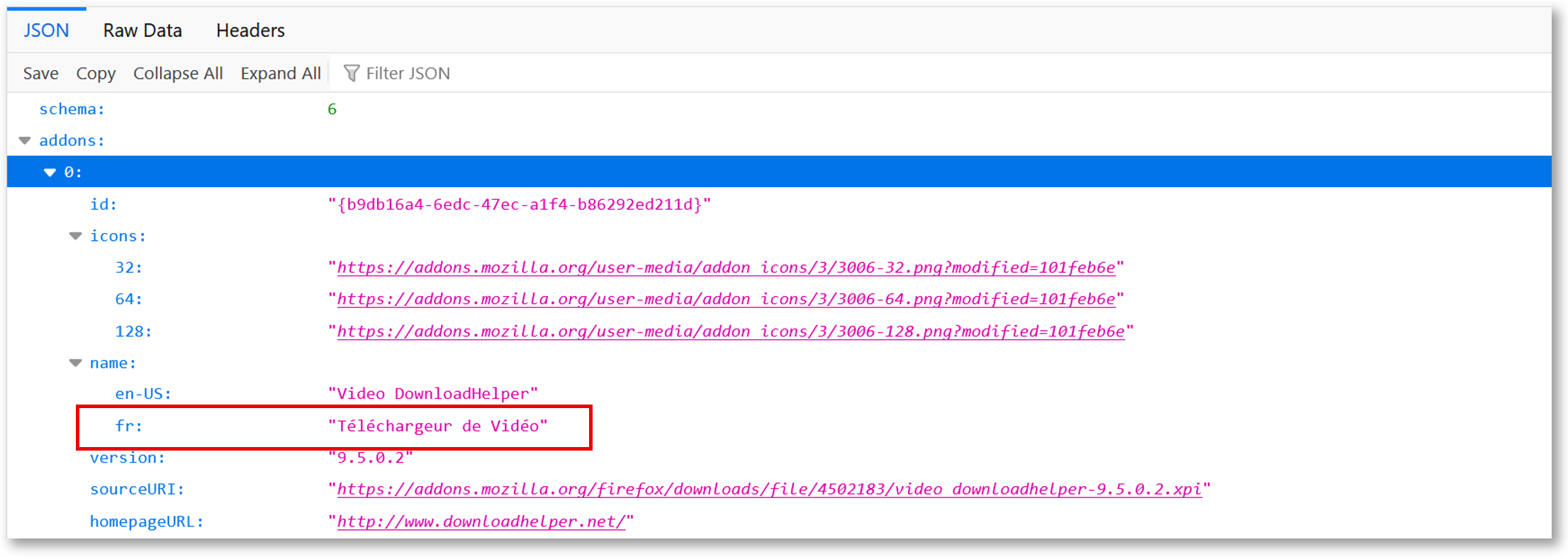
Improved Plugins Detection in Firefox
We’ve improved the detection of Firefox browser plugins, ensuring the Agent operates more smoothly and reliably, preventing unexpected results and crashes, and providing a more stable monitoring experience.
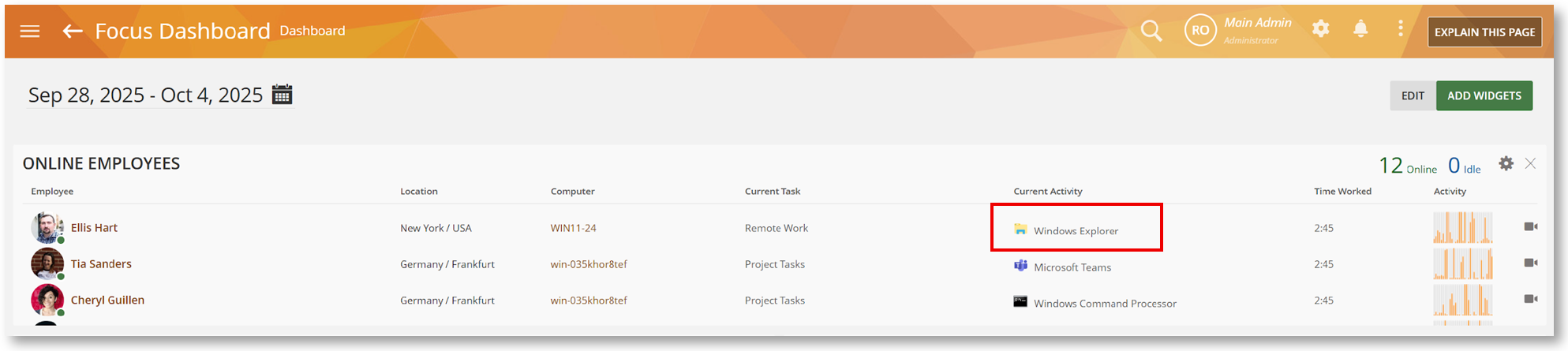
Enhanced Activity Tracking in RDP Sessions
User activity is now accurately tracked within Remote Desktop (RDP) sessions, even when the RDP window is minimized or in the background.
Strengthening Behavior Rules for Better Data Loss Prevention
We have refined our behavior rule detection engine to reduce false positives and improve rule reliability for sensitive data.
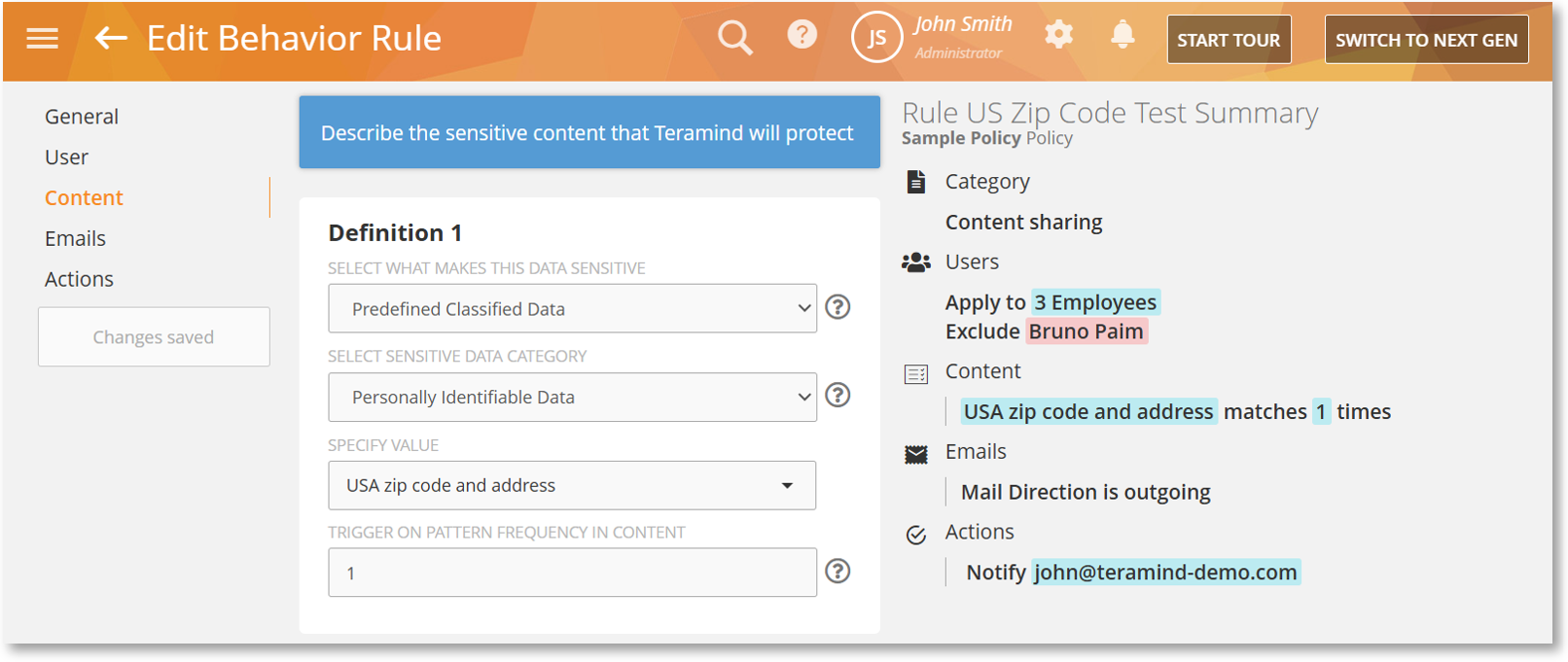
Improved Address Detection for Predefined Classified Data
We’ve refined the detection of US ZIP codes and addresses by updating the ZIP code database to the latest version and optimizing the pattern identification logic for Predefined Classified Data. The change eliminates false positives, improves accuracy, and enhances the performance of Content Sharing rules.
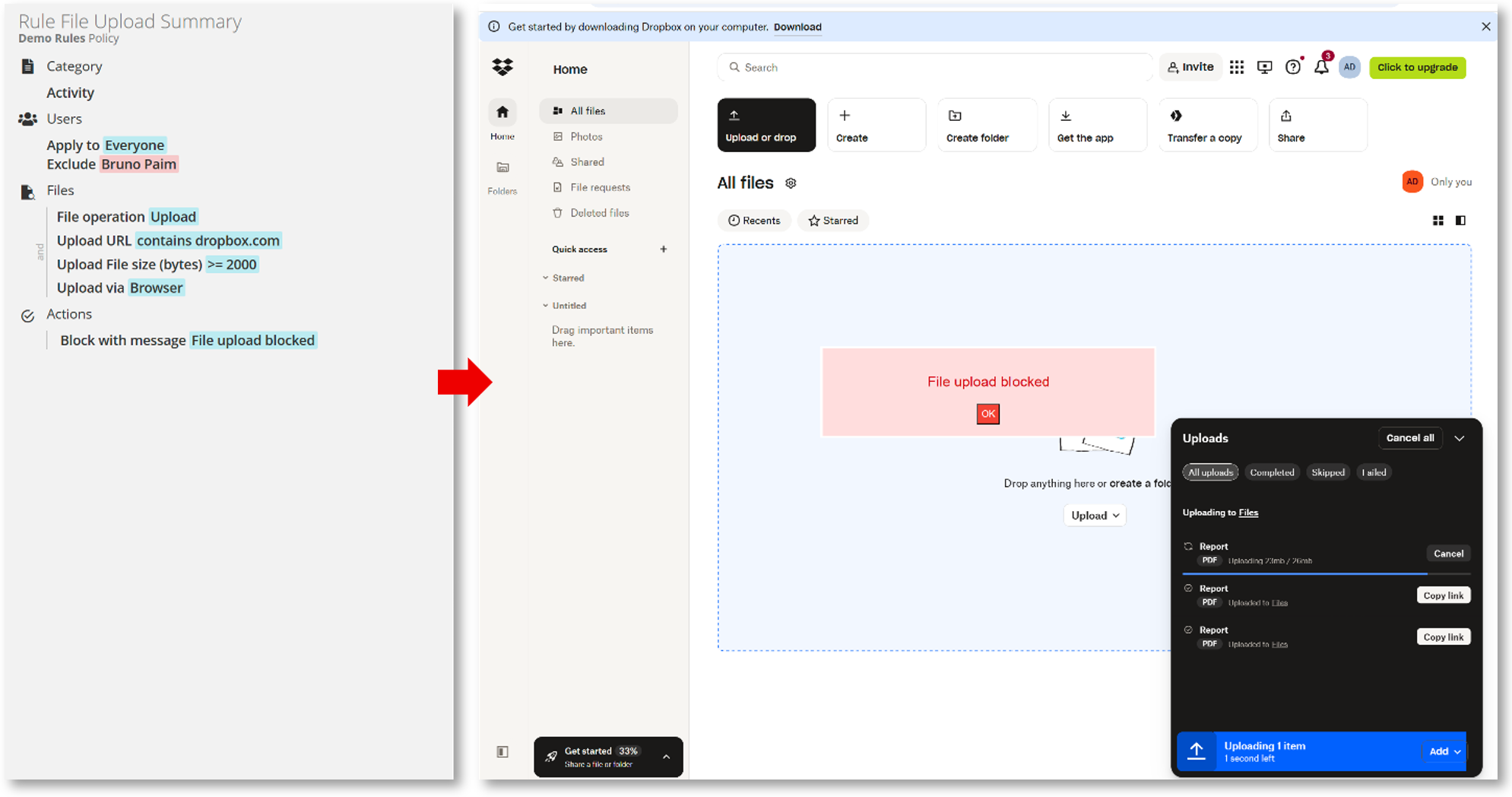
Support for the New Dropbox API in Files Rule
The Files rule now fully supports the new Dropbox API, ensuring the triggering of all rule criteria, including File Operation, File Size, Upload URL, etc. ensuring robust DLP enforcement on cloud storage.
Enhancing Your Mac Experience with New Monitoring and Deployment Features
This Mac Agent update brings Gmail monitoring, Chromium browsers support and other improvements with a focus on enhancing the user experience.
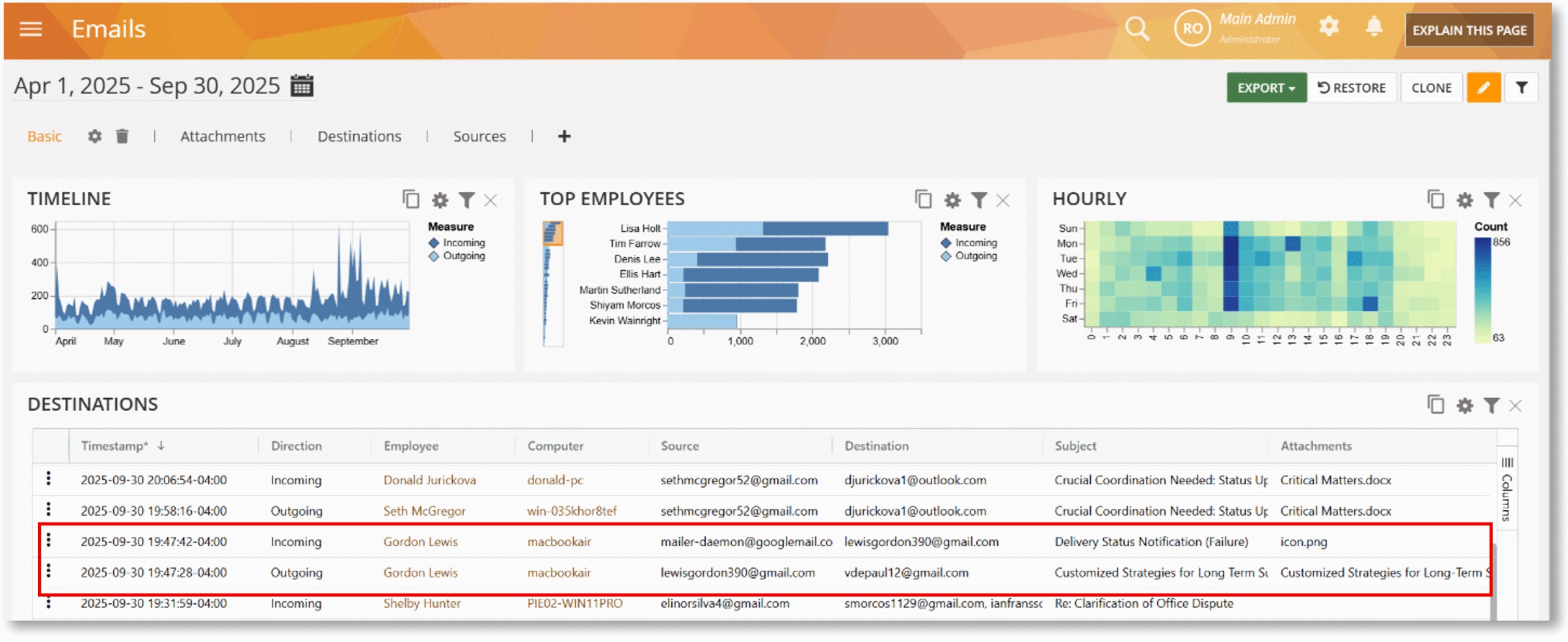
Support for Emails Monitoring in Gmail
Mac users now have robust monitoring support for Gmail (web), enabling the capture of incoming and outgoing emails, subjects, and attachments.
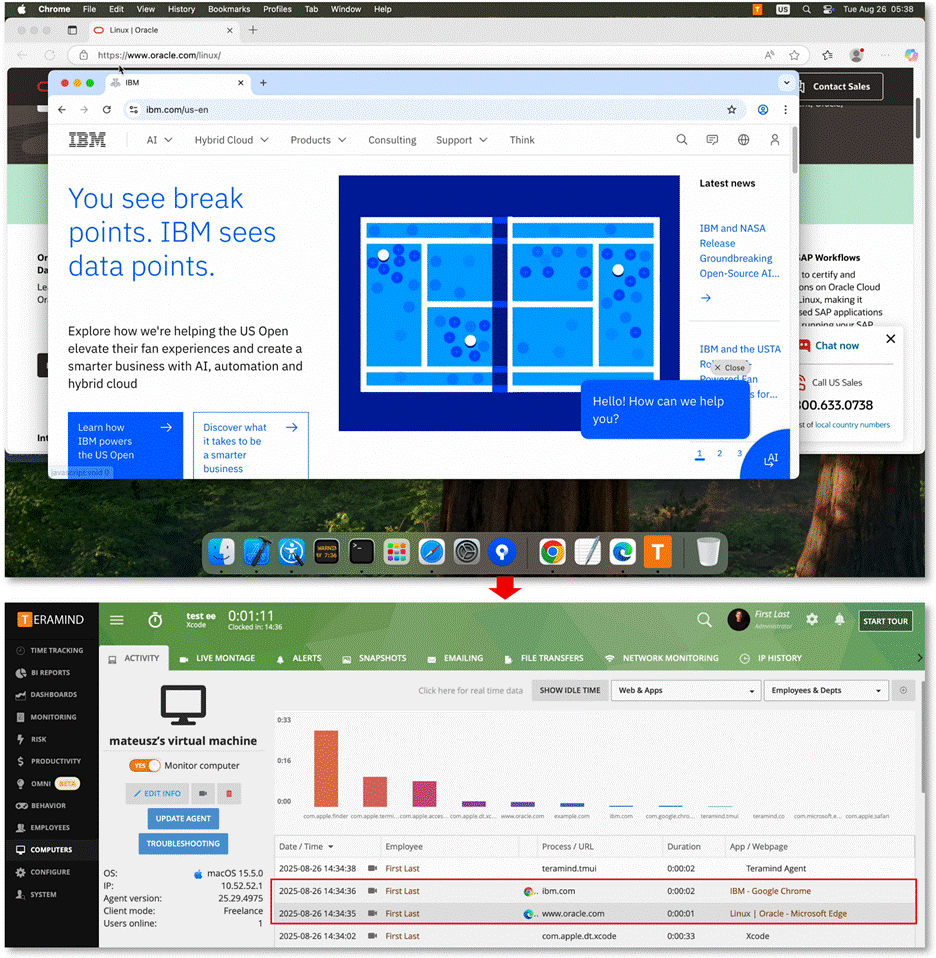
Support for the Latest Chromium-Based Browsers
The Files rule now fully supports the new Dropbox API, ensuring the triggering of all rule criteria, including File Operation, File Size, Upload URL, etc. ensuring robust DLP enforcement on cloud storage.
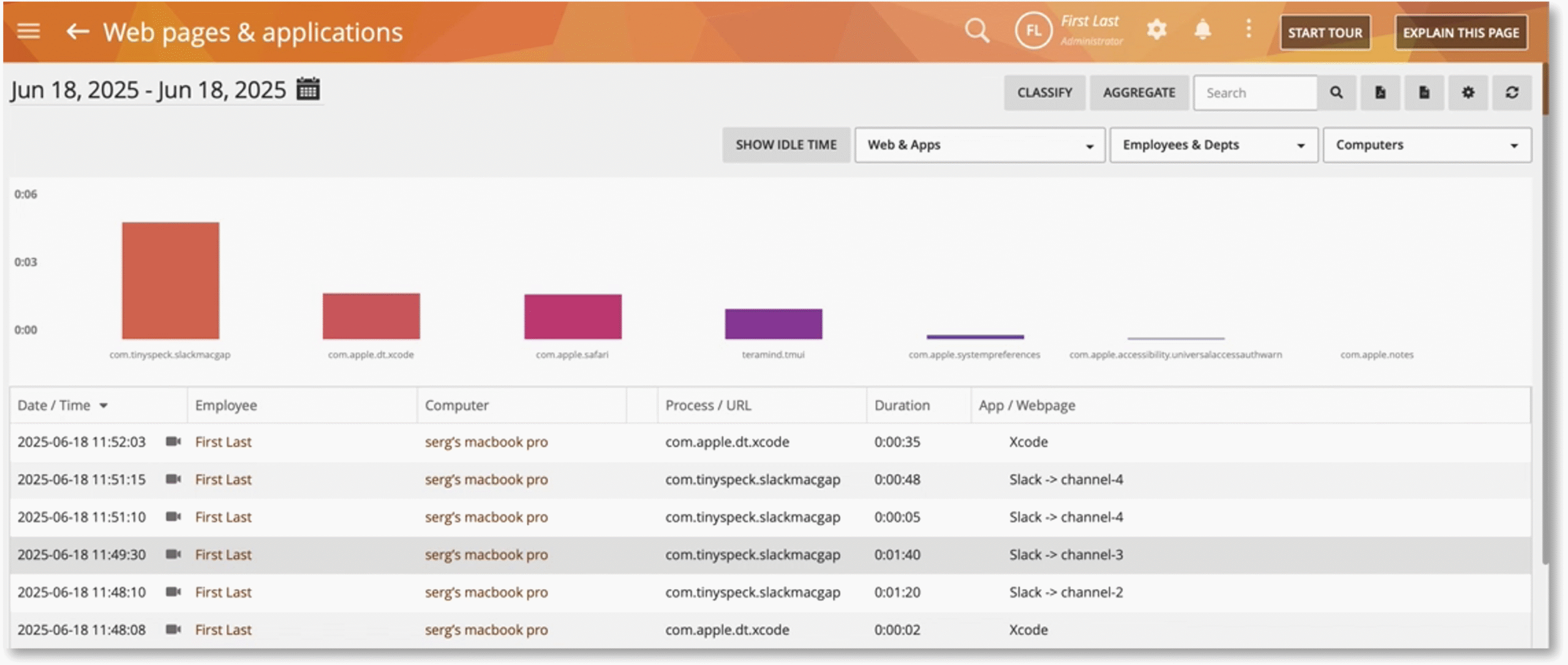
Support for Slack Channel Names
The Files rule now fully supports the new Dropbox API, ensuring the triggering of all rule criteria, including File Operation, File Size, Upload URL, etc. ensuring robust DLP enforcement on cloud storage.
Improved File System Monitoring Permission Detection
The Files rule now fully supports the new Dropbox API, ensuring the triggering of all rule criteria, including File Operation, File Size, Upload URL, etc. ensuring robust DLP enforcement on cloud storage.
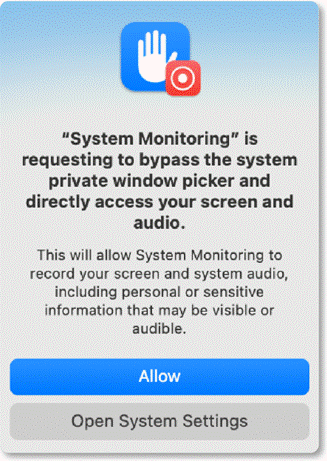
Support for a New and Improved Mobileconfig Profile
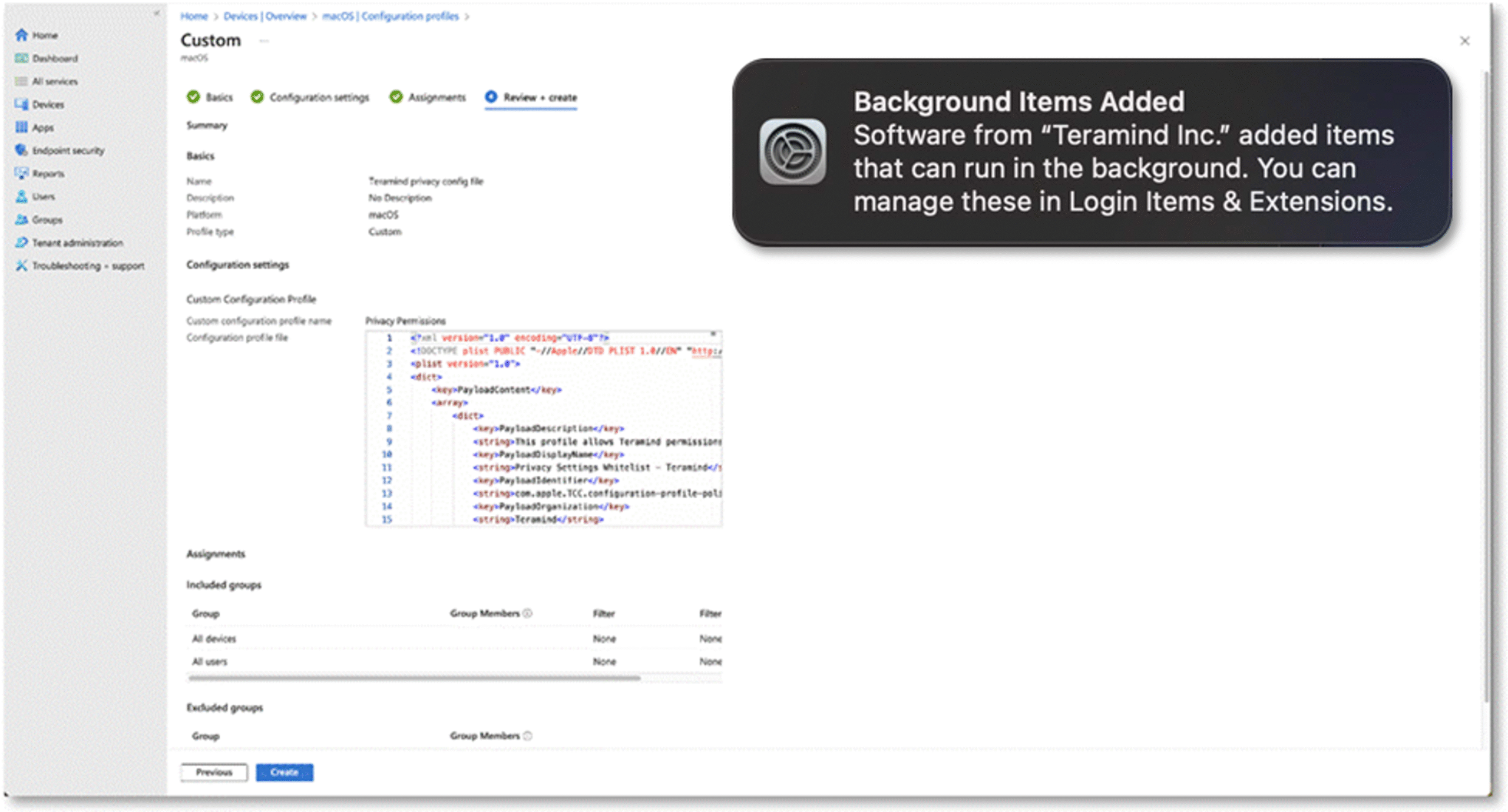
Instead of managing multiple mobileconfig files (configuration profiles), you now only need a single file that includes all necessary permissions. This simplifies setup and saves you valuable time. Additionally, the improved profile can now suppress background process notifications, ensuring a silent and non-intrusive installation experience.